Personal Leave


I have an employee who has just moved to be a part-timer from being casual. I've manually worked out the hours of accrued sick leave (aka Personal Leave), say 9.6 hours. She is paid weekly. How do I set up her profile such that I can pay her off this 9.6 hrs inthe next pay run (cos she was taken sick) and (2) start seeing how many hours of sick leave is being accrued.
Eg. Date= 18Sep2023. I set her opening balance = 9.6hrs on this date. Ran the payrun on 18Sep2023 and input 9.6hrs under Personal Leave and ticked 'Cash out'. When I complete the Pay run, her accrued leave is now -9.6hrs (minus 9.6).
Answers
-
Rav,
Is anyone looking into this problem I reported?
0 -
Hi Rav,
I tried without selecting 'Cash Out', same result. Test scenario: I set the opening accrued sick leave to be 2 hrs. Then, in the pay run, I add the item 'Personal Leave' = 2hrs. The end result, after the pay run should have a 'Personal Leave' balance = 0 hours. However, the 'Personal Leave' balance remains 2 hours. See the attachment below.
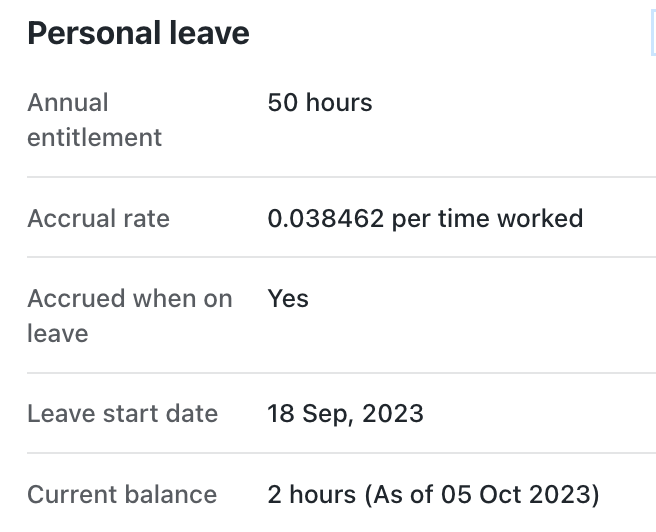
However, when I select 'Cash Out' instead, the 'Personal Leave' balance is updated to -2 hours. So, it's either 2 hours or -2 hours; never 0 hours in the balance
0 -
Hmm ok, that sounds rather odd. I just did quite a bit of testing in my own account to try and replicate what you're experiencing but I wasn't able to. See example below where the leave balance of my employee is reduced by the accurate amount (+ leave loading).
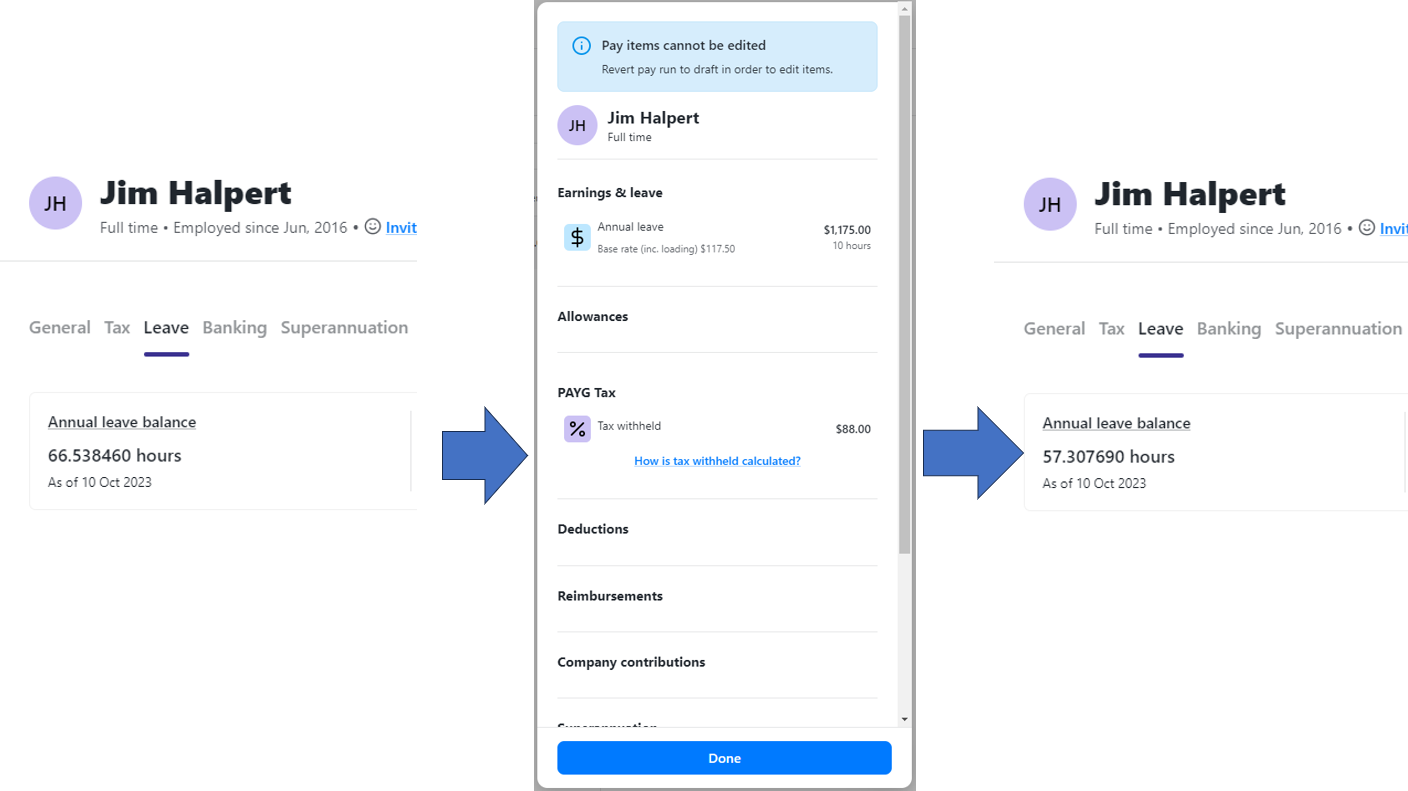
I'd recommend getting in touch with our support team so we can have a technician take a closer look at the setup of the employee profile. Perhaps there is something in there that is contributing to this or if not, they can open a ticket for our dev team to investigate.
0 -
Rav,
You tested the wrong 'Leave'. I have no problems with Annual Leave. The problem is with PERSONAL Leave (aka Sick Leave)
0 -
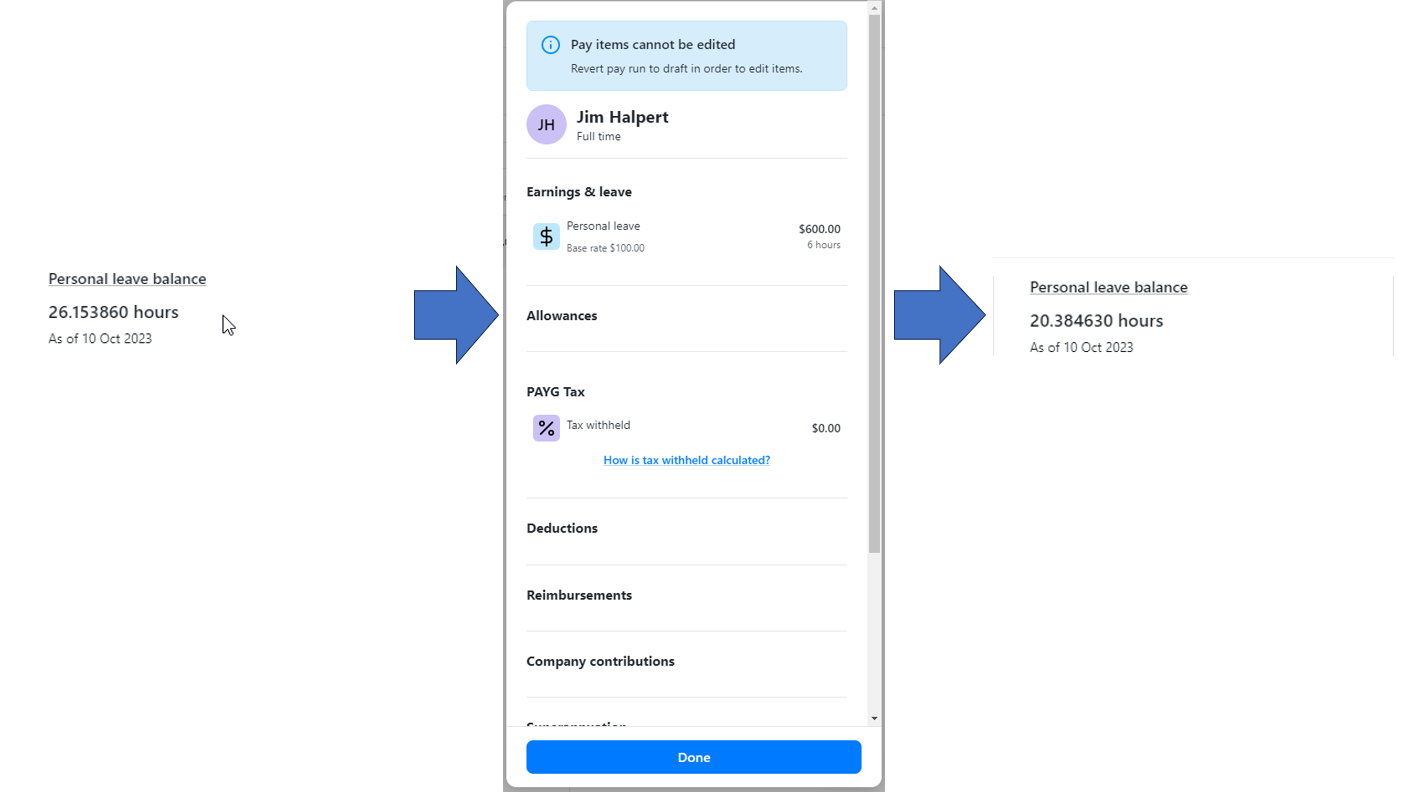
I've tested personal leave as well (just didn't include it in the example above) and it works normally.
 0
0 -
Ummh... I still can't figure this out. This is without you clicking 'Cash Out'? Thanks
0 -
Yep its without ticking the Cashout option. Give our support team a buzz when you've got a chance and we'll have a technician take a look at your setup 🙂
0




