Bank Account Manual CSV failing - WHY?


Please help, find this very frustrating - manualling uploading bank account transactions (other bank).
This the error received when uploading.

This is the mapping used

I have tried multiple things to get it to work, but it won't, keeps failing. How do I get it to upload properly?
TIA
Answers
-
Morning @PBT
The screenshot of the import that you have shared has some missing titles which are stated as Ignore. If you can please make sure to select the titles for those as well, which are the ones highlighted in the screenshot attached -
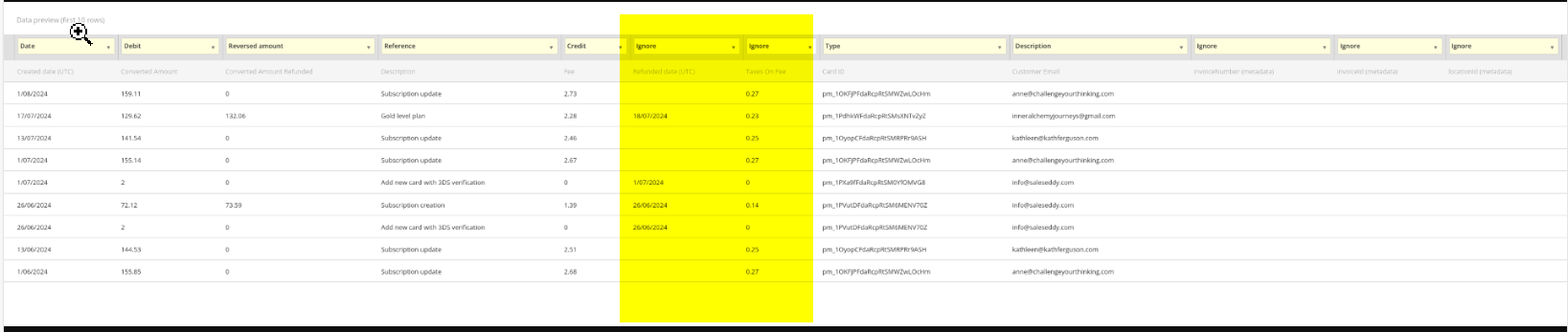
Please let us know how you went after choosing a heading for those columns, if you are able to upload or still getting the error message. Thank you!
Regards
Tanvi
 0
0 -
There is nothing to match these to, no column headings that are relevant to tax or a second date. So they can be ignored.
Plus why would there be an error based on columns that are ignored, that doesn't make sense?
0 -
Hi @PBT
Because there is some information there and choosing ignore option, is a possibility for the error message.
If that's of no use and has to be ignored, if you can please open that import data into Excel file and delete those columns which are not required and then import to the book, and it should work. I hope this helps.
Please let us know for any concerns. Thanks
Regards
Tanvi
0 -
That didn't work. I have deleted those columns and the same error occurs

.
0 -
I eventually got it to work with changing type column to reference.
0

 Reckon Staff
