Personal Pus renewal Issue


Paid my renewal, received confirmation of renewal but no other instructions.
Now product wont work, saying it has expired.
Why does Reckion not advise of process followng payment?
How do i get it working again? I have tried login but not taking me to a page where I cdan enter Cust No & PIN- where do I go for the correct login page? Do I have to unsinstall 1st? So frustratinhg the lack of process info & the clunkiness, appreciate any advice
Answers
-
It's the same process every year mate, it shouldn't come as a surprise.
If you're not on v31 yet then go to the members area and download it then activate it. All the instructions to activate it are there
0 -
Apologies for the inconvenience.
As @Eric Murphy mentioned above, you can have the latest software downloaded from the members portal.
Here are the steps to access the site and download the software:
- Click on Reckon Members Site
- Login using your Customer ID and PIN
- Once logged-in, click on Download Software
- Select your Product from the drop-down
- Click Next
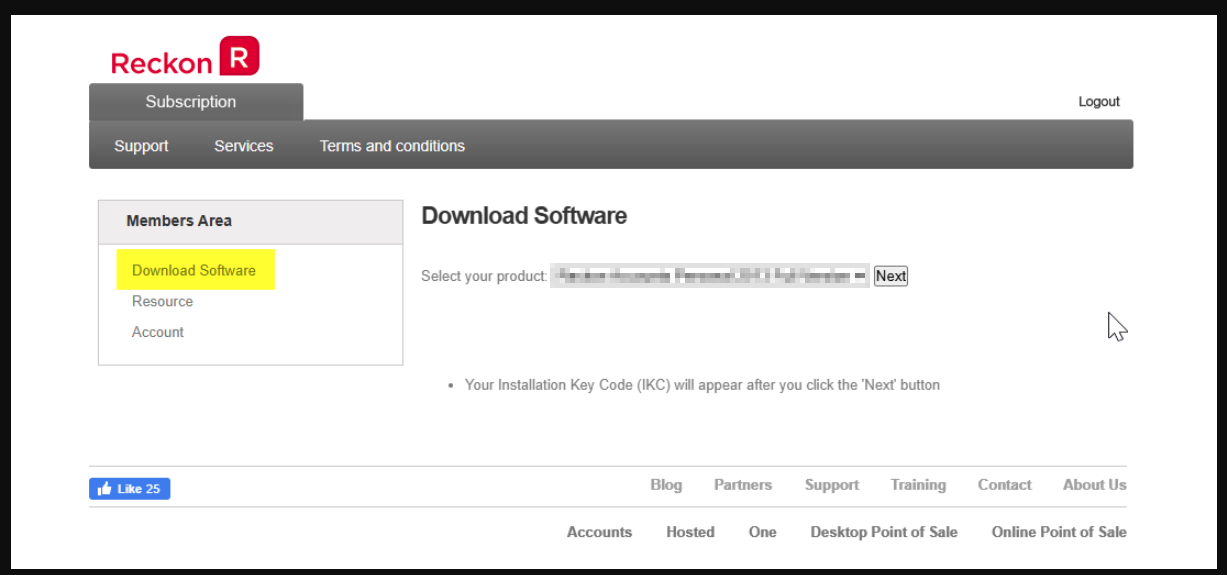
As you click next, you will have the link to download the software and the IKC for the selected Product.
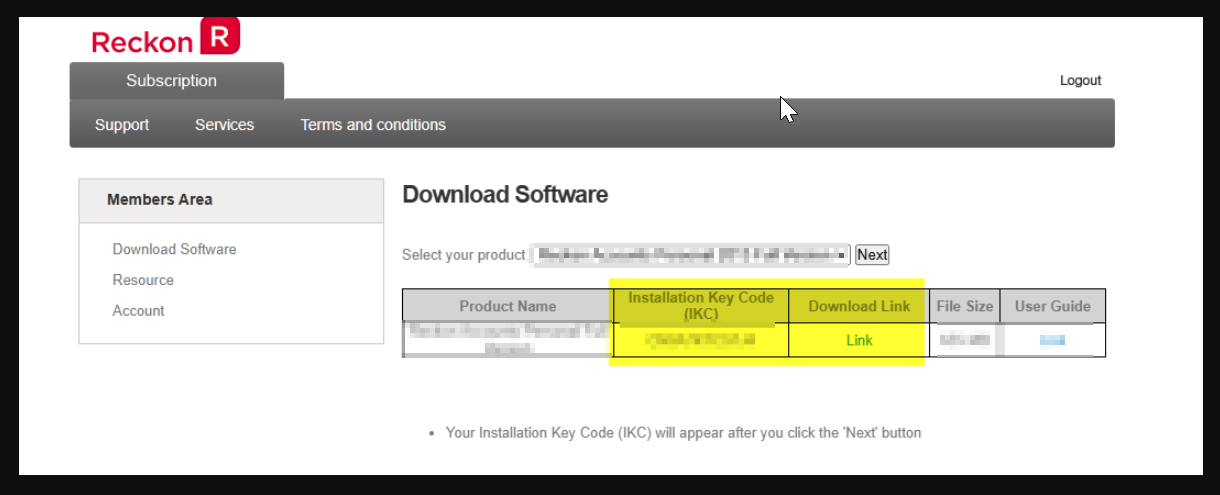
I hope this helps. Please feel free to let us know, if any concerns. Thank you!
Regards
Tanvi
 0
0


 Reckon Staff
