How to remove investments from the Account Holdings overview when these now have nil balances


Comments
-
Hi Sam
I am also a long term user of Quicken/Reckon Personal Plus and now, as a pensioner, would add my voice to those querying the high annual membership to access our own data. I only use Reckon for monthly budgeting, reminders for due dates, and to keep track of my managed superannuation fund.
Another question I have is how to remove investments from the Account Holdings' Overview when these now have nil balances. All together they make up a managed superannuation fund but I have always liked to keep track of the individual components. Over time some of these have been sold and new ones bought by the fund managers and yet when I 'sell' the investment in Reckon it is still shown in the Overview list with nil shares and nil balance. This is awkward as I am constantly scrolling from top to bottom of the list to reach each active listing to update the price. [Clicking the 'sell all' under 'sell shares' does not work as I am then left with negative balances for the investment.]
Many thanks
Kim1 -
Hi Kim,
I'm not a Reckon Support person however this is what works for me. Go to the Account List, then select the Manage Accounts tab. There you will find options for Hide Account, Dont include in Totals, and Remove from the Account Bar. If you Hide the account, then the other 2 features are automatically enabled. You can also use this tab to move the accounts up or down to re-order your list. I use this to Hide closed accounts and sold investments.
Thankyou for your support on the pricing issue.
1 -
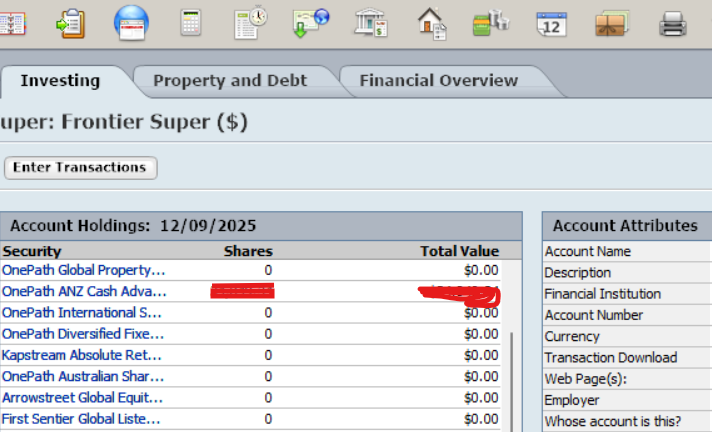
Many thanks GM46 for your suggestion. The issue I have is under the Account Holdings on the Overview page, as below. You will see all the listings with zeros. Even when I have hidden accounts in the Manage Accounts tab they still appear in the Overview page. But thank you very much for your suggestion.
 0
0 -
Many thanks ron5 for you suggestion.
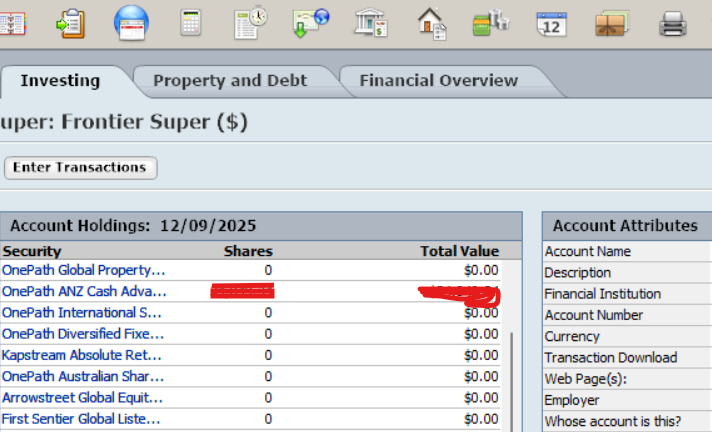
The issue I have is under the Account Holdings on the Overview page, as below. You will see all the listings with zeros. Even when I have hidden accounts in the Manage Accounts tab they still appear in the Overview page. Similarly when I have hidden the listings in the Security List, whilst they are hidden in that list they still remain in the Overview. I have tried all sorts of ways around this but the problem persists.
 0
0 -
Hi ron5,
I was so excited to read your message and immediately checked out your answer. Unfortunately, it didn't work as there is no 'options' tab on the Account Holdings section of the Investing Overview, although all the other sections on the investing Overview do have 'options'. I could only find the same 'options' tab as yours under the Investing Portfolio tab and this was already deselected for 'show closed positions'. Below is a screen shot of the 'account holdings' section with no 'options' tab.
Thank you for your suggestions. Kim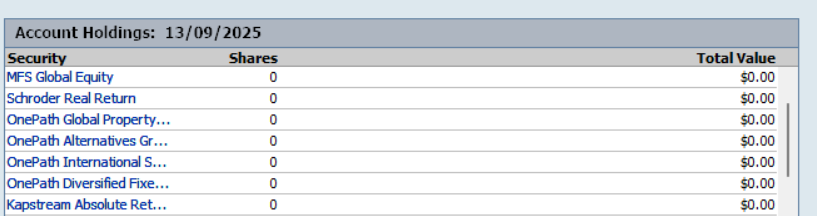 0
0 -
Hi @kimelyn
I see that you're talking about a retirement account (I was looking at the Portfolio page and the account overview for an Invest type account before). I went to my super account (Account Type Retirement) and it looks like yours, except that there are no zero investments, even though there are some former investments that had been sold. I can't see a way to change this.
I have Reckon Accounts Personal Plus Version 31 R 1. Do you have an older version? Are you on a subscription or is yours bought outright?
0



