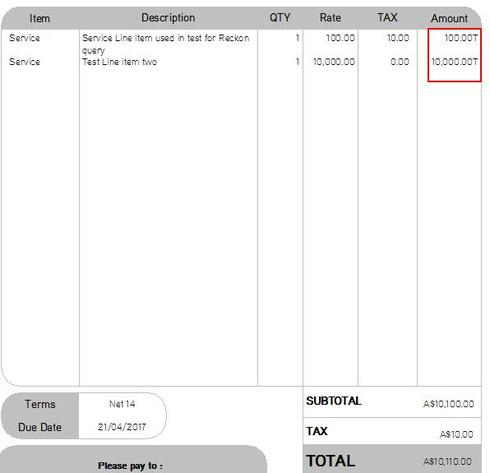
Hi all, I'm trying to figure out how to remove the little T from after my amount due column on my printed/final copy invoices. I'm sure it's something simple like unticking a box but I just can't find it. It shows up regardless of any tax set to the item or not. Using Reckon Accounts Premier 2016.
It looks like this has been appearing on invoices for several years however my manager has just noticed it on International invoices and would like it removed (if it's possible).
Thank you in advance