I am a new user to Reckon Enterprise 2018 and trying understand the data and field structure of Reckon in an existing database that seriously needs some cleaning\organising.
I can't find a complete list of Customer Fields for Reckon anywhere in the menus, help or forums nor a way to customise and format these.
I'm specifically working on Billing and Shipping Addresses (and their editing fields) to ensure professional looking shipping labels and sureity of delivery.
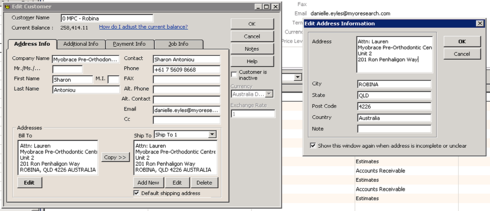
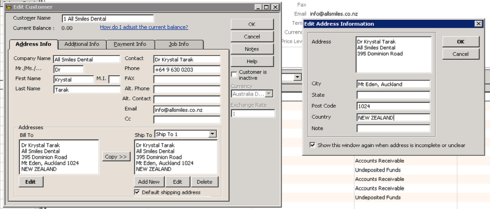
It is very hard to see what fields are what when you dump the data to Excel to view - there are 6 Bill to fields (some of which seem to concatenate), there are the same number of Ship to fields and there are also 2 sets of Street 1, Street 2, City, State, Postcode and Country fields. What are all these, how are they meant to relate to each other and how can you bulk edit any or all of these?
In additon to this, after carefully entering Billing Address details on a field by field basis and copying to Shipping Address, the software seems to re organize the data incorrectly according to it's own personal whim - how can we make this work properly? See examples below...