Hi Jocelyn
Firstly, are you just changing the Super on the Paycheque or in the Employee’s actual record (under the “Super Details”)?
Updates to the Employee’s Super (in their record) work in real time so will only reflect on Pays processed since this change was made.
To get around that you will need to go into each of the Employee’s Pays for that month & edit them.
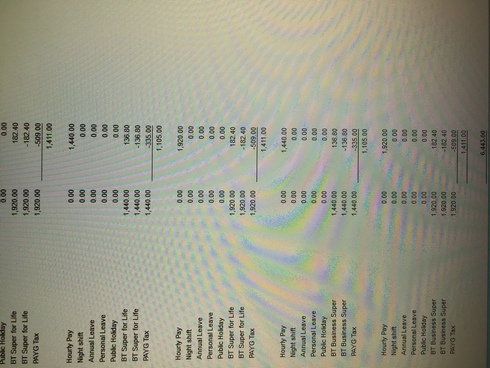
IMPORTANT - Take a photo or screenshot of the “Pay Review” window BEFORE you change anything. None of your figure totals should change – If they do, then there is an error in how you have setup up one or more of your Payroll Items!
Shaz Hughes Dip(Fin) ACQ NSW, MICB
Reckon Accredited Professional Partner Bookkeeper / Registered BAS Agent (No: 92314 015)
Accounted 4 Bookkeeping Services
Ballajura, WA
0422 886 003
shazinoz2@bigpond.com
www.accounted4bs.com
“ … Can I legally back date an employees super contributions to a different fund? Doesn't seem right to do that ...”
The Super details you enter in the Employee’s record are manual data. Sometimes this information needs to be corrected – due to either an internal error or actual employee Fund change & it is perfectly acceptable, necessary & appropriate to do this.
This is the default Fund you want allocated when the employee doesn’t provide/have an existing Super Fund of their own
This is the current/correct Fund
Check on their Super Details window – You only want 1 Super Fund listed (for SGC)
Go into each pay for the applicable month & check the Payroll Item/Fund
As advised previously ….
This means you need to go in to each of the prior Pays showing the old (default) fund & edit the Super to their current Fund as explained below.
Another thing to note ….. The wording shown on reports is picked up from the fields in the Employee’s Super record – Not just the “Payroll Item” name but also the “Fund Name” & “Fund Scheme”.
Depending on the columns selected, different reports may show different fields & - again - these are in real time so will report as per the data in those fields at the time of processing that pay.
Editing the Pays - as per above - will have them all reporting the same data.