Hi @Cass
Thanks for raising this idea! 🙂
If I'm understanding this correctly, then I believe this is already available in Reckon One.
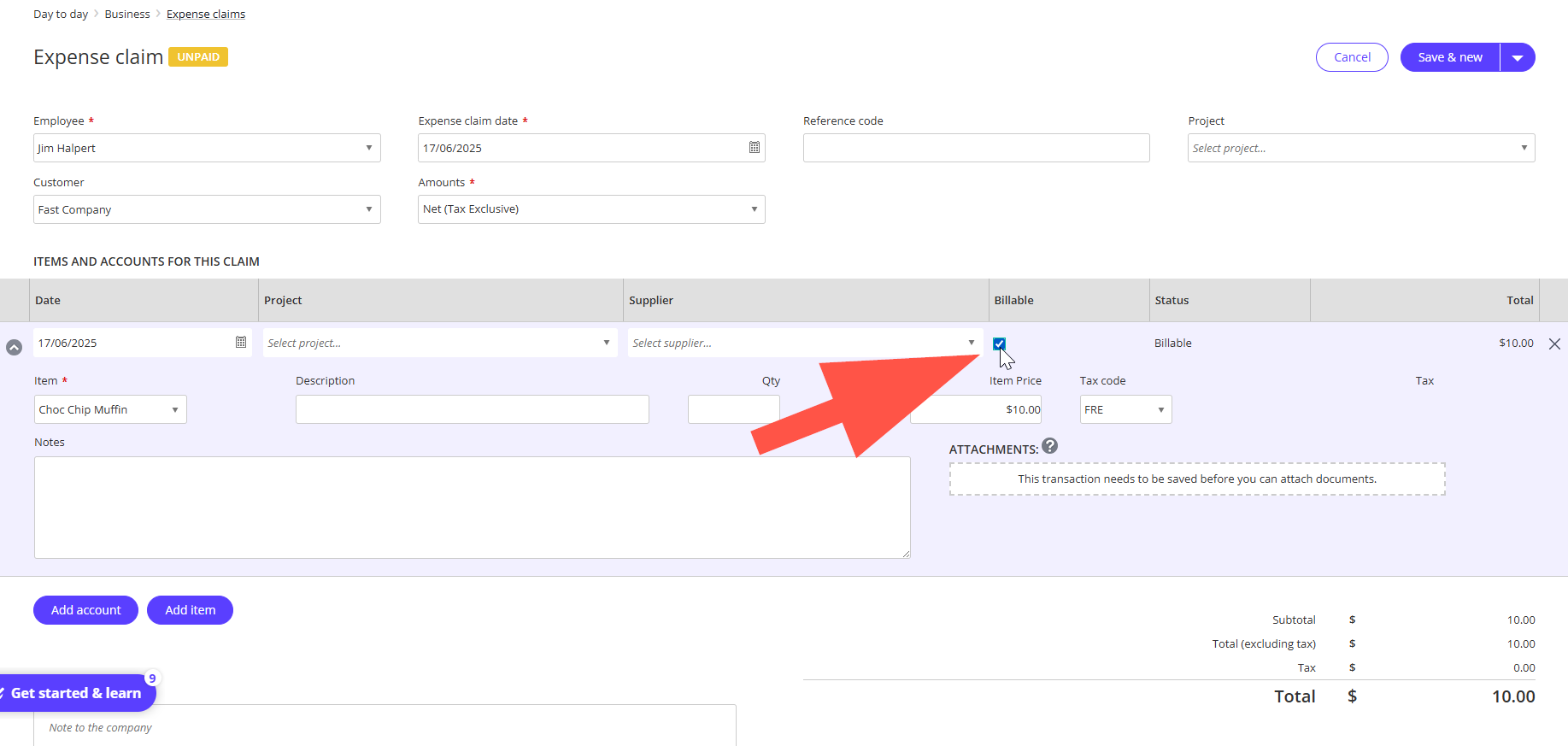
When raising an expense claim, there's an option to make it billable as you'll see below.
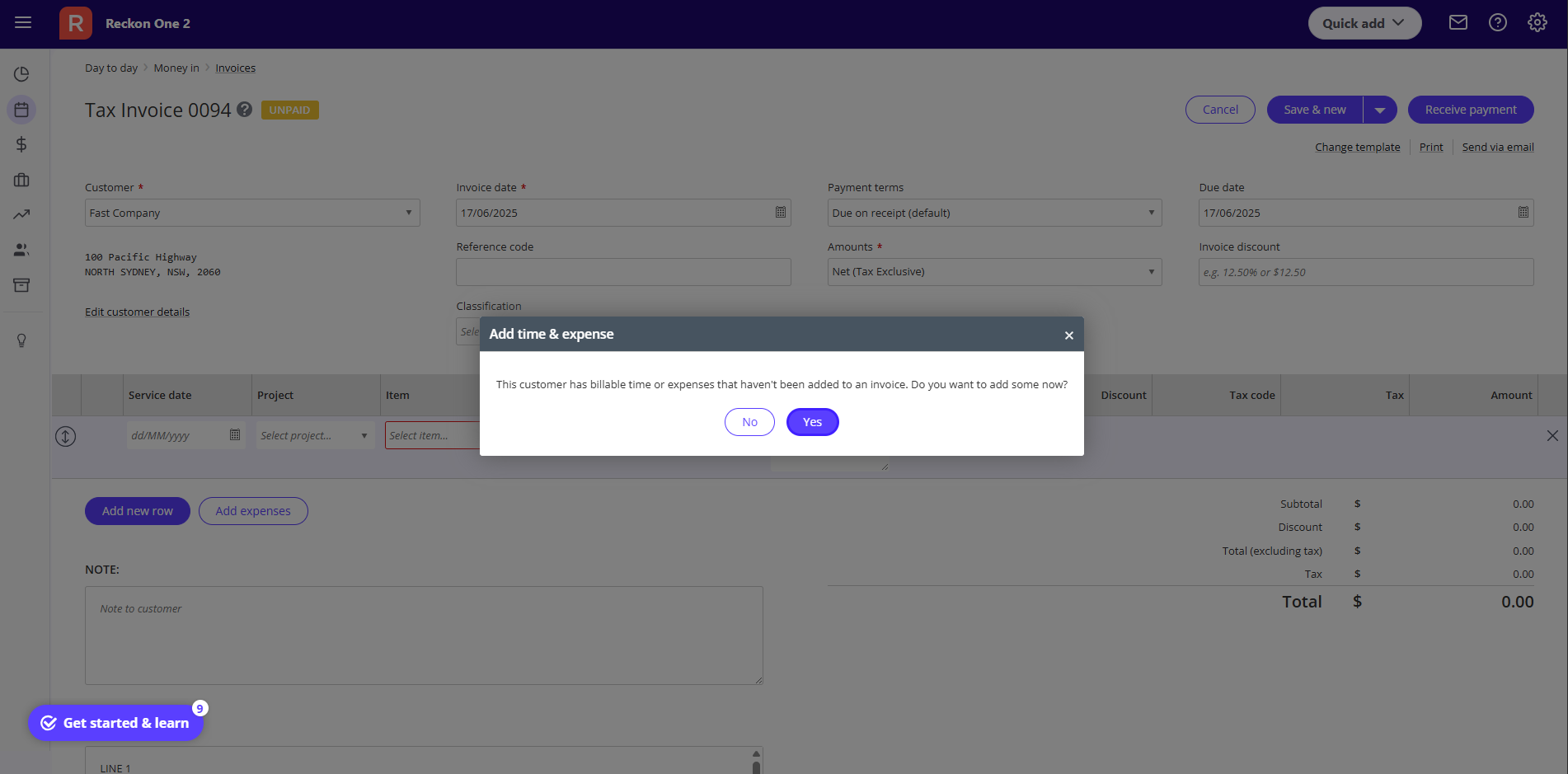
When you next create an invoice for that customer, a prompt will appear asking you to confirm whether you'd like to add those expenses to the invoice.
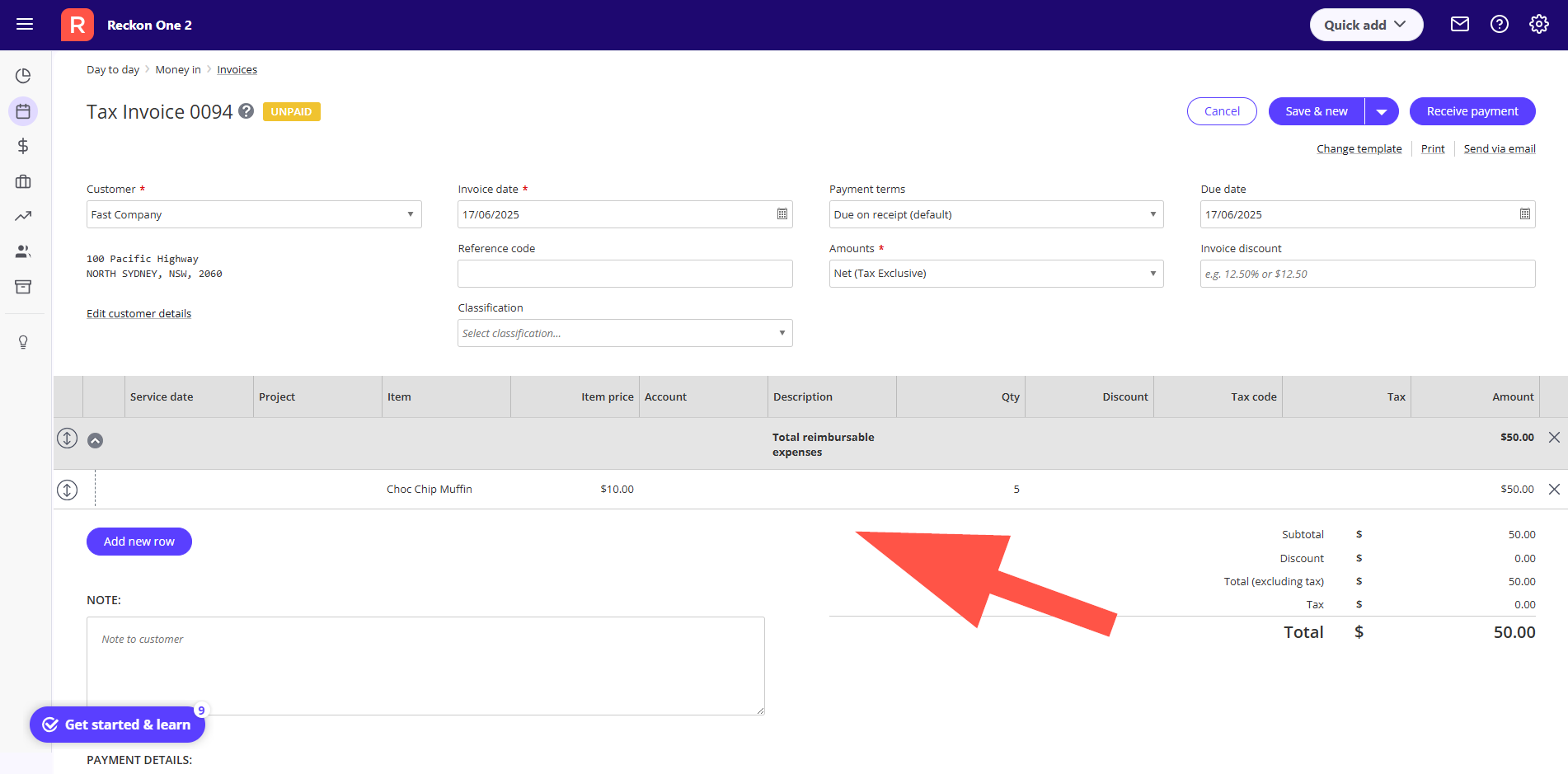
Selecting the Yes option will add the expense to the invoice.
Let me know if that helps 🙂
It would be helpful to be able to put an expense on a PO form. Currently PO's only allow for item/part numbers to be entered. Once the item arrives and the bill is entered, then I can allocate it to an expense account, but that won't automatically close the PO.
@Rav Important to note that currently (May 2026) this is only available for Payoll Plus ($32/month) and Payroll Premium ($60/month) as part of the "Employee Expense Claims" functionality. It's not possible if using Payroll Essentials ($16/month), even if using Accounting Premium ($46/month) with "Unlimited Project Management" functionality. I understand the convenience of the employee expense claims, adding expenses in Reckon Mate, the approval process, and having that flow through to project invoices, and that seems reasonable to be in a higher tier of Payroll. However, without Payroll Plus or above, there appears to be absolutely zero path to recording a bill or other self-generated expense (bill) like mileage allowance - manually - and having that flow through to invoicing. That seems like missing functionality for Accounting Premium, to me. Expecially when advertising "Unlimited Project Management".
@Rav While I'm at it, the information at https://www.reckon.com/au/accounting-software/expenses/ talks about the expense management process, and the FAQs talk about an un-named app. There is no mention of the requirement for Payroll Premium and above, and the Choose Your Plan part defaults to the Accounting part, making it look like the functionality is part of the Accounting plan, not the Payroll plan. The customer service rep I dealt with was also unaware of the requirement. Quite opaque/misleading! I definitely believed my subscription should have this functionality based on reading this page, and it seems like Cass did also. Suggestions: 1) Name the relevant app on the page 2) Use a footnote or inline note to specify that Payroll Premium or above is required 3) Add to your internal knowledgebase/training for customer service reps
Hey @James McIntosh
Thanks for flagging this. I agree, the info on our web page you've linked to isn't overly clear and needs a bit of improvement. I've shot this over to our marketing team and they're going to make some updates to the messaging on that page for more clarity around functionality and requirements.
Also, you're correct the expense claims feature is available exclusively to the payroll plus and premium plans. This should already be widely known by our internal teams, and is clearly listed on our plan feature tables so I'm disappointed to hear this wasn't the case on your call. I'll flag this with the leaders in our sales and support teams to ensure we're all on the same page in terms of awareness.
Appreciate you raising this.
See an idea you like? Click the vote button on the post to show your support. The more votes an idea receives, the more likely it is to be reviewed and prioritised.
Check out what's new and other important info for Reckon One
Check out the most popular Reckon One ideas as voted by the Community