Is it a Saff file that has to be exported and what are the steps please?
thank you @klaura, I’ll give it a try. Where do you import the file - into the clearing house?
Hi @Kris_Williams Yes, to your preferred clearing house.
Hi @Kris_Williams ,
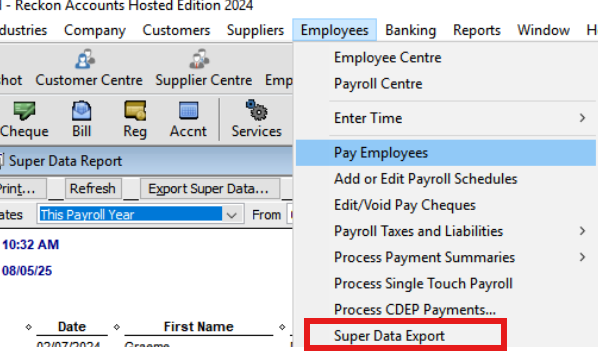
Please navigate to Employees > Superdata Export, select the desired period, and then click on Export SAFF. The file will be saved to the Q drive. From there, you can download the file at your convenience.
I hope it helps.
Best regards,
Karren
Don't miss announcements and important info for Reckon Accounts Hosted
Do you have an idea for a feature in Reckon Accounts Hosted? Let us know here!