MFA authentication

Jacqs
Jacqs Member Posts: 6 Novice Member Novice Member

Hi All,

I recently got a new phone and have gone to use the authentication app and its saying I need to sign in or scan the QR code. From memory, last time all I did was scan a QR code. I cannot locate this QR on your site. Under the instructions it tells me to scan the QR code but its all fuzzy and wont allow me to. Can someone please advise how I go about re-adding this to a new apple phone.


Best Answer

  • Jason_Z
    Jason_Z Reckon Staff Posts: 310 Reckon Staff Reckon Staff
    Answer ✓

    Hi @Jacqs

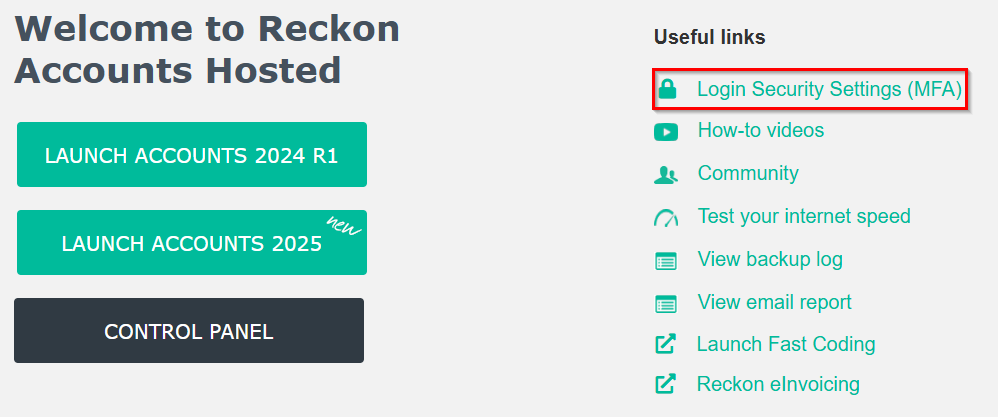
    If you still have access to your old MFA and can log in, you can change it in the Login Security Settings (MFA) section.

    image.png

    In that section, you can get your recovery PIN and/or revoke the current MFA setup. After revoking it, you’ll be given the option to set up MFA again, at which point a new QR code will be provided for you to scan.

    Hope this helps!
    Jason

Answers

  • Zappy
    Zappy Accredited Partner Posts: 5,252 Accredited Partner Accredited Partner

    If you have changed phones you need to use your recovery PIN to revoke the MFA and you need to set it up again.

    Other systems allow a secret question or recovery codes.

    They're all different

    Kr

  • Jacqs
    Jacqs Member Posts: 6 Novice Member Novice Member

    Thanks for the prompt response. All sorted. Have a great day :)