Good morning everyone,
I mistakenly recorded an annual leave as public holiday during the last pay run. Could someone please assist me in correcting this? Your support would be greatly appreciated. Thank you.
If you haven't done the STP for today's payrun, just submit it like you usually do.
Hi @Yeepy,
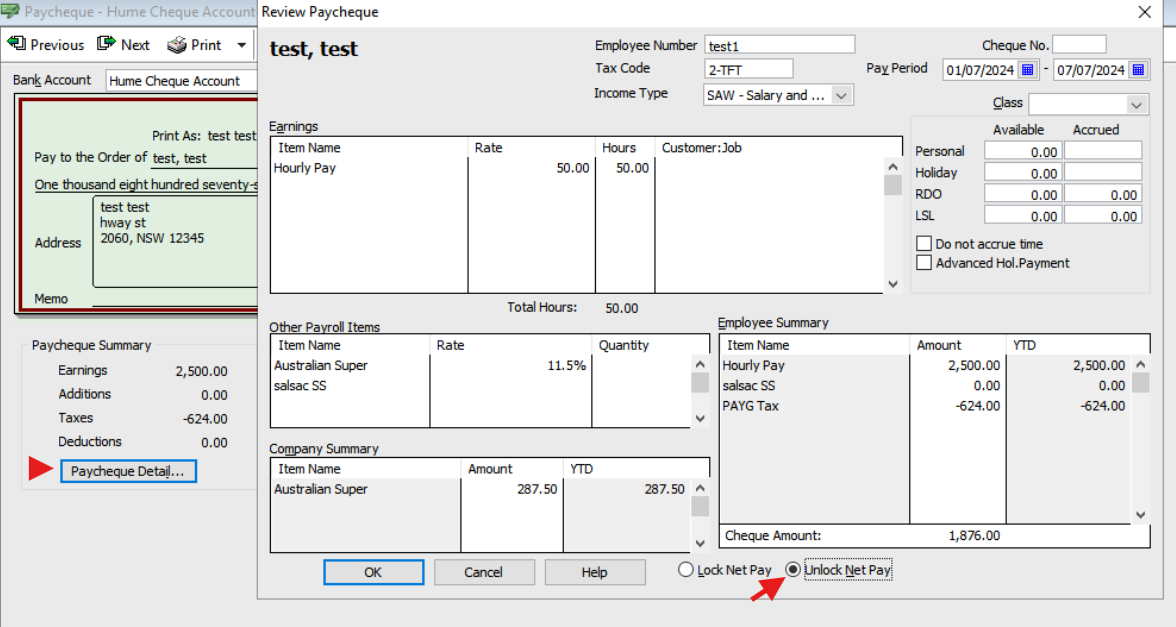
If the annual leave has been mistakenly recorded as a public holiday, you can unlock your employee's paycheque and update the details accordingly. Then you might need to do an Update Event and resubmit your STP to correct the report.
I hope it helps.
Best regards,
Karren
Thank you Karren. Is there any written steps to follow. Sorry, I am new to Reckon. Thank you.
To unlock a paycheque in Reckon Accounts please follow these steps:
1. Go to the employee's pay history and double-click on the relevant paycheque.
2. Inside the paycheque window, click on “Paycheque Detail.”
3. Click on “Unlock Net Pay.”
4. You can now adjust leave types, amounts, or any other details that were incorrectly entered.
5. Click “OK” to close the paycheque detail window, then “Save & Close”
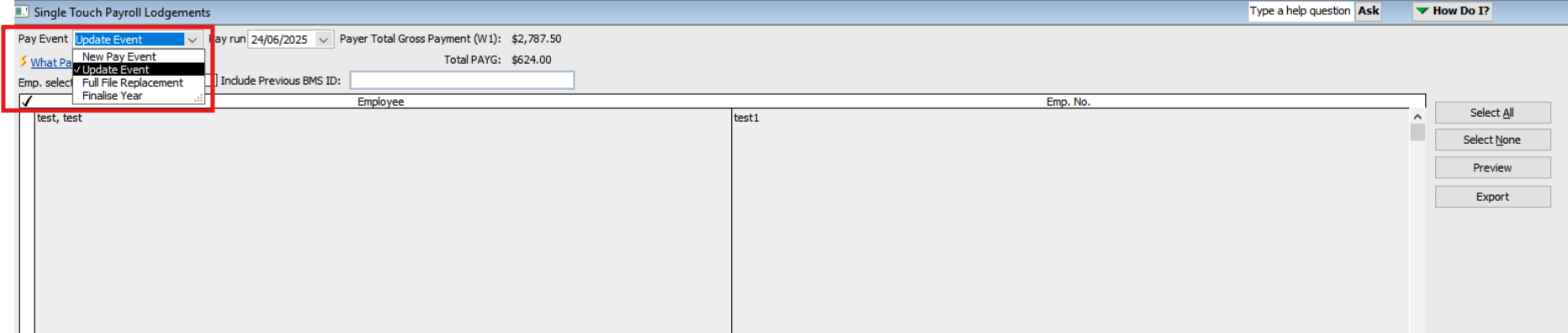
If you have already submitted the pay cheque via Single Touch Payroll (STP) and need to update the report for any corrections, please select the "Update Event" option from the Pay Event dropdown menu.
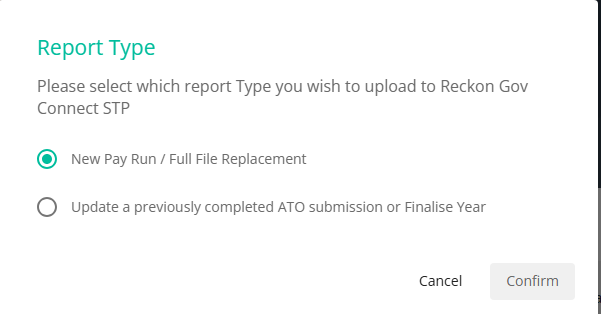
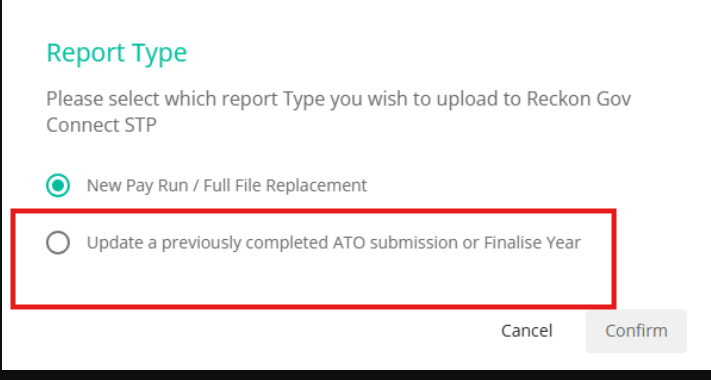
Thank you Karren. Do I choose the first option?
Choose the second option
I got the below screen. Is this correct - xero figure in all
Thats is correct. This is an expected behavior during an update event. It is intended to adjust the Year-To-Date figures rather than to report new pay amount.
Thank you. I have done the pay run for this week today and emailed the payslips too. But I haven't done the STP. Do I need to do the same process. Or will it be shown as rectified from next pay run. I mean will the employee see the correct payslips with correct pay items.
My problem solved. Thank you very much for your help. Very much appreciated.
Thank you Klaura for providing that full explanation on how to open up a pay cheque. I feel that there was another important step that could have been mentioned involving "safety". By this I mean, making sure that the initial value of the pay cheque is noted and that the end result after making the change, does not alter the overall net amount of the pay.
Just a tip …
Don’t stress if you’ve not done an Update Event/Full File Replacement following changes.
STP simply updates YTD balances each submission (rather than just reporting each pay event’s specific amounts) so if an employee will be being paid again - eg they’re not terminated - any corrections made in their pays will be automatically updated in the next standard STP submission that they’re included in anyway 😊
Don't miss announcements and important info for Reckon Accounts Hosted
Do you have an idea for a feature in Reckon Accounts Hosted? Let us know here!