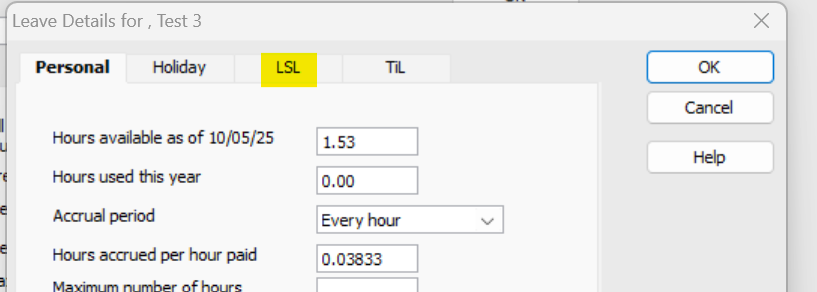
Hi, how can I change the "A" to "LS leave"?
Thank you
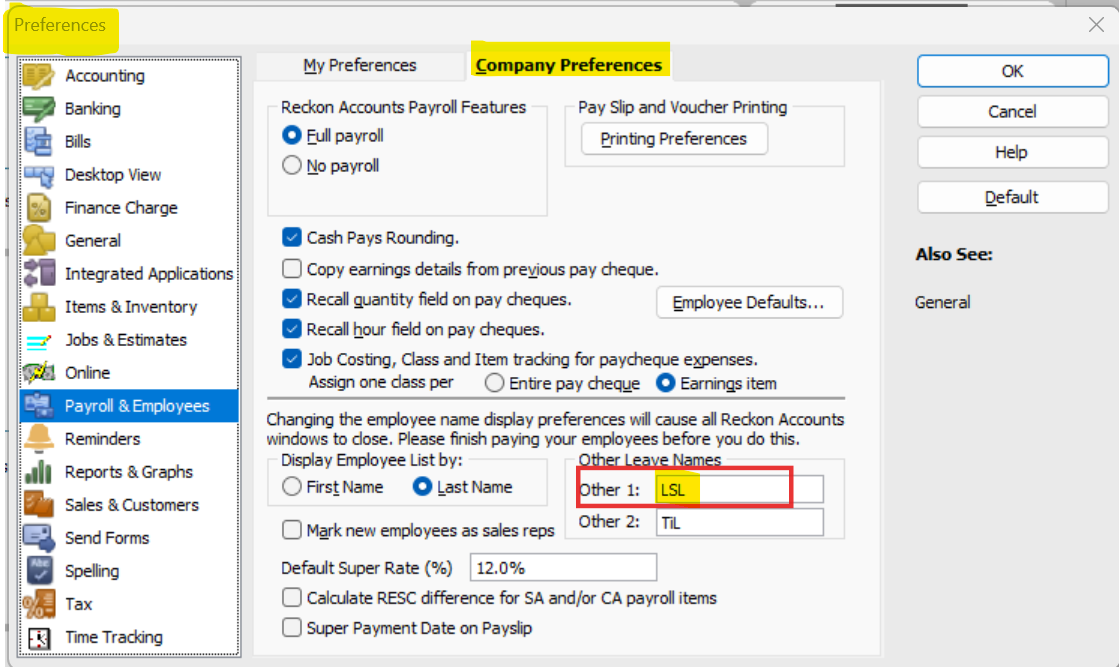
@Zheng that uses one of the Other leave item categories. Go to company preferences and you'll see an option to change the name of that leave item in payroll and employees.
Are you trying to setup long service leave? There's a bit more to it than just that or do you only want to change the name?
Hi @Zheng
Agree with @Eric Murphy's advice above.
Just to elaborate further … the option to change your "A" (Other 1) & "B" (Other 2) tab label names is under your Preferences, accessed via the Edit dropdown menu > Preferences > Payroll & Employee > Company Preferences:
However, as Eric mentioned, further setup is required to link any new Leave Payroll Items accordingly.
Hi All, great, thanks for your help. I have changed tab label name.
Don't miss announcements and important info for Reckon Accounts Hosted
Do you have an idea for a feature in Reckon Accounts Hosted? Let us know here!