Updating buy and sell prices by supplier

Roger_6882466
Roger_6882466 Member Posts: 7 Reckoner Reckoner

We have numerous items from different suppliers. When we get a notice of a percentage price rise we have to export to excel apply the increase then import back to Reckon.

While Reckon has the ability to apply a sell price rise to all items surely there should be the option to apply a rise to the cost price and only to selected suppliers.


Comments

  • Acctd4
    Acctd4 Accredited Partner Posts: 4,208 Reckon Accounts Hosted Elite Expert Reckon Accounts Hosted Expert
    edited August 11

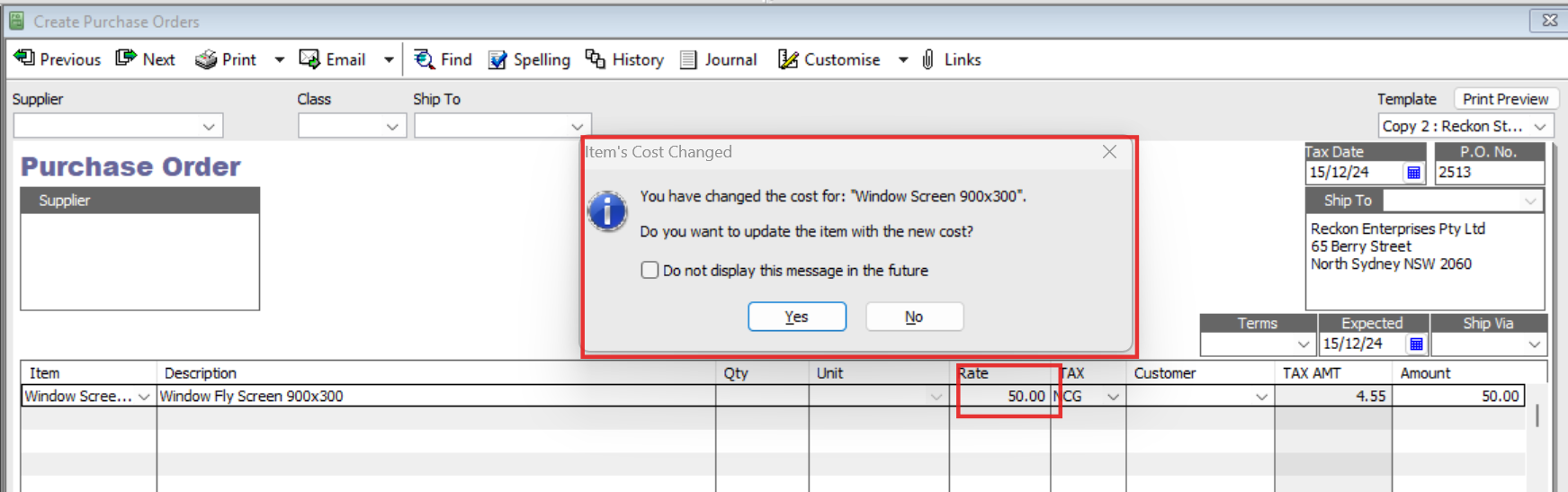
    Hi @Roger_6882466 Whilst there's not an equivalent, specific section for updating cost prices in bulk, you can get a prompt for the system to update these automatically for you, each time you change a cost price on a purchase form (PO, Bill, CC Charge or Cheque):

    image.png

    So, when you enter a Supplier's next transaction, if you have to edit the default cost that displays to a new, increased amount, you can have the system update this for you, on the Item Cost price itself, in your Item List.

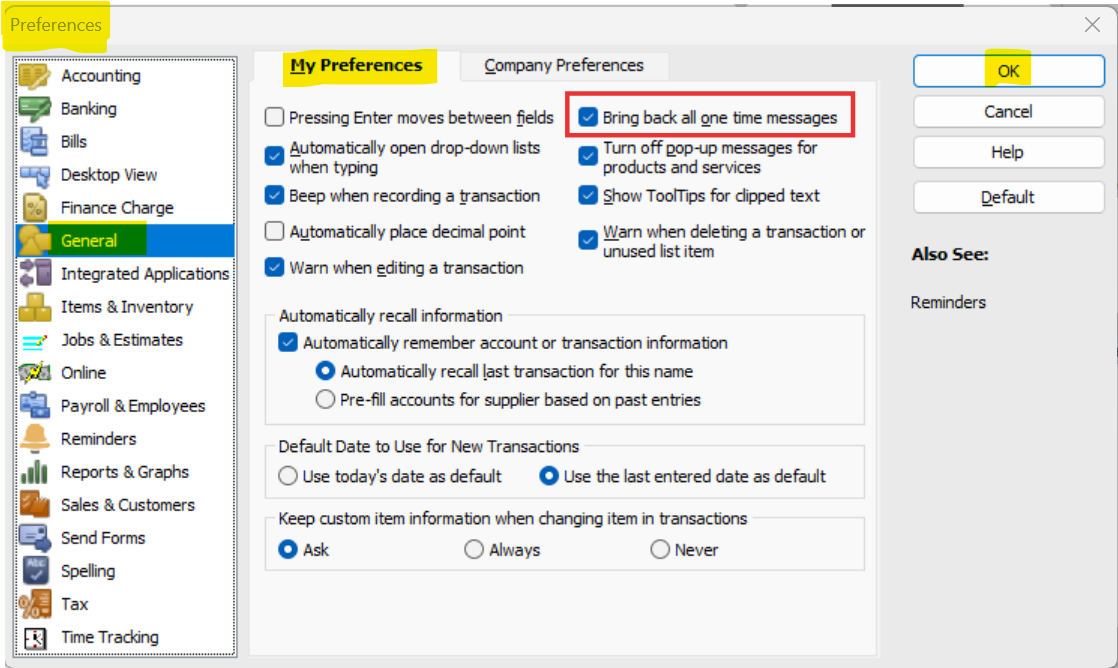
    If you're not getting this prompt, it can be re-enabled in your My Preferences tab under the General section (accessed from the Edit dropdown menu > Preferences) here:

    image.png

    (NOTE: This is an all-or-nothing option so will re-enable ALL message prompts. Therefore, just tick the Do not display this message in the future checkbox on any you don't want, as they come up)

    Hope that helps ! 😊