Issue with 2 people in multi-user mode accessing payroll in hosted reckon
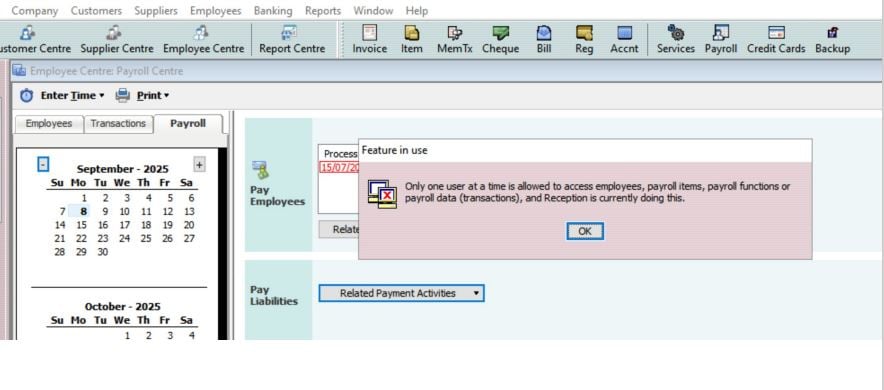
Hi all, we have 2 licences and are using multi-user mode. We seem to be getting this error message when we both try to access employee/payroll data. Sometimes the Reception account does not have anything even open in QB and the second user is getting this message. Reception then has to log out of QB altogether. Any ideas why?
Answers
-
Hi @Katie24,
To answer your question the session may still be active in the background for your Reckon Accounts Hosted.
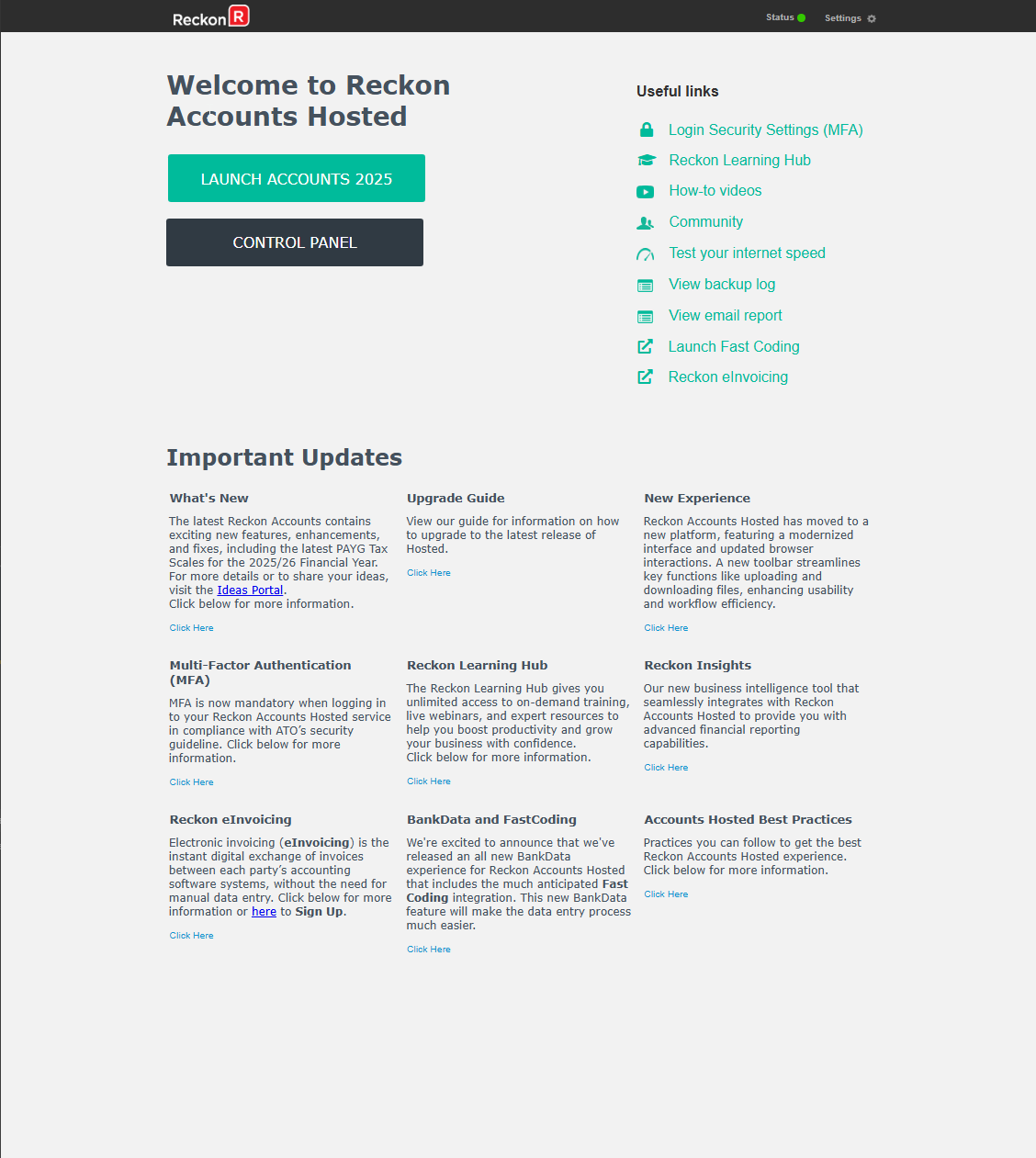
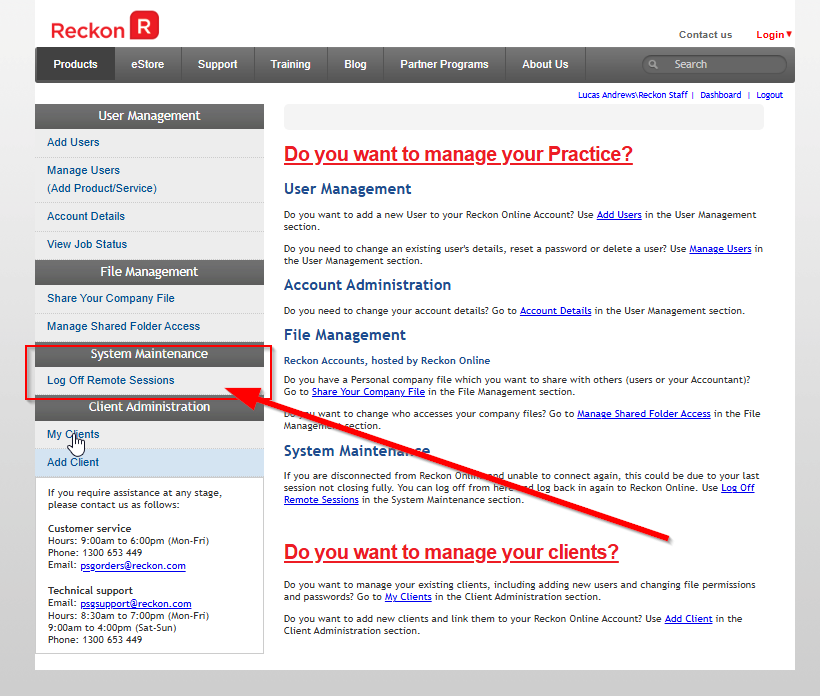
I recommend that you go into the control panel:
Click 'Log off remote sessions', sign off the user ID assigned to reception to completely shut down the session.
That should resolve the issue for you and allow Payroll to be opened, let me know how you go!
Thank you.
0 -
Hi Lucas, the issue is that when one person tries to access employee/payroll etc. the other person needs to logout for them to do so, even when they weren't using the payroll section. This seems to only be a new issue we are having.
0 -
Hi @Katie24
What permissions, roles or access levels does the user Reception have?
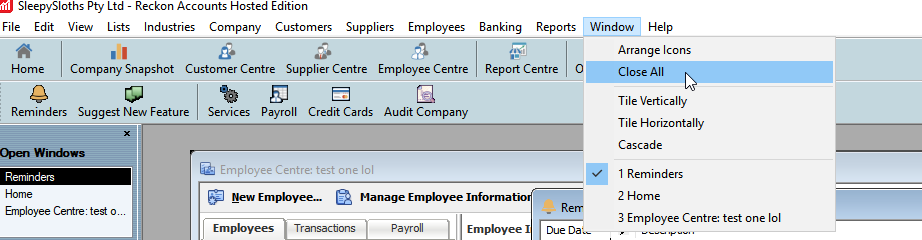
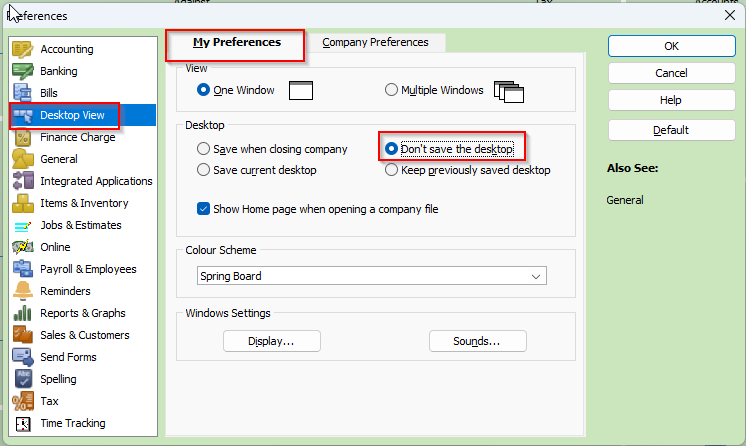
For the user Reception, can you check whether their Preferences are set to 'remember the Desktop' or whether they have multiple windows open (one of which may be related to payroll such as report).
I suggest completing the Window > Close All action
Let me know how you go.
0 -
Hi Lucas, closing the windows worked. I'll just have to remember to do that regularly. Thanks for your help.
0 -
For the user Reception have them set their Preferences accordingly if you do not want them to have to remember to close the windows before they log off the file.
Searching the Reckon Help and Support Centre | Asking good questions on the Community
#TipTuesday: Picture Paints a Thousand Words | How do I add screenshots to my discussion?
1