Reckon One, how to I get customer invoices to show 'GST' and not just 'TAX'
Hi, a constant source of Frustration is the fact that customer invoices show the GST component as 'Tax', this is incorrect, according to Australian Tax Law, an Invoice should show the 'GST Amount', and a GST Inclusion statement, I believe Reckon One Invoice templates are non compliant. Is there a way to change this ???? Cheers, Ron.

Answers
-
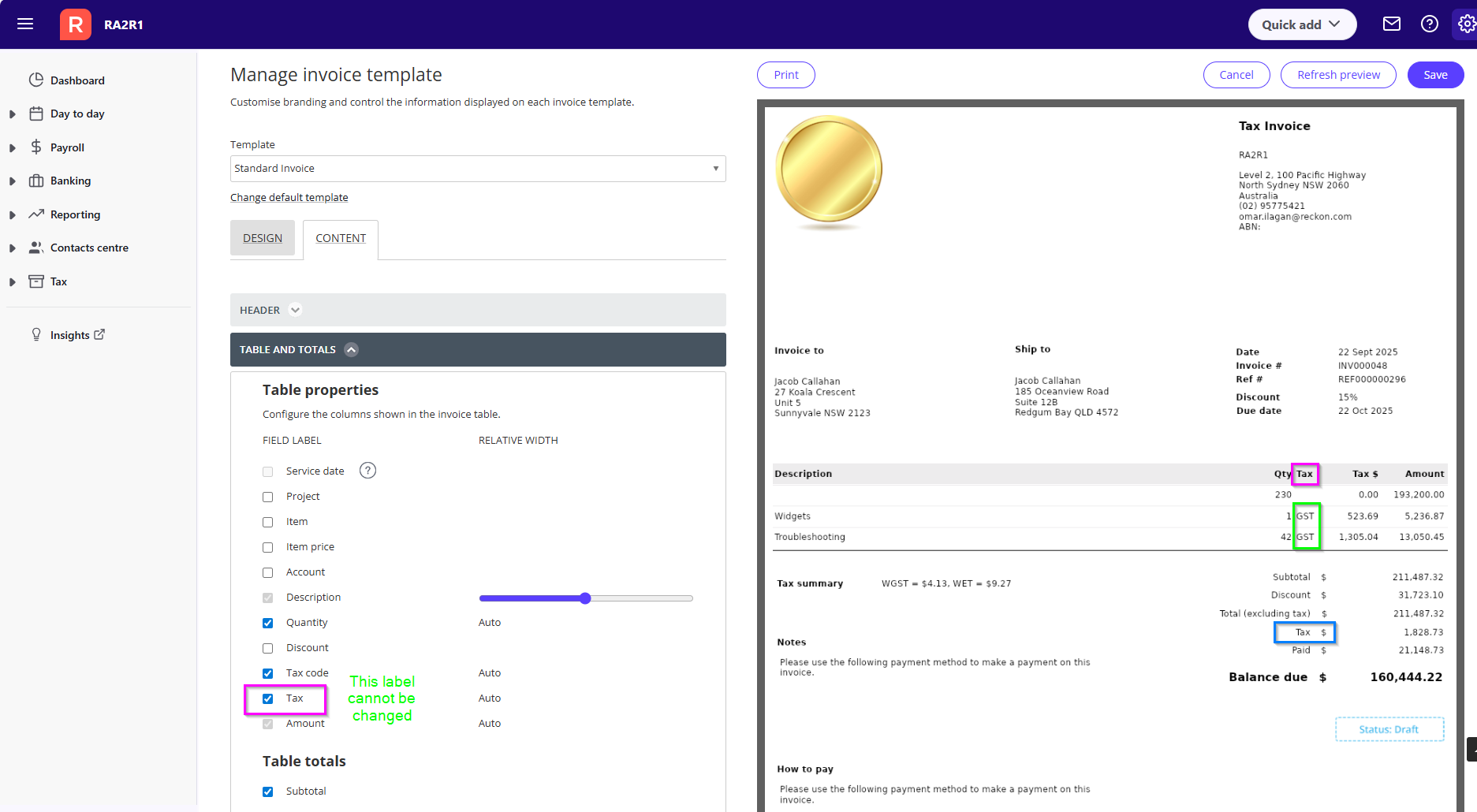
GST is listed on on each item line on the invoice.
GST isn't the only tax that can be added to an invoice so all types of tax shows as total at the bottom.
0 -
It states Tax Invoice, that's enough to satisfy requirements unless you can prove otherwise?
0 -
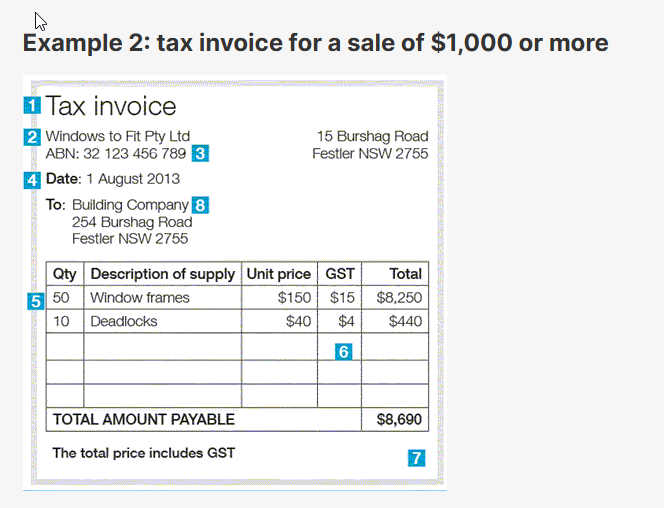
Tax invoices | Australian Taxation Office
In the Reckon One invoice template management screen, whilst you can enable/disable the column for the tax code name, it is labelled as "Tax" and cannot be changed since as @Eric Murphy had indicated, that column label is 'Tax' as the type of tax code for the line item would be indicated.
The value under that column for each item line does show what type of tax it is such as "GST".
In the ATO example, the name of the column is 'GST' since the value under it is the amount.
This style of invoice template would not cater for a scenario in which the tax code applied against the item on that line is not GST.
Searching the Reckon Help and Support Centre | Asking good questions on the Community
#TipTuesday: Picture Paints a Thousand Words | How do I add screenshots to my discussion?
0