Error: POS Database Repair

Triton
Triton Member Posts: 5 Novice Member Novice Member

This morning the POS Terminal was working all fine and now a repair the database message has appeared for the POS Administrator Database. Followed the instructions to start the Repair to Database request and the below error message has come up. Any suggestions how to correct the below issue would be greatly appreciated. I did search the folder below and the JETCOMP file is there.
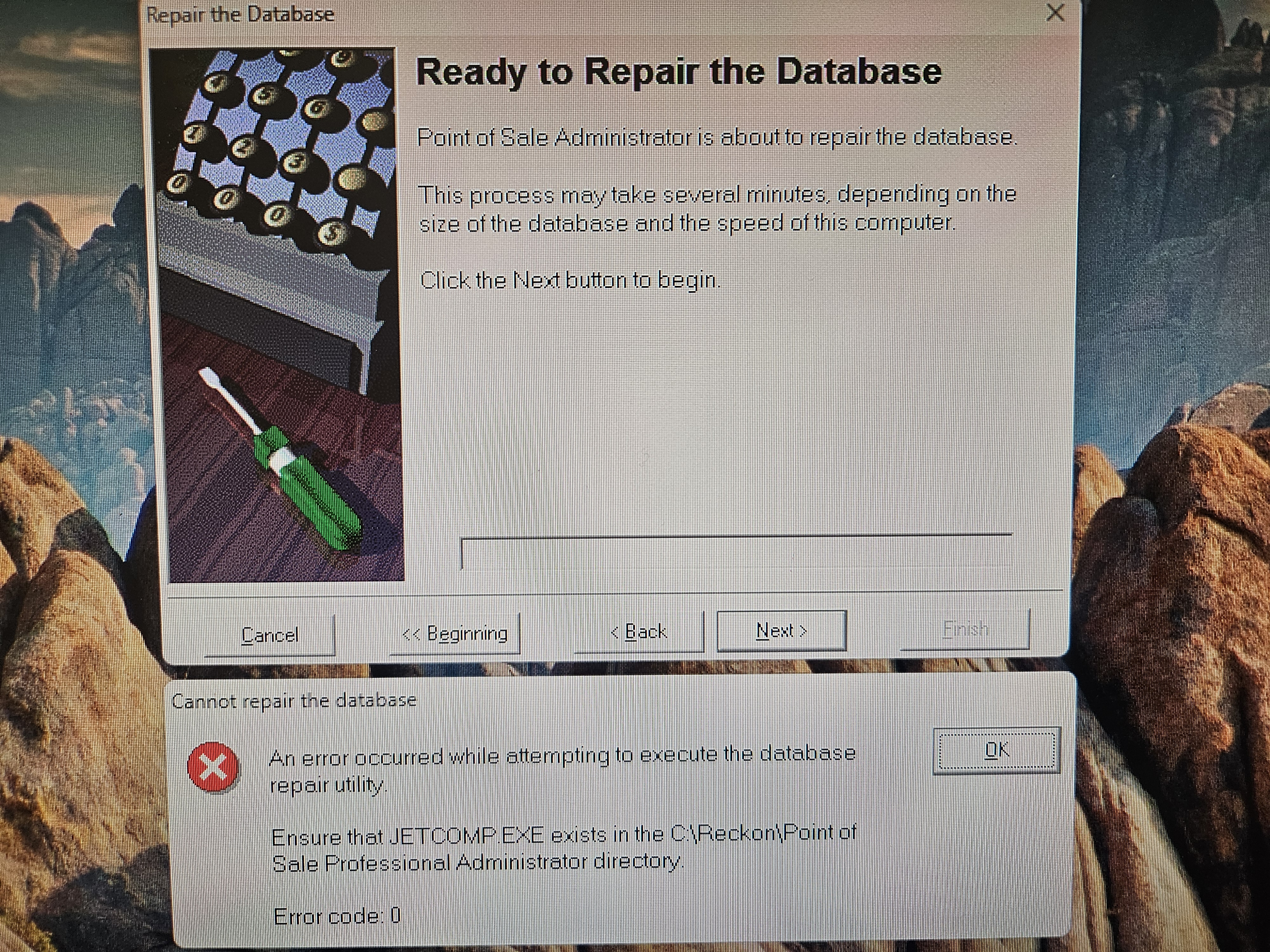

Error Message Reckon Pos - 25.09.2025.jpg

Comments

  • Reeta
    Reeta Reckon Staff Posts: 383 Reckon Staff Reckon Staff

    Hi @Triton ,

    Could you please clarify a few details regarding the error?

    • When exactly do you encounter this error message?
    • Have you attempted to restart the system?
    • Have there been any recent Windows updates or other changes to the system?
    • What versions of Reckon Accounts and Reckon POS are you currently using?

    Your answers will help us better understand the situation and find the best solution for you.

    Regards,

    Reeta

  • Triton
    Triton Member Posts: 5 Novice Member Novice Member

    Hi Reeta,

    Thankyou for the reply. This morning the terminal came up with a error and closed the POS program at about 10 am and it had been working fine since 6.30am. Restarted both terminal and POS Administrator computers. Unsure if the windows updated overnight. On Monday we did update the POS Administrator Program with the Reckon POS V22 Build 15 due to our previous issue reported via Reckon Community on 17/9/25 Error: Transfer to POS. We run Reckon Accounts Premier V34.

  • Reeta
    Reeta Reckon Staff Posts: 383 Reckon Staff Reckon Staff

    Hi@Triton ,

    Thanks so much for your response .

    Have you come across any other error messages prior to this one? I noticed that you are trying to repair the database. If so, could you please provide the error code you received before this issue occurred?

    Regards,

    Reeta

  • Reeta
    Reeta Reckon Staff Posts: 383 Reckon Staff Reckon Staff

    Hi @Triton ,

    I haven’t heard back from you yet. Could you please let me know if you're still experiencing that error message?
    Happy to further investigate if needed !!

    Regards,

    Reeta

  • Triton
    Triton Member Posts: 5 Novice Member Novice Member

    Hi Reeta,

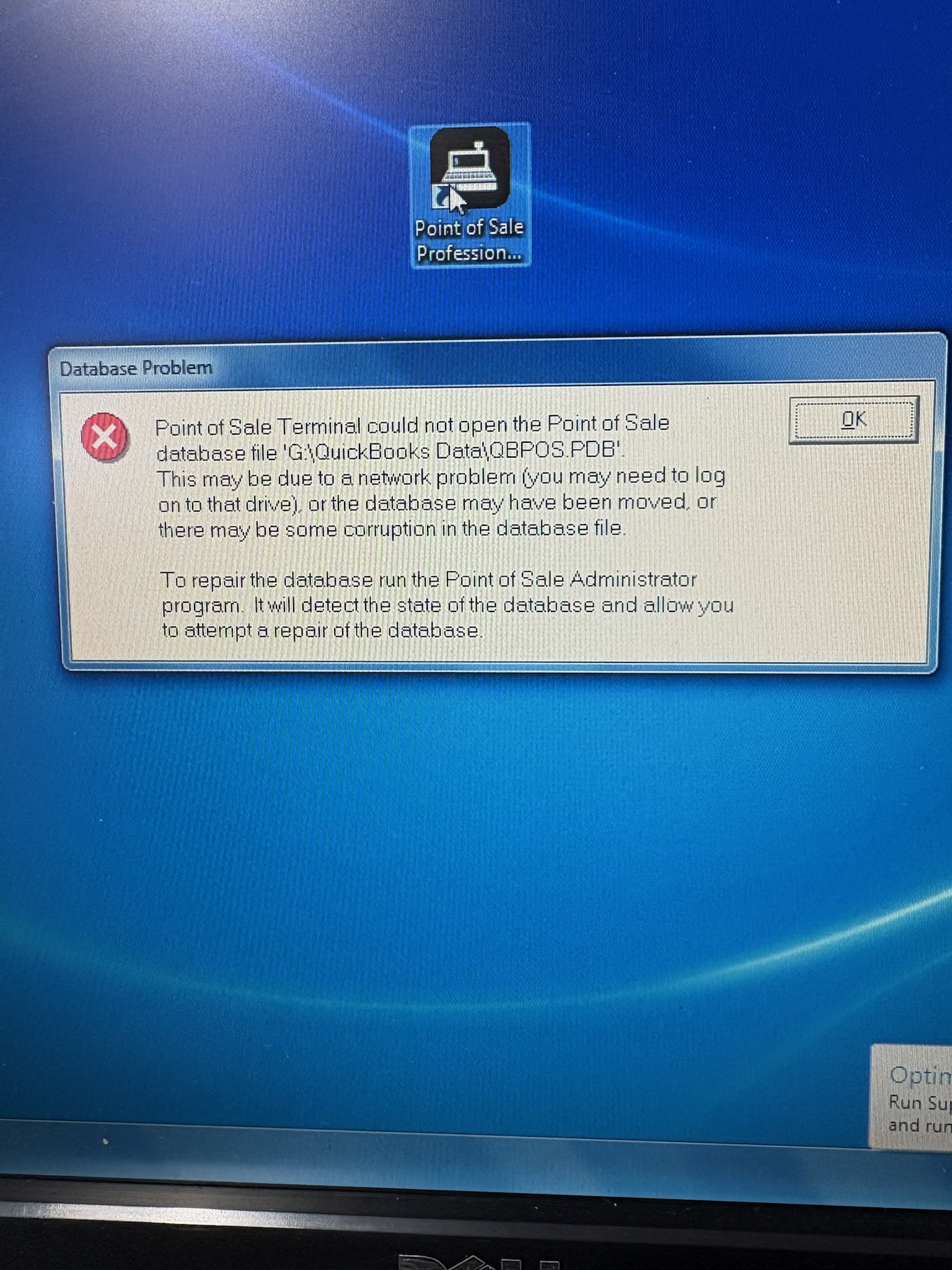
    Yes our terminal and POS system is still not working. We are currently manually entering our sales directly into Reckon Accounts Premier atm until we can correct the POS issue. Please find below copy of error message we received on the Terminal (we only have one) which prompted us to carry out the repair on database.

    Regards, Triton

    Error Message Pos Terminal - 24.09.2025.jpg
  • Reeta
    Reeta Reckon Staff Posts: 383 Reckon Staff Reckon Staff

    Hi @Triton ,

    Thank you for letting me know. Sorry to hear that the issue is still happening.

    It looks like we may need to take a closer look into this issue. Could you please raise a support ticket via this link,

    https://www.reckon.com/au/support/ticket/?srsltid=AfmBOoq4R2TJY7sSPflbB6I7YIgm3zhWadJXGXqU4Tzq9k9CyQ9ks3R9

    or alternatively, feel free to give our support team a call for further assistance?

    Regards,

    Reeta