Transferring a backup from USB to Hosted
I am trying to transfer a back up copy from Reckon Desktop to Reckon Hosted via a USB. I have save the accounts from Desktop to the USB but I cannot figure out how to get the file from the USB. I did it a few months ago, but I can't remember how I got there. I know it was tricky until I found a way. PS I have not long had some serious surgery so the brain is still foggy!

Comments
-
-
You just need to "Upload" it to the Hosted platform here:
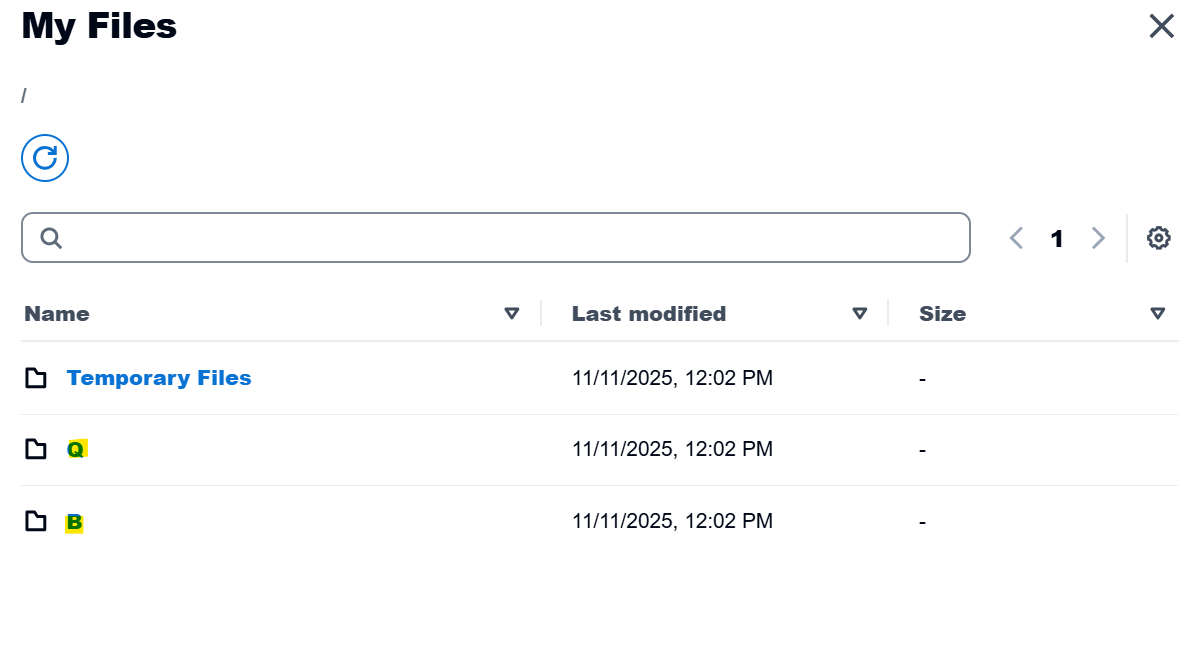
Once you're in My Files, click which folder you want to upload it into (eg your Q or B Drive):
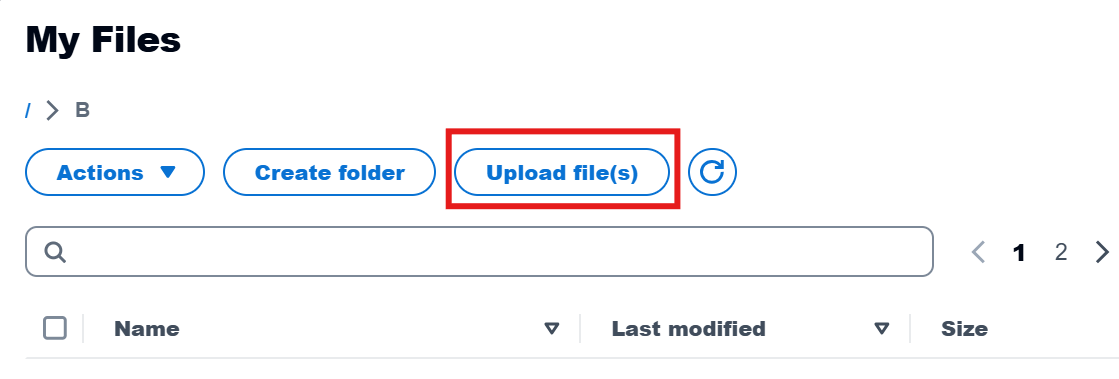
Once you are in one of those drive folders, you'll see the file options, including "Upload":
When you click on Upload file(s), it will then open locally, so you can select your USB drive 😊
Although, it's an "online" experience for us as end users, it's actually not on the cloud. Instead, everyone is actually logging into Reckon's secure servers (hence the name "Hosted" as the servers are "hosting" the Reckon Accounts program remotely) 😊
0 -
Well! That was easy!! I still haven't got my head around the new bits up the top. I probably should have looked for some tuition on them. I understand some of them, but now I know one more. Thank you for your patience and knowledge. Cheers. Cheryl
2