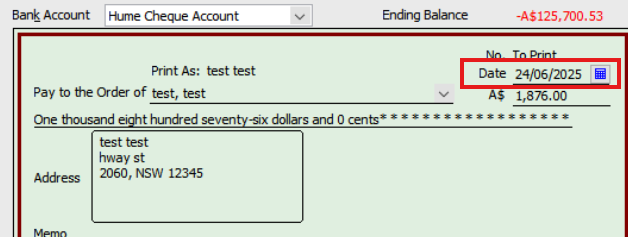
We have submitted the date of 12th - 17th Dec, but should have been 12th - 18th!
So, yes, we can revert it back to a draft and revert back to paid, but will this then create any new bank or journal entries?
Thank you Mel
Hi Mel,
It actually removes the previous entries when you revert pay runs back to draft and recreates them afterwards once marked as paid.
You should be fine and no need to worry.
Thank you.
Ok, just to verify then. Do we leave it the wrong pay dates or change them?
Please change them and mark them as paid, it will update for you.
Let me know, how you go!
Hi Lucas, It is saying it will delete the related Bank Payment if we continue, as we have already paid Staff. Our concern is we will have two unprocessed Reckon one transactions next week.
Please do the following:
You can update the pay period by navigating to the Employee's Paycheque details and selecting 'Unlock Net Pay.' You will then have the ability to change the pay period at the top right corner.
Paycheque details
Unlock Net Pay
Regarding the pay date, you can simply select the cheque itself and make the necessary adjustments by editing the date.
That should work for you and not require any deletion. Not sure exactly what is happening on your end.
Personally I wouldn’t have bothered changing it
Don't miss announcements and important info for Reckon Accounts Hosted
Do you have an idea for a feature in Reckon Accounts Hosted? Let us know here!