To keep a site active in the Chrome browser, follow these steps:
1. Open Chrome and click on the three-dot menu in the top-right corner.
2. Select Settings from the dropdown menu.
3. Click on Performance in the left sidebar.
4. Scroll to Always keep these sites active and click Add.
5. You can either add current sites from the list of open tabs or enter a URL manually to keep the site active.
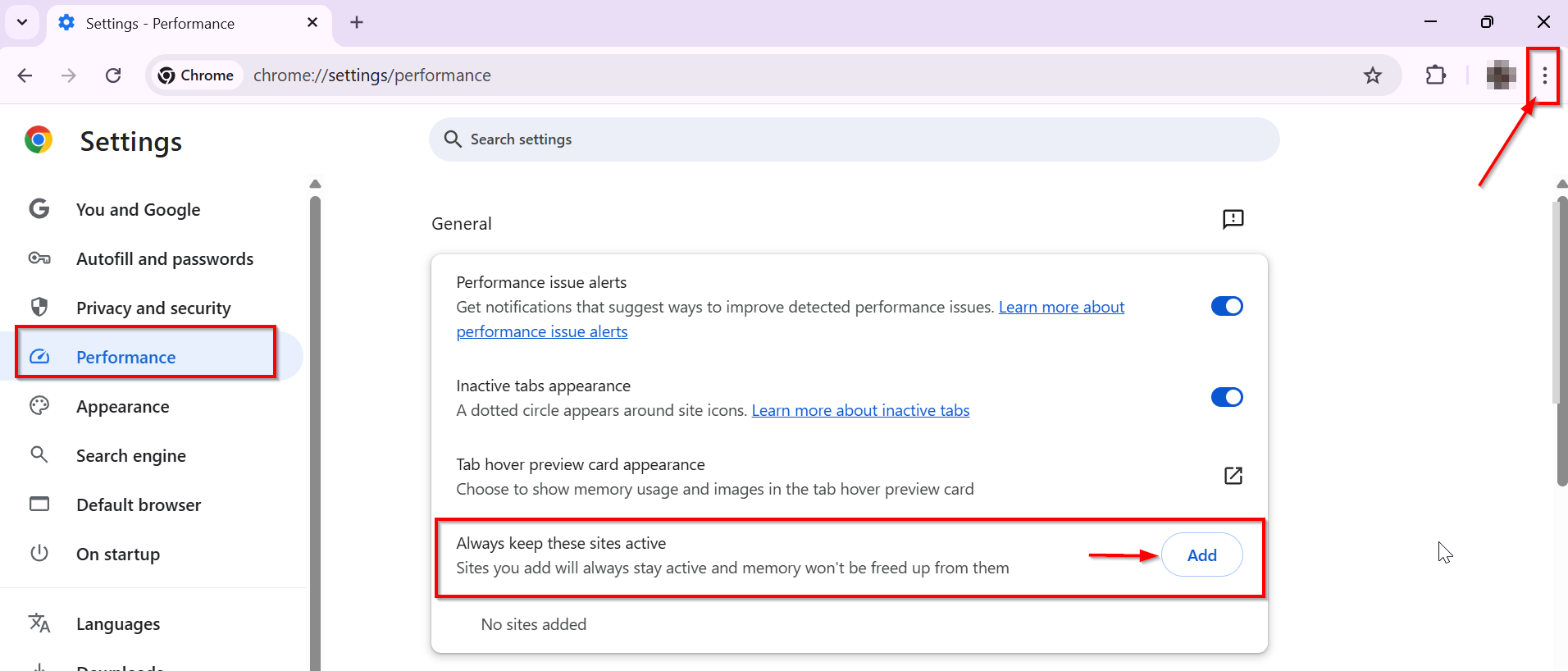
By following these steps, you can ensure that the specified sites remain active in your Chrome browser, preventing them from being discarded by the browser's memory-saving feature. This is particularly useful for websites that require a constant connection, such as online banking or streaming services.