fond size in report printing


When printing a report the fond type set seems automatic and very very large. Is there a way to change that, reduce the fond size, to use less paper when actually printing it out.
I try to avoid that, but sometimes it is required.
Best Answer
-
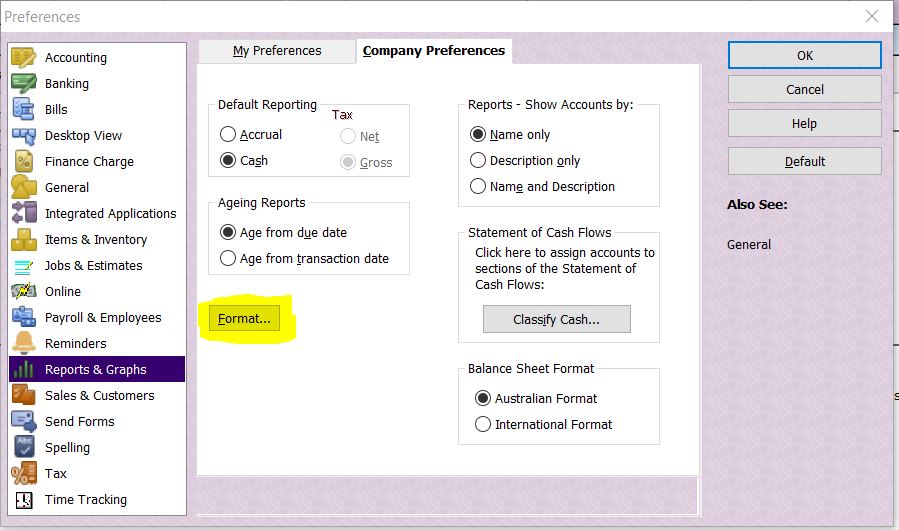
You can change the default report format - including font size - in your Preferences (located under the Edit dropdown menu under Reports & Graphs):

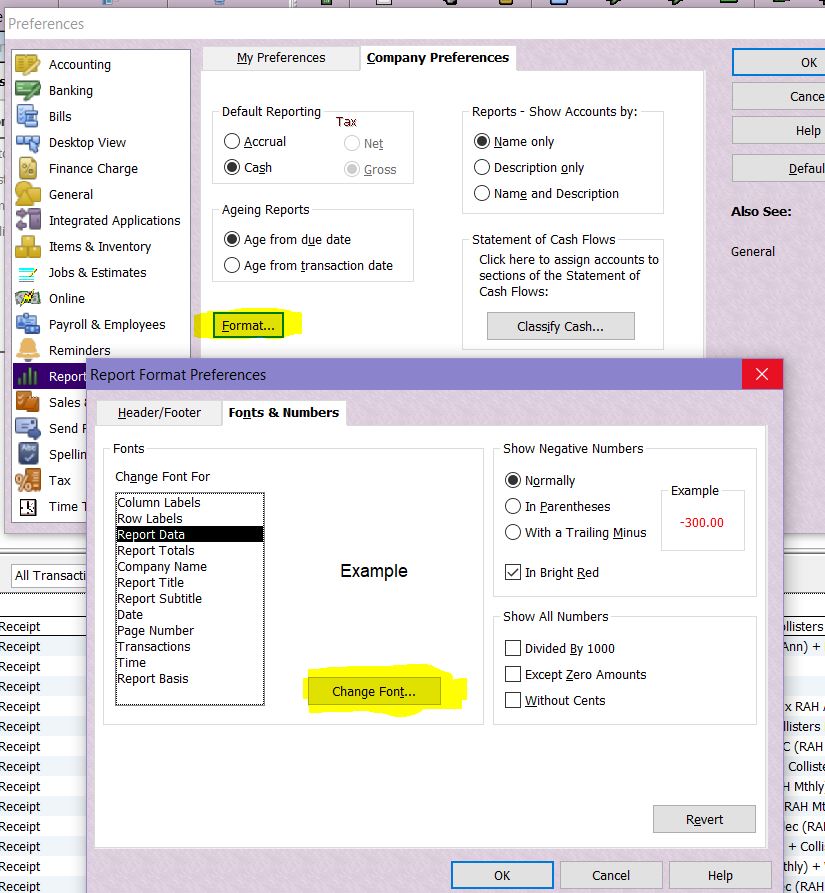
When you click on this Format button, on the Fonts & Numbers tab, the Report Data is the transactional text, which you can change under Change Font:

Alternatively, if you just want to reduce the font on a particular report, with the report open, click on Modify Report to do the same under that report's specific Fonts & Numbers tab 😁
2



Answers
-
Apologies, should have clarified, I work in Reckon One. The report section does not have that option under report settings. See attachment.
0 -
Ah, I can't be of much help there then as i don't work with R1.
You posted under the Reckon Accounts Business category ...Have a look in/try posting in the Reckon One section instead 😊
0
