Hi all
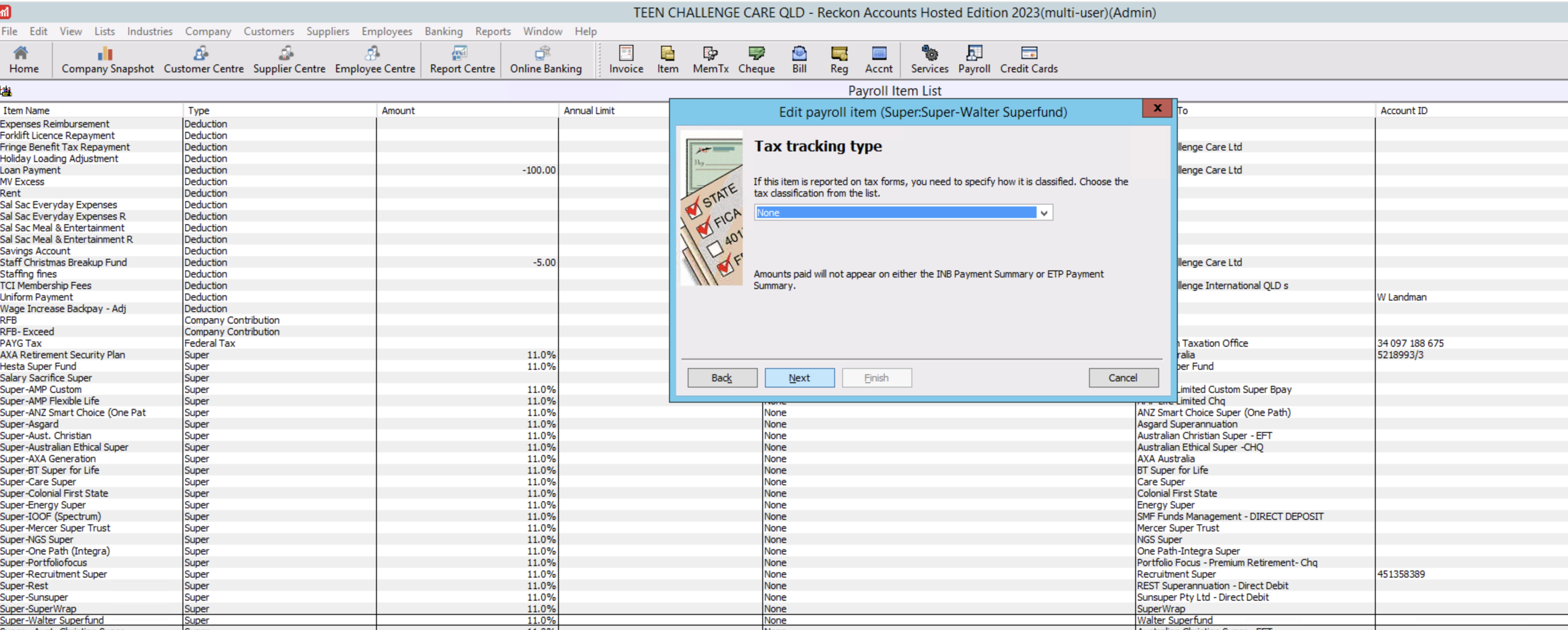
I am having a problem when adding in a new SMSF for an employee. It is listed in the Super Payables accounts, but then when I try to select it in the Employees File, it is showing under PAYG???? Rather strange....
Any help would be appreciated !
Thanks
Kim
Hello @KimBoTCC ,
It is possible you have marked their super item to be taxed via PAYG.
You will need to untick both Taxes options in the settings:
Let me know how you go with this.
Kind regards,
Alexander McKeown
Hey @Alexander McKeown
Thought I might have ticked that by mistake - but no, they are both unticked...
Anything else we can try?
Could you provide screenshots of all the screens in the SMSF Pay Item setup?
It could be that your Expense Account associated could be causing this matter, but I think I need a bigger picture look at this record.
Hi Kim
It looks like an account has also been set up for it under PAYG but you can merge the 2 so it's just under the Super header.
On another note, your financials must be ridiculously long! Best practice is to create ONE Super Payroll Item per Fund, per Super type eg
... then have them all linked to a SINGLE main liability ACCOUNT type (usually ONE for standard SG Super & ONE for SS):
It's not necessary to set up a separate Payroll Item - or separate Account - for every person as both Payroll Items & Accounts should be generic. (Obviously SMSF's are specific but not any of the other Super (APRA) public funds 😬)
Feel free to shoot me an email direct if you need further assistance with any of the above 😊
Thanks @Acctd4 - shall have a look at that!
hi again @Alexander McKeown
Sorry for the delay, it has been a busy week or two!
I will add in the screen shots now - you can see on number 3 that I just have payroll liabilities listed, as I cannot select the super liability account that is showing on the Chart of accounts - when in this field, it only shows up under the PAYG account as you can see by number 3.
So, @Acctd4 - I cannot merge them, as on my chart of accounts there is only 1. I have never had this issue before, and have been using Reckon for over 15 years!
Aha .. ! From your screenshots, it looks like the account has just been (inadvertently ?) moved.
In your Chart of Accounts, click on the little diamond - to the left of the account name - & drag it back under the relevant Superannuation Payable heading, then it should be back in the right section when linking the Payroll Item to it 😊
@Acctd4 - that's what I thought I could do - but in the Chart of Accounts it is correctly showing under Superannuation Payables :(. It's only when I try and select it from the Payroll item, that it shows under the PAYG heading...
It's indeed a mystery!
Hmm .... Check it's not a duplicate one under PAYG that's been made inactive (either intentionally or by mistake) by clicking on the Include Inactive checkbox at the bottom of your Chart of Accounts list.
Failing that, do you verify your file regularly ?
Run the Verify Data option, then - regardless of the outcome - run the Rebuild Data THREE times (for some reason 3 Rebuilds can fix many issues!)
The Verify ... & Rebuild ... options are under the File dropdown menu > Utilities
Thanks @Acctd4 - there wasn't an inactive account, but the re-build has worked!! The account went under PAYG in the Chart of Accounts, and I was able to move it to Super Payables after that!!
So appreciate your help. 😀
Regards
Great to hear Kim! 👏🏻👏🏻👏🏻
Check out the latest important info & announcements for Reckon Accounts Hosted
Each Reckon software has its own dedicated category on the Community. Click below to browse all categories.