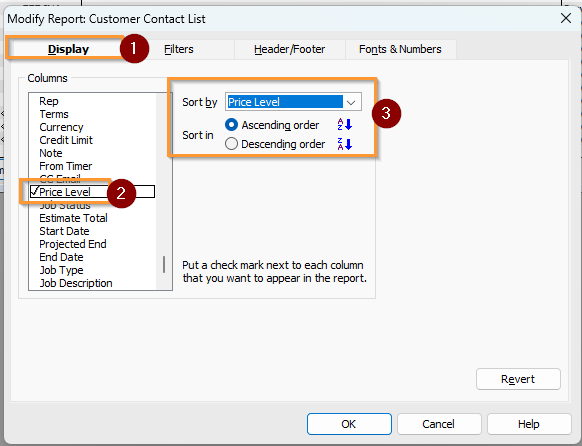
I need to find out the customers under each price level.
Hi @abcpack,
To Print the price level report
Hope this helps.
Hi,
I don't see any customer name list in this report.
Hi @abcpack
There is no predefined report that can be customised that would include the Price Level, that also shows which specific Customer records those price levels are applied to.
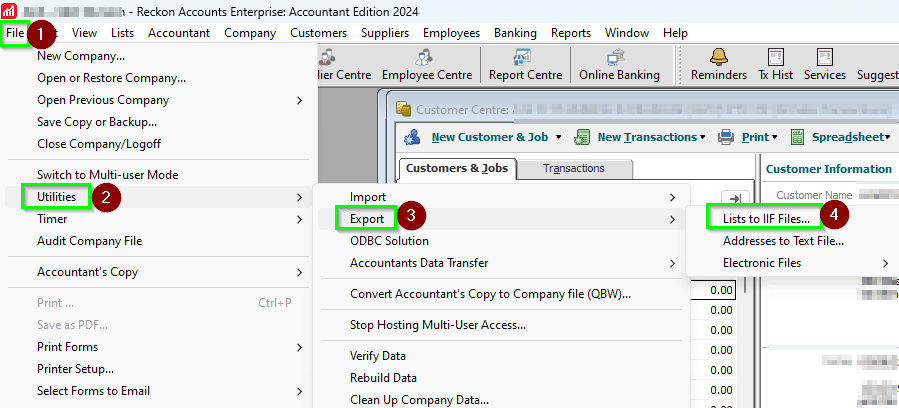
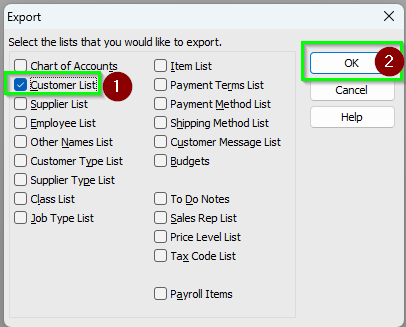
The next best option is to EXPORT the Customer List.
Then open the resulting export file in Excel.
There the column called PRICELEVEL can be found in the header row, under which all the Customer records can be found..
You can then sort the worksheet as needed to group or sort the rows by PRICELEVEL.
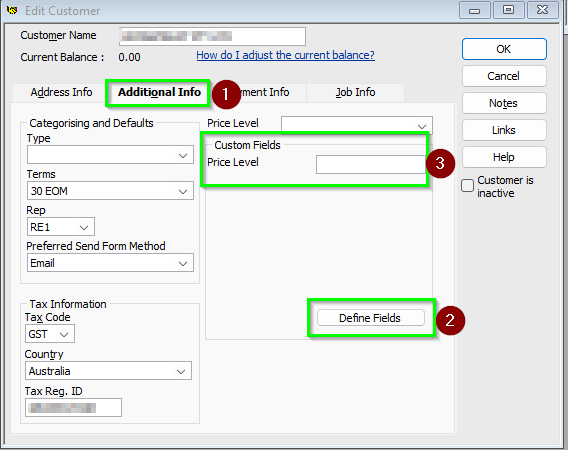
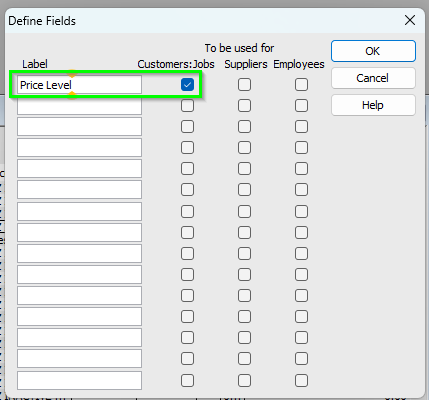
Additional from above comment, If you are using Custom Fields in your Customer records or have spare unused fields, you can create a custom field called "Price Level". This will let you to generate and modify the Customer Contact List to display and sort by the newly created field.
you can export the Customer List as an IIF file.
Open the exported IIF file in Excel