Payroll Item - Default Rate & Limit Screen


Hi all,
I'm trying to add a new payroll item. We co-contribute 4% of employees gross wages to their super fund and I need to account for it.
No matter how I try to add the new payroll item once I'm in the "Default Rate & Limit" screen I cannot use any figure under 10%, putting 4% auto defaults to 40%, tried 04% which also defaults to 40%
What am I not seeing please, I've been at this for hours
Appreciate any help!!
Cheers
Di
Running Desktop Retail Account Premier: Retail Edition v34

Best Answer
-
Welcome to the community @DiSmith
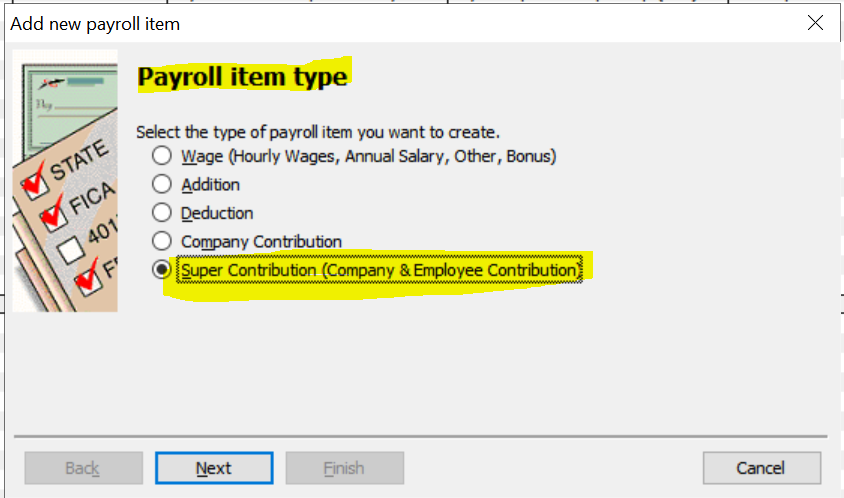
It looks like it's your Payroll Item type selection that's the issue - You need to set it up as a Super Contribution … :
… rather than Company Contribution :
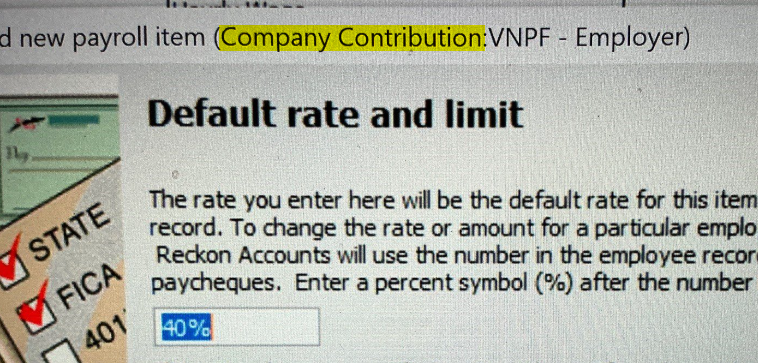
NOTE: This selection is only available upon initial setup so you need to create a new Payroll Item for it.
If this additional 4% is paid for all employees by default, it is still considered SG (rather than RESC) so - if that's the case - ensure it is still set as SGA here:
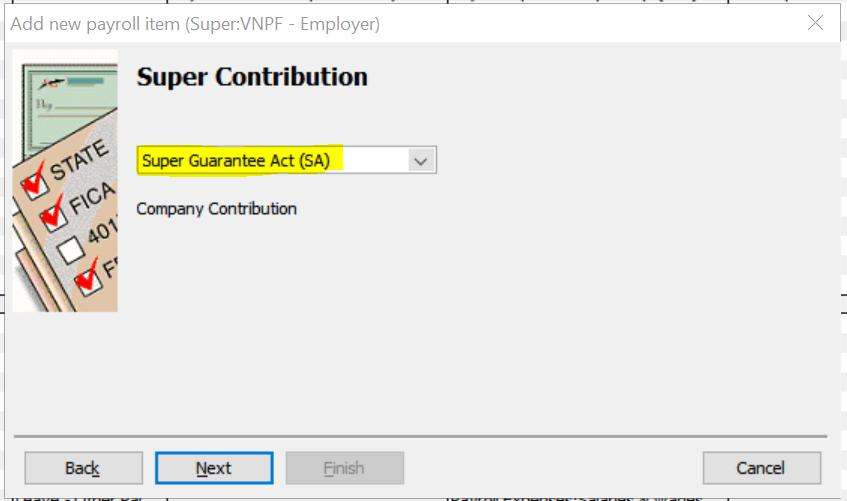
… with the same STP2 Tax Tracking Type (eg "None" - as per ordinary Employer SG Super)
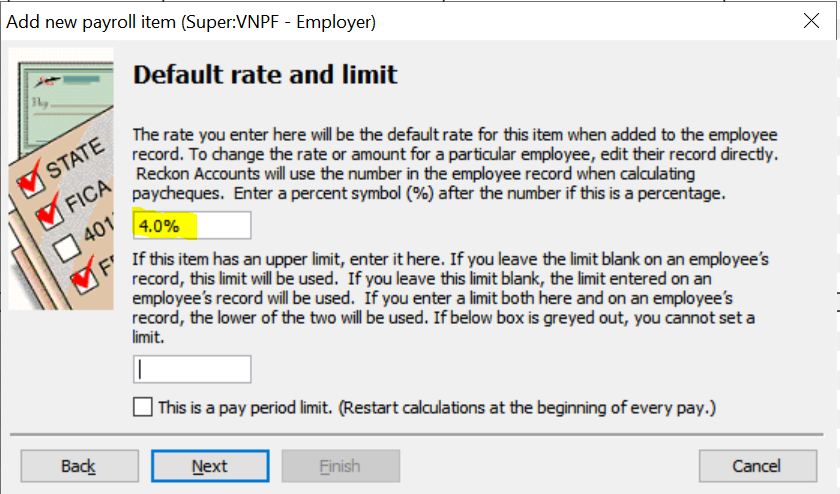
You will then be able to enter the specific ("4%") percentage rate:
😊
1




Answers
-
Thank you, yes, quite correct - DOH🤦
1