Credit Adjustment Notes
AccountsGHRE
Member Posts: 3 Novice Member
in Reckon One
How do I personalise the template for Credit Adjustment Note? There is mention online to add logo etc, but I can't find how to personalise the template. I can find how to select between the two default templates and am happy to use one of those, just need to tweak it and add a logo. TIA

0
Answers
-
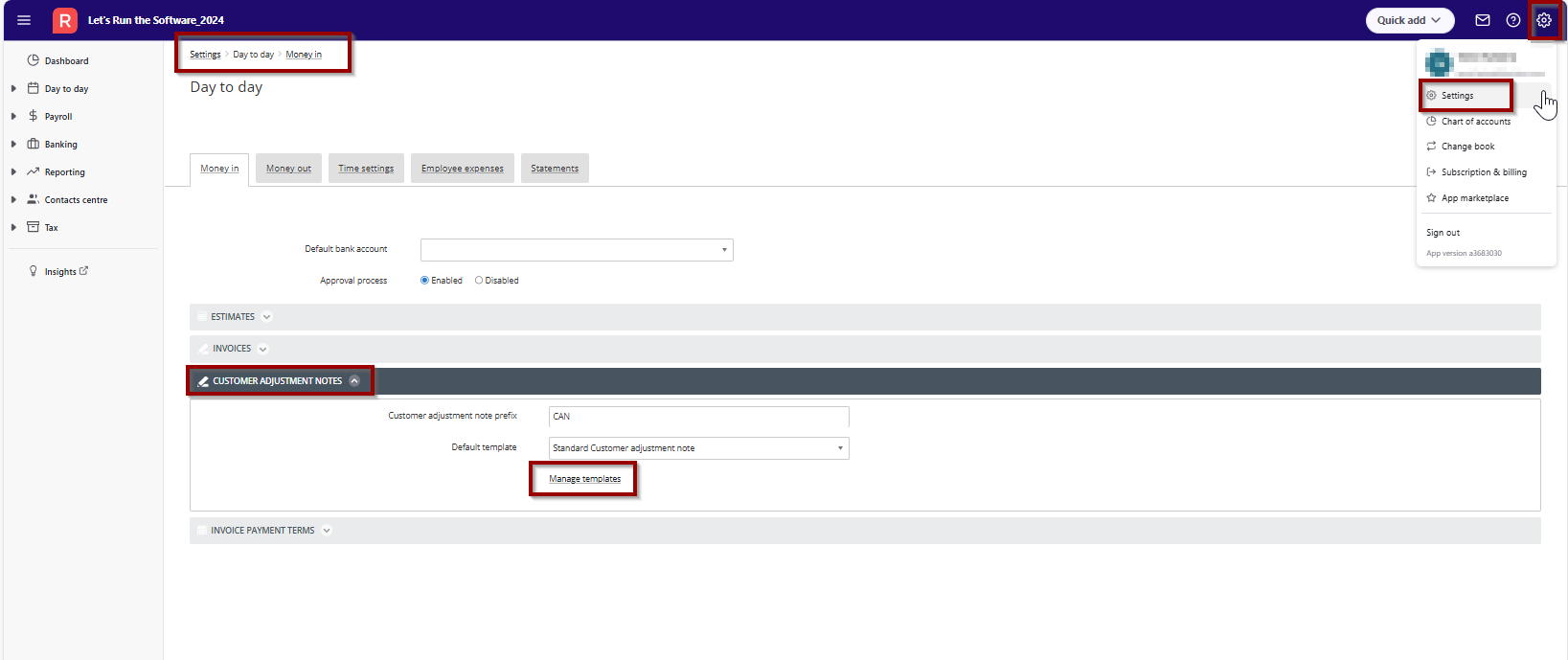
You can manage template by following the steps mentioned below -
- Login to Reckon One book
- Click on the cog wheel and go to Settings
- In Day to Day - select Money in and Customer Adjustment Notes
- Click on Manage templates
Screenshot for your reference -
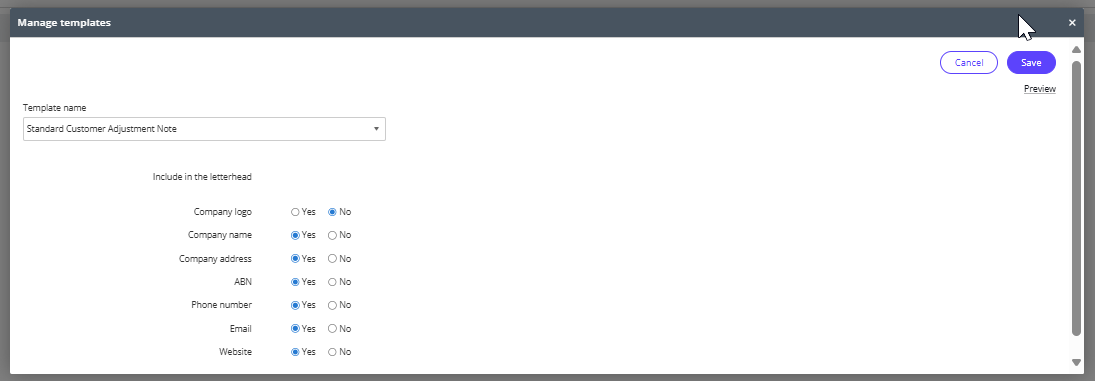
Once you click on Manage template, you will then have the following options to choose and manage from as attached below -
I hope this helps. Please let us know, if any concerns/issues. Thank you!
Regards
Tanvi
2 -
This is a great help - thank you kindly!
2