Can't get into accounts premier due to single user mode
Hi,
Someone has logged into our reckon account in single user mode but forgot to switch before they left. We now can't open the company file as they are still in single user mode. Is there a way to remotely disconnect them or switch it back to multi user mode?

Answers
-
Can you go to File - switch to multi User
0 -
Everytime we try and open the company file it says we can't since it's in single user mode. We can't change it to multi user as the person who was in single user isn't able to switch it back themselves
0 -
Morning @DawnToolsAdmin
As @Kris_Williams mentioned, please try the following steps -
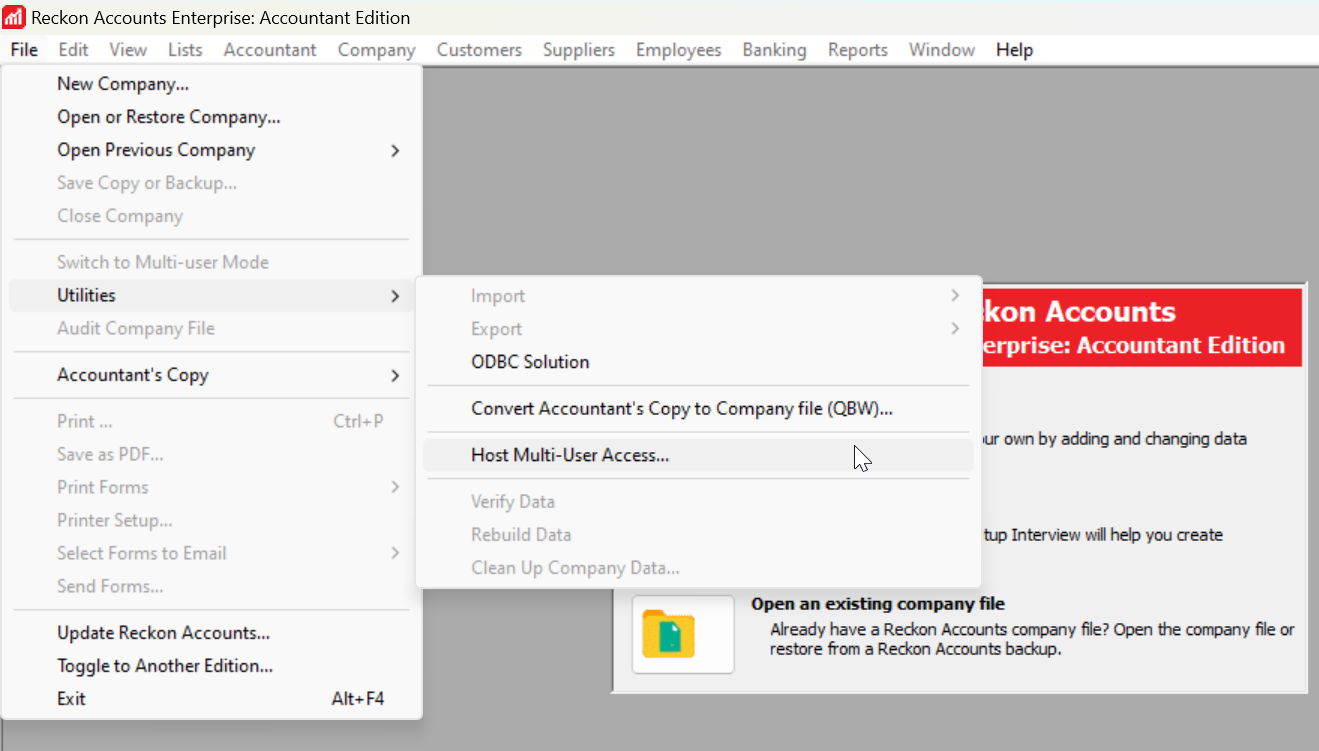
- Go to File - Utilities - Host Multi-User Access
- Once done, click on Open an existing company file.
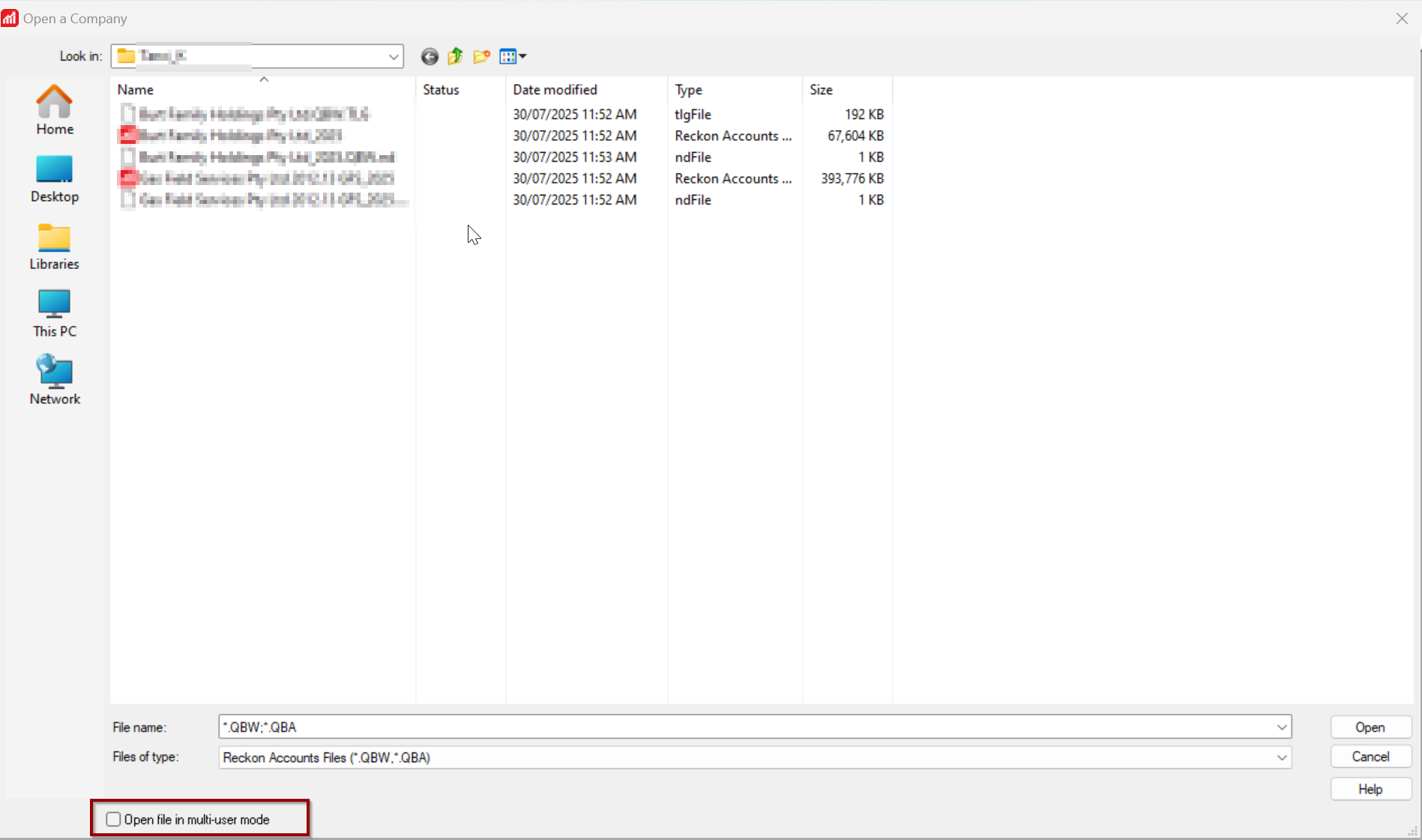
- Go to the location where your file is saved
- Select the file and enable the option as mentioned in the screenshot below-
- Open the file.
Please let us know, how you go or if any concerns/issues. Thank you!
Regards
Tanvi
0 -
Do you know who is the person that is currently logged on to the data file in Single-User mode?
What is preventing them from exiting the application in order for there to be no users logged in to the data file?
Is the data file stored on their local computer or is the data file stored on a remote/server computer?
If the file is stored on their local computer, then they will need to go there to log off the data file.
If the file is stored on a remote/server computer, the person responsible for managing that remote computer could restart it (as long as that does not affect any other applications or processes), which should then disconnect the Reckon Accounts desktop software session of the person who is currently logged in to the data file.
Then the person who is the data file Admin can login and then switch the file to Multi-User mode.
Searching the Reckon Help and Support Centre | Asking good questions on the Community
#TipTuesday: Picture Paints a Thousand Words | How do I add screenshots to my discussion?
0 -
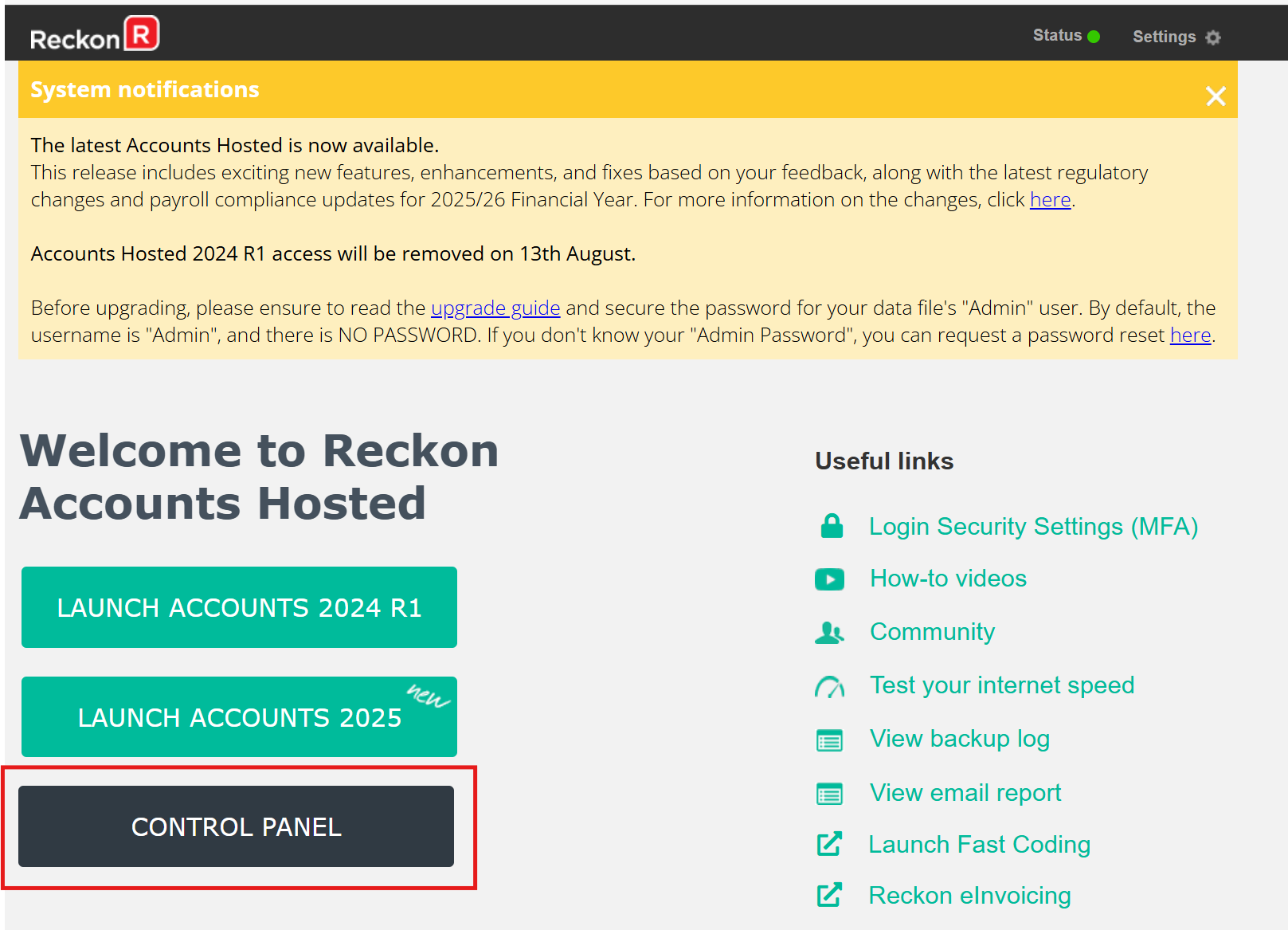
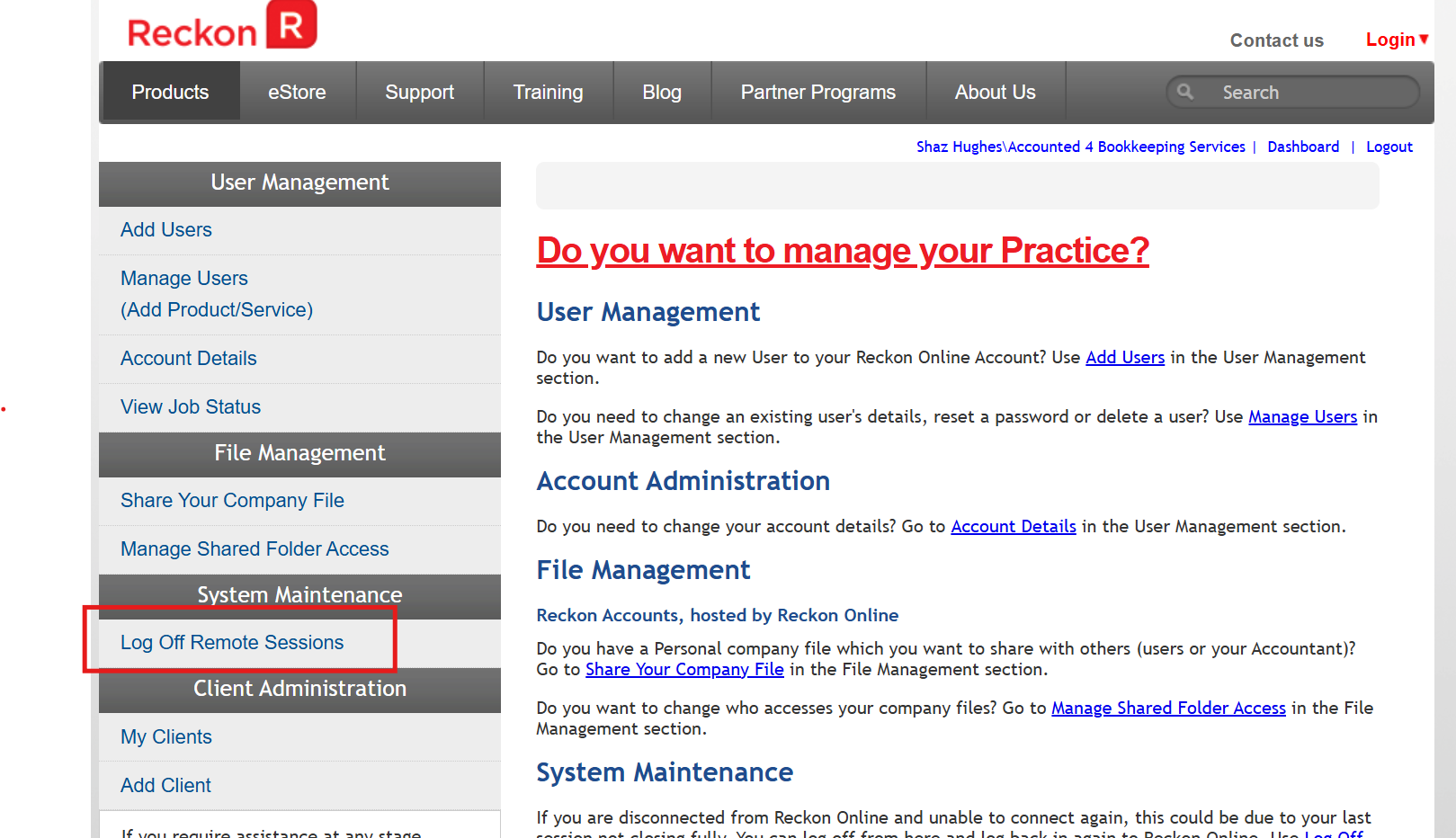
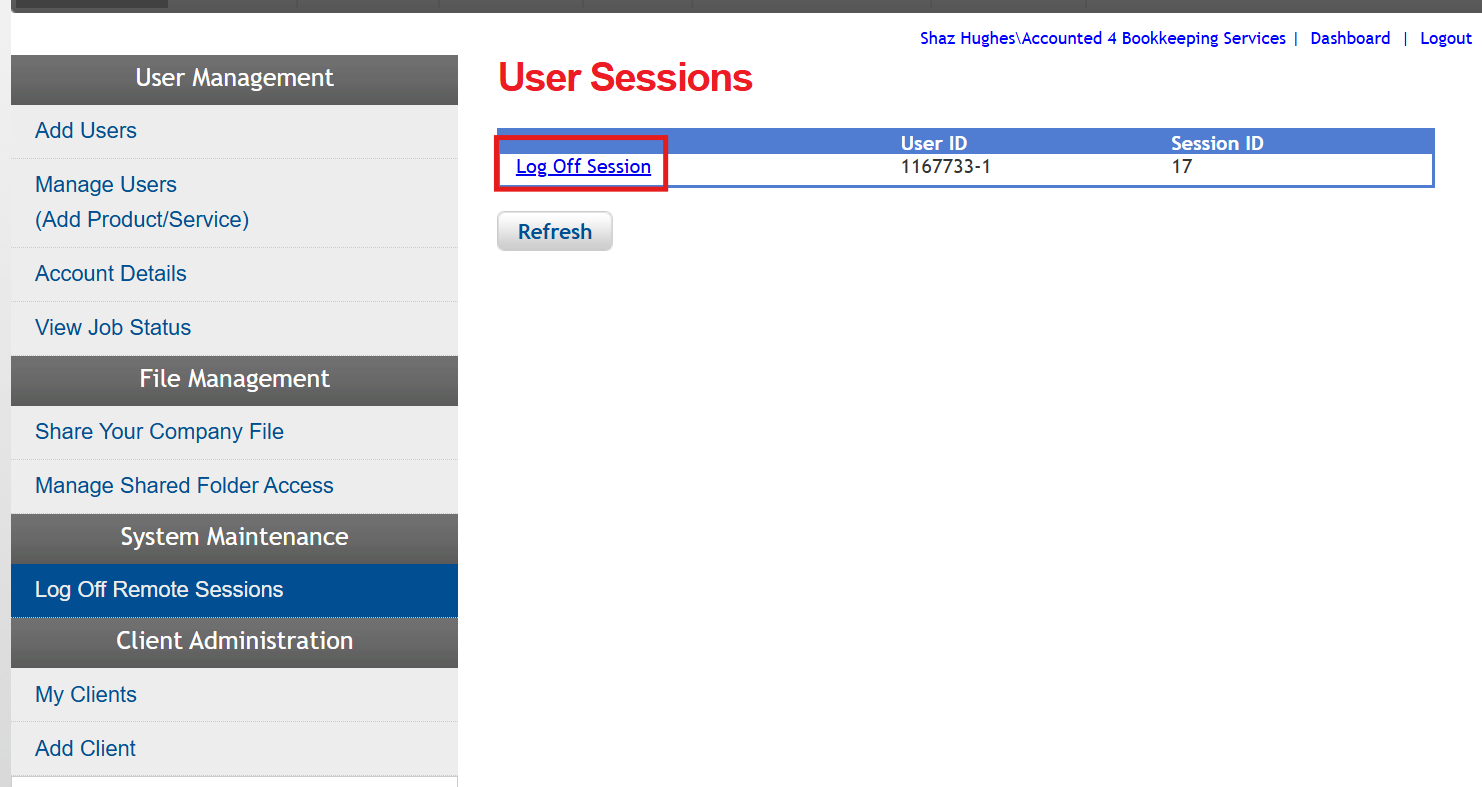
The user that's still logged in just needs to Log Off Remote Sessions to force the disconnection π
This is just done via their Control Panel once they login to the Hosted platform:
β¦ then:
β¦ then:
0 -
I thought that too Shaz but itβs not Hosted
1 -
Ah β¦ I missed noting the category there @Kris_Williams ππ€£
1 -
Have you been able to get into the file and switch it to multi-user mode?
Searching the Reckon Help and Support Centre | Asking good questions on the Community
#TipTuesday: Picture Paints a Thousand Words | How do I add screenshots to my discussion?
0