How do I run an EBITDA report out of Reckon Hosted

Capricorn Stages
Capricorn Stages Member Posts: 25 Reckoner Reckoner

I have been asked for an EBITDA report to give someone for the possible sale of a business. Our accountant cant do it (dont ask why not), he has no access to reckon (again dont ask why not) so it has been left to me to figure it out.

I have done a google search and found the following:

Steps to Create a Custom or Standard Report in Reckon Hosted

  1. Access the Reports Menu: From the vertical navigation menu in Reckon Hosted, click on the Reports menu. 
  2. Go to the Reports Centre: Select Reports Centre from the menu. 
  3. Find a Relevant Report: Browse the available categories to find an income-based report, such as an Income Statement or Profit & Loss report. 
  4. Customize or Create a Custom Report:
    • For Existing Reports: Select an income statement report that shows your revenue and expenses.
    • For a Custom Report: If you need to build an EBITDA report from scratch, you may need to use the custom report builder to add specific accounts and line items, though this is more complex and often easier to do in Reckon Accounts Desktop. 
  5. Export the Report: Once you have an income statement, you can export it to a spreadsheet file (e.g., Excel). 
  6. Calculate EBITDA in the Spreadsheet:
    • Open the exported spreadsheet.
    • Find your Net Income (or Profit After Tax).
    • Add back your Interest Expense, Tax Expense, Depreciation, and Amortization expenses to the Net Income to get your EBITDA. 

But I dont know if this is correct and what it has given me isn't quite right.

Any help would be greatly appreciated.

TIA

Answers

  • Acctd4
    Acctd4 Accredited Partner Posts: 4,208 Reckon Accounts Hosted Elite Expert Reckon Accounts Hosted Expert
    edited October 9

    Wow … That sounds very (unnecessarily) complicated ! 😯

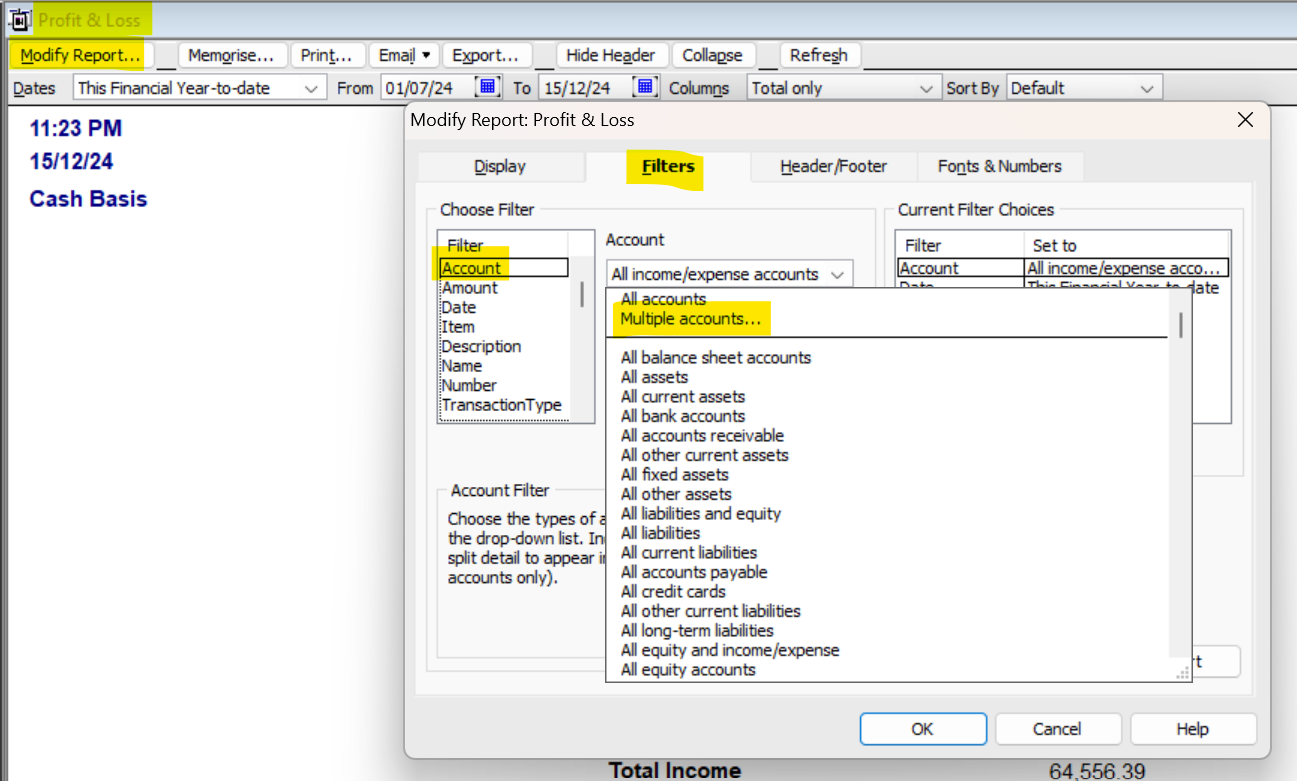
    You can just generate your normal Profit & Loss & Modify Report … on the Filters tab, to include all Accounts aside from Interest, Taxes, Depreciation/Amortization:

    image.png

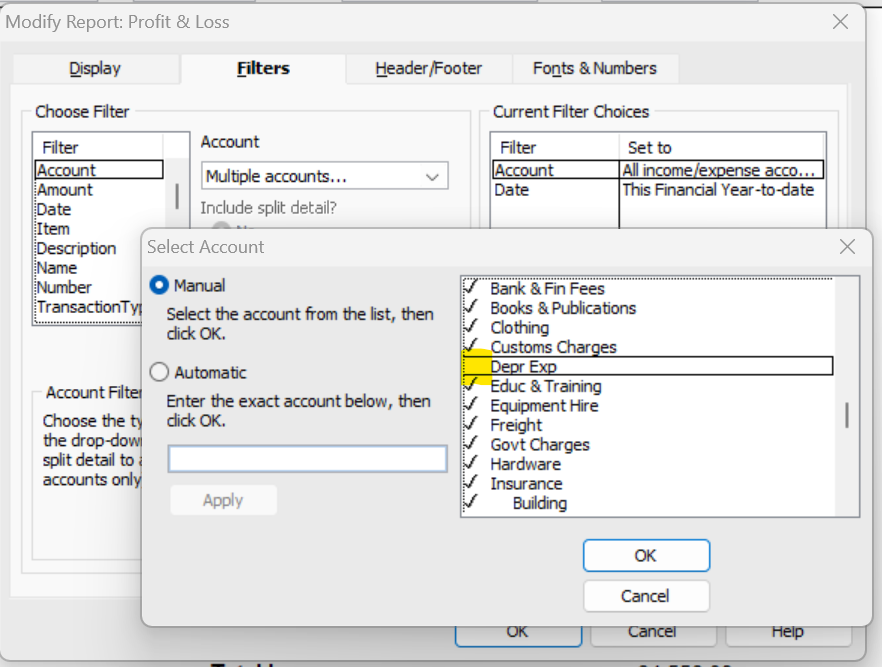
    Start by ticking all the Accounts (by just clicking the first account at the top, then dragging your mouse down to the end of the list)… then just untick those specific ones you want to eliminate :

    image.png

    TIP: Generate & print your standard Profit & Loss version first, so you can cross-check to ensure you're not missing any accounts (like inactive ones).

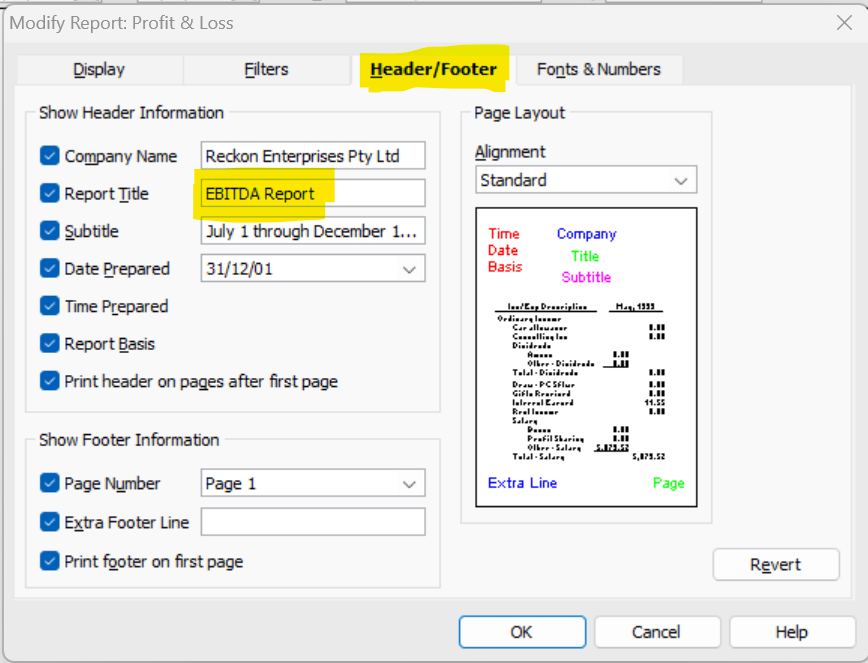
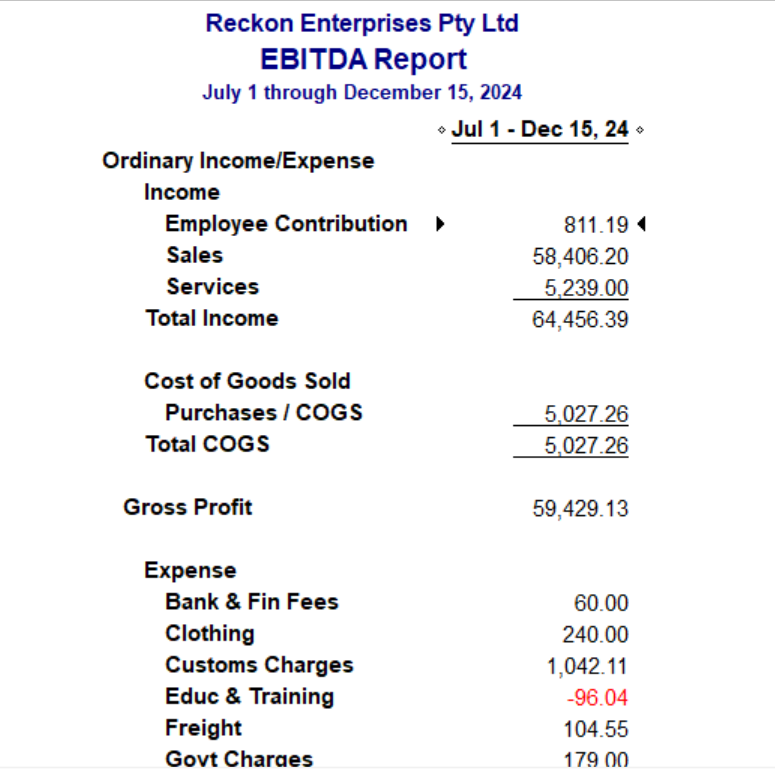
    Once you have the report configured how you want it, rename it on the Header/Footer tab (under Report Title):

    image.png image.png

    … & Memorise it (so you don't have to configure it again from scratch) ! 😊

  • Capricorn Stages
    Capricorn Stages Member Posts: 25 Reckoner Reckoner

    THANK YOU!!!!!! I would never have gotten there. Fingers crossed that they are happy with this otherwise I think I will lose my mind! I will let you know if I need any more help.

    Thank you again! Much appreciated

  • Acctd4
    Acctd4 Accredited Partner Posts: 4,208 Reckon Accounts Hosted Elite Expert Reckon Accounts Hosted Expert

    No problem @Capricorn Stages 👌🏻😊

    Yes, let us know how it goes! 🤞🏻