Printing bills that are linked to specific accounts
I would like to print out our bills that are linked to specific accounts, when i go to print once i have selected the bill it doesnt show who the bill is for….. i went in to the Settings > Money Out > Bills > Manage Templates > Made sure "Yes" is selected for Company Name, but it still doesnt show the Supplier.
How do i make this happen, very new to Reckon One but have been using Reckon Accounts Enterprise for years and everything is all new :(

Answers
-
Hi @Susie_Whitby,
I apologize if you're experiencing any difficulties with the template.
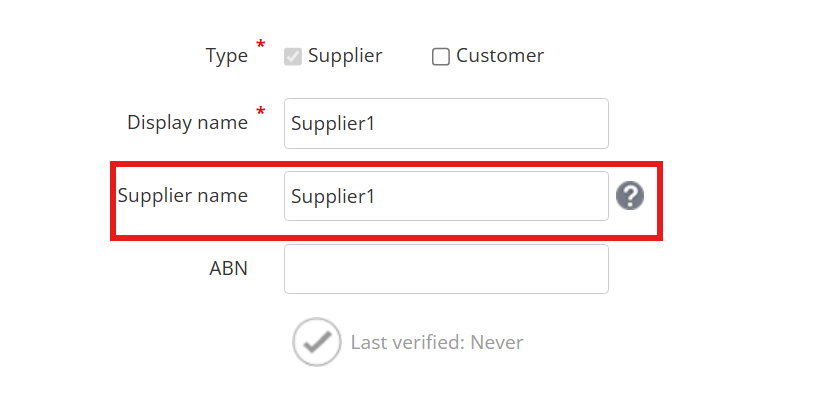
Could you please verify that your supplier information includes a Supplier Name under the supplier section, in addition to the Display name?
I hope it helps.
Best regards,
Karren
Kind regards,
1 -
Hi Karren, no it did not…..it does now but, THANK YOU!!
1 -
Could i also ask that when I'm in this section how do I get the Classification field to appear?
1 -
Hi @Susie_Whitby,
Glad you got that sorted! Same thing with the invoices — the customer name needs to be in the customer info so it shows up when printed.
About the Bill Overview, there’s no column for classification yet, but you can filter it using the report.
We have more information about classification here
Assign classifications to transactions and line items in Reckon One - Reckon Help and Support Centre
Reckon One update! ✨ Line-item classifications & a whole lot more! — Reckon Community
This would be a great addition to how we view Bills. I suggest sharing this idea with Reckon for future updates to the feature here Reckon One Ideas.
Best regards,
Karren
Kind regards,
2