Unable to send invoices
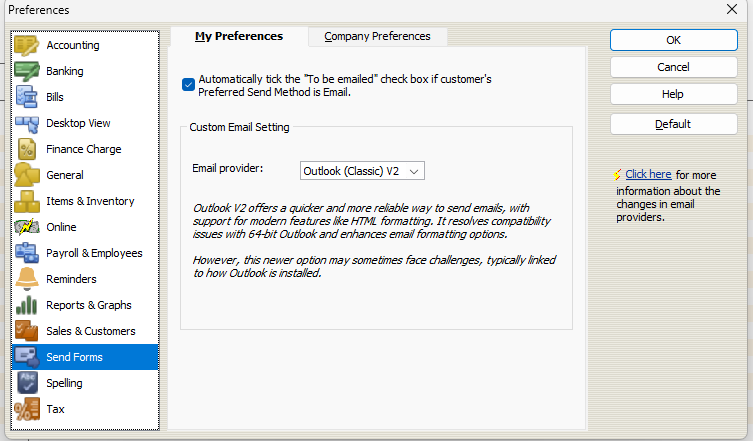
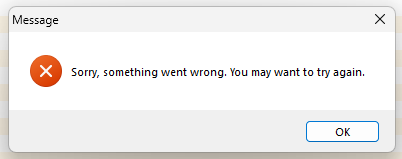
On a new Win11 PC with Reckon Accounts plus desktop, I can't send invoices as the stupid new outlook is not allowed and if I select outlook classic, I have to overcome several popups of error messages
Why can't we choose custom email clients like in my case Thunderbird????????
Comments
-
Unfortunately the code base is simply too old. I can fix this for you
Call me any time
0407744914
Zappy
0 -
@Zappy Why dont you share this with the community if you know how to fix it?
Gerry id 6376
Gerhard Winter
Ph. 0418907140
Reckon Store Next Door
"Always at your Service"
Email: gwinter0808@gmail.com
3 -
I agree, It should not be a secret how to send invoices successfully in 2025/26
Currently I use an old PC with Win10 just to send invoices because it is not possible with Win11 and new Outlook. However I can print to file using Cutepdf writer and email via Thunderbird, but these are silly extra steps
Reckon Accounts should allow a user to choose their default email client and not be bound to an old version of Outlook
0 -
after all I pay $800+ each year and it gets dearer by $100 each year
0 -
@Anton Strauss Unfortunately, because RA is a desktop program, there are less products/services who maintain their development compatibility with it.
Reckon are happy to work with any developers, but often it's whether those developers are prepared to invest the time & money on an RA integration π Because cloud solutions are much simpler to integrate with - & are more prominent these days - many original apps/programs that once worked are no longer compatible.
The other issue is that Reckon doesn't own Reckon Accounts. It's Intuit's old "QuickBooks" program which Intuit have granted exclusive licence to for the next century, for Australian development. Therefore, Reckon only have access to the program base coding - which is fixed & not editable - so there are some features that they would like to develop/implement, but simply can't π©
(I feel your frustration as - by choice - I specialise exclusively in Reckon Accounts/Hosted only eg not any of the cloud products π¬)
0 -
I have tried Reckon accounts hosted and it was poor display quality and laggy compared to a local installation, so I want to stay with local
1 -
Hosted is still the desktop program (the top Enterprise version actually) but is "hosted" on Reckon's servers (hence the name)
Along with the size & condition of your company file, Hosted's performance is also very dependent on the strength & performance of your internet/wifi π¬
0 -
Make classic Outlook your default email program in your windows settings.
1 -
It does not work, so I will keep using old PC and old Outlook
0