Good morning Reckon Community,
With a lot of new Reckon One users coming from our desktop products, you might be used to having a desktop icon or taskbar shortcut to quickly open your software each day.
This week’s #TipTuesday covers a handy way to create an app-style shortcut for Reckon One directly from your web browser. Instead of searching for Reckon One in Google or opening a new browser tab each time, you can install it as an app so it opens in its own dedicated window just like a desktop application.
How to do it?
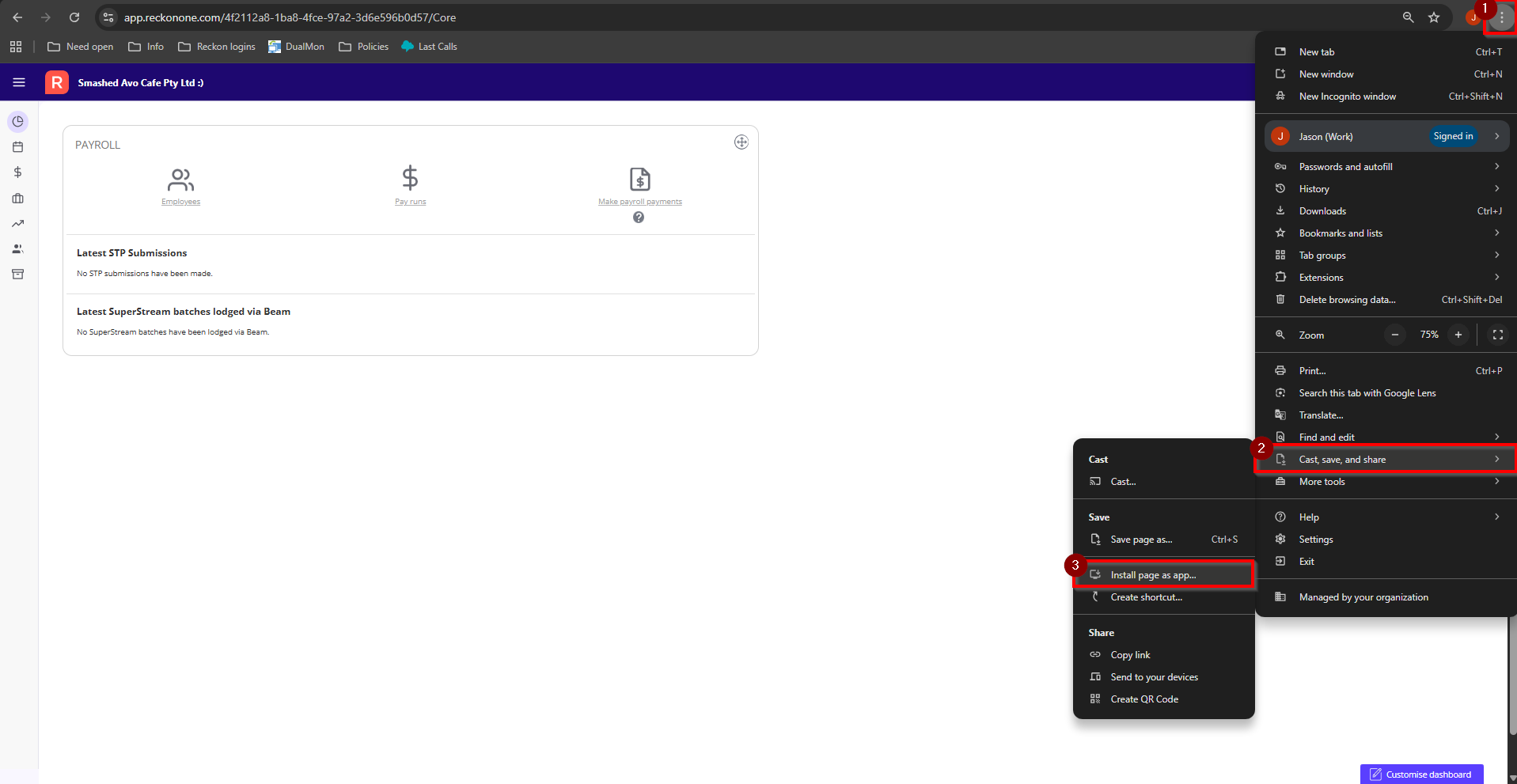
For Google Chrome users:
Open to Reckon One and enter any book → click the ⋮ menu in the top-right → Cast, save and share → Install page as app.
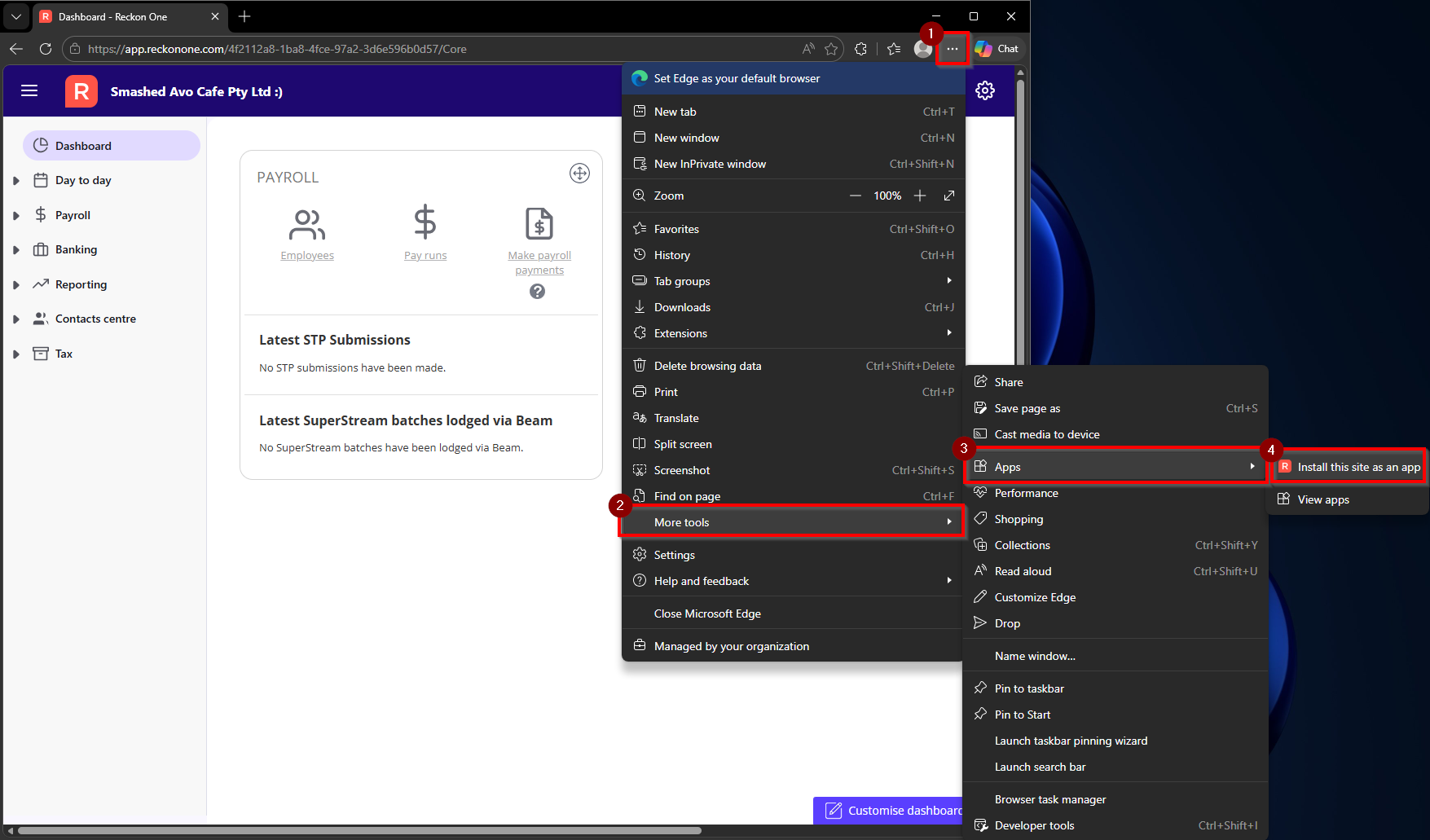
For Microsoft Edge users:
Open to Reckon One and enter any book → click the ⋯ menu in the top-right → More tools → Apps → Install this site as an app.
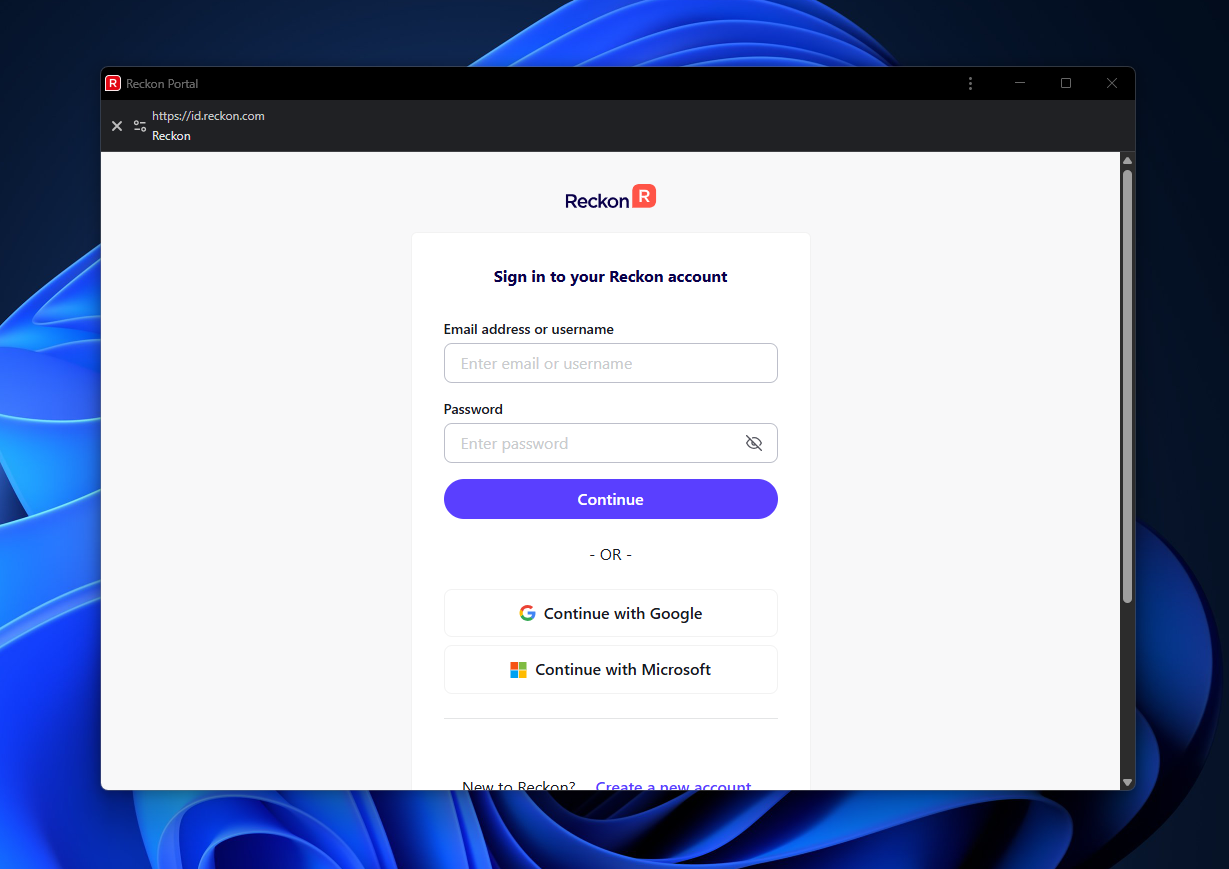
Once installed, Reckon One will:
- Open in its own separate window
- Create a desktop shortcut automatically
- Appear in your Start menu
- Give you the option to pin it to your taskbar for even faster access

I hope this #TipTuesday can make switching from desktop software feel a little more familiar and helps save a few extra clicks throughout the day.
Check out the full help guide here:
Save Reckon One as a Desktop App Shortcut

