Backup Restoration Error

The Whole of Business
Member Posts: 3 Novice Member 
Hi Guys,
I have a new client that is using Reckon. I have downloaded the accountant's version however I keeping getting the error below when I try to restore the backup. I have tried to save it to different drives but still no luck. The error doesn't give much information.
Can you please help with this error?
Cheers,
Daniel
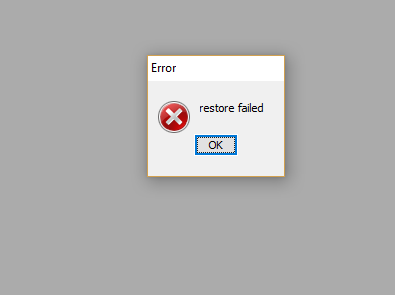
I have a new client that is using Reckon. I have downloaded the accountant's version however I keeping getting the error below when I try to restore the backup. I have tried to save it to different drives but still no luck. The error doesn't give much information.
Can you please help with this error?
Cheers,
Daniel
0
Comments
-
Daniel
A little more info please.
- operating system
- version of 'Accountants' software (ie: year, release) (do a CTL+1 to see)
- version of the DATA that you are trying to restore
One thought is, that the client is running Enterprise (or HOSTED, which is effectively Enterprise), and you are trying to restore the file into Premier Accountant's edition. That combo would be an issue I think. Did a little looking about the forum for you, and this article goes through some of those combination clues. IE: Get an Enterprise environment - if that is the issue.
https://community.reckon.com/reckon/topics/restoring-an-enterprise-2014-file-received-from-a-client
Check you've got enough disk space, and that you have operating system) permissions to create the restored file into the folder that you are targetting.
Perhaps the file you are restoring, is possible damaged, so fetch that from the client again, in case the internet download let you down, or the memory stick used to transport it was bad - many combinations there, depending on how yo chose to get the QBB file from the client to yourself (or the Acct copy).
Gaz
Gary Pope
m: 0408994799
e: gaz@alchester.com.au
An Accredited Partner- Consultant (VIC. Aust)
http://www.alchester.com.au/reckon-ac...
“Working with Accountants/Bookkeepers PPs/APs, as an
independent IT Professional and retired FCPA Accountant”1 -
Hi Gaz,
I have redownloaded the backup file and it works. Thanks for your help.
Cheers,
Daniel0 -
That's the ticket! when at first it won't load, download and download again! Always worth a try. Thanks for letting us know you're all sorted! Have a great 2017!
Gaz1 -
Thanks Gaz, you too.0


This discussion has been closed.