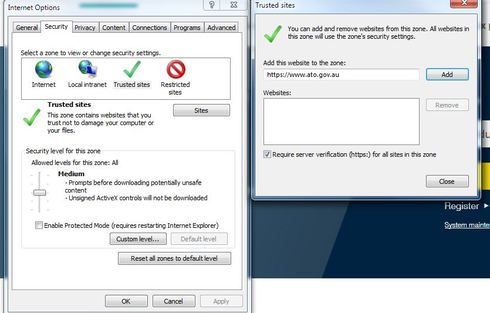
If you open your Internet Explorer browser – go to the COG icon in the top right corner – select Internet Options
Then go to Security – then choose Local Intranet – and then Advanced and put in https://portal.reckon.com
Then go to Trusted sites and put in https://portal.reckon.com
Save this... close Internet Explorer
go back to Hosted and try lodging again. Click OK through the various security questions etc. and it should bring up the portal within your Hosted Browser window.
Check out the latest important info & announcements for Reckon Accounts Hosted
Each Reckon software has its own dedicated category on the Community. Click below to browse all categories.