personal plus has stopped working, will not open at all

m3993003
m3993003 Member Posts: 21 Reckoner Reckoner

F

q1.jpg q2.jpg q3.jpg q4.jpg q5.jpg q6.jpg

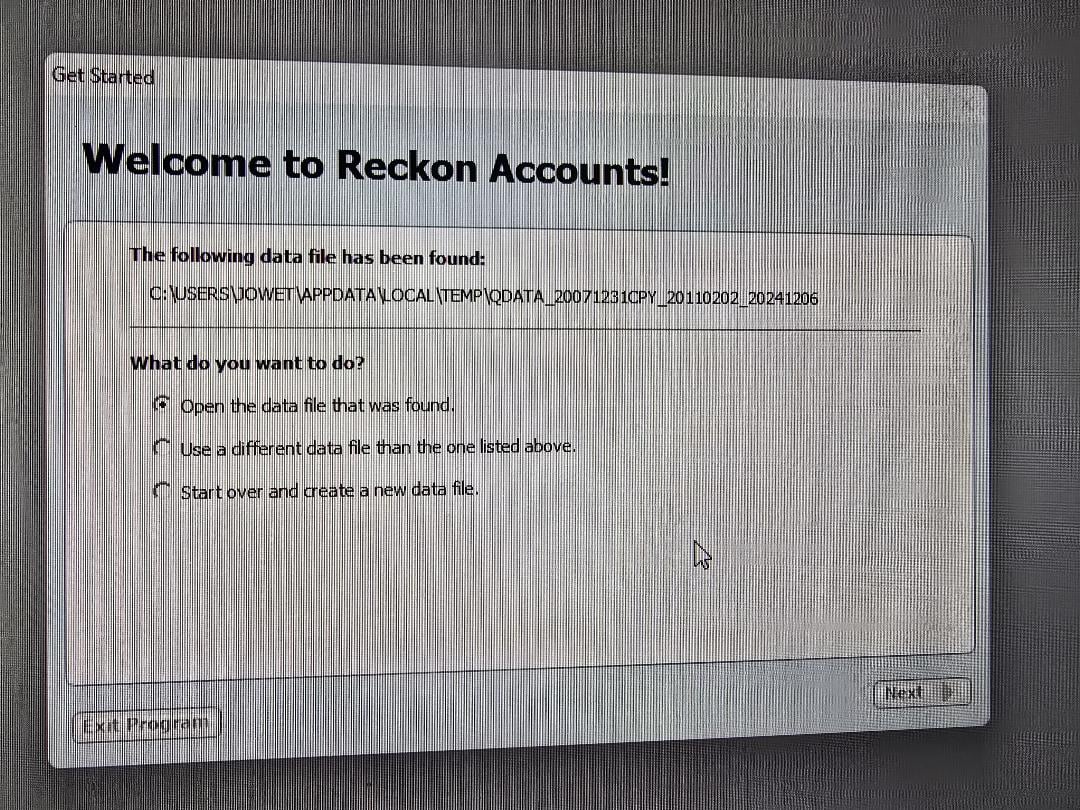
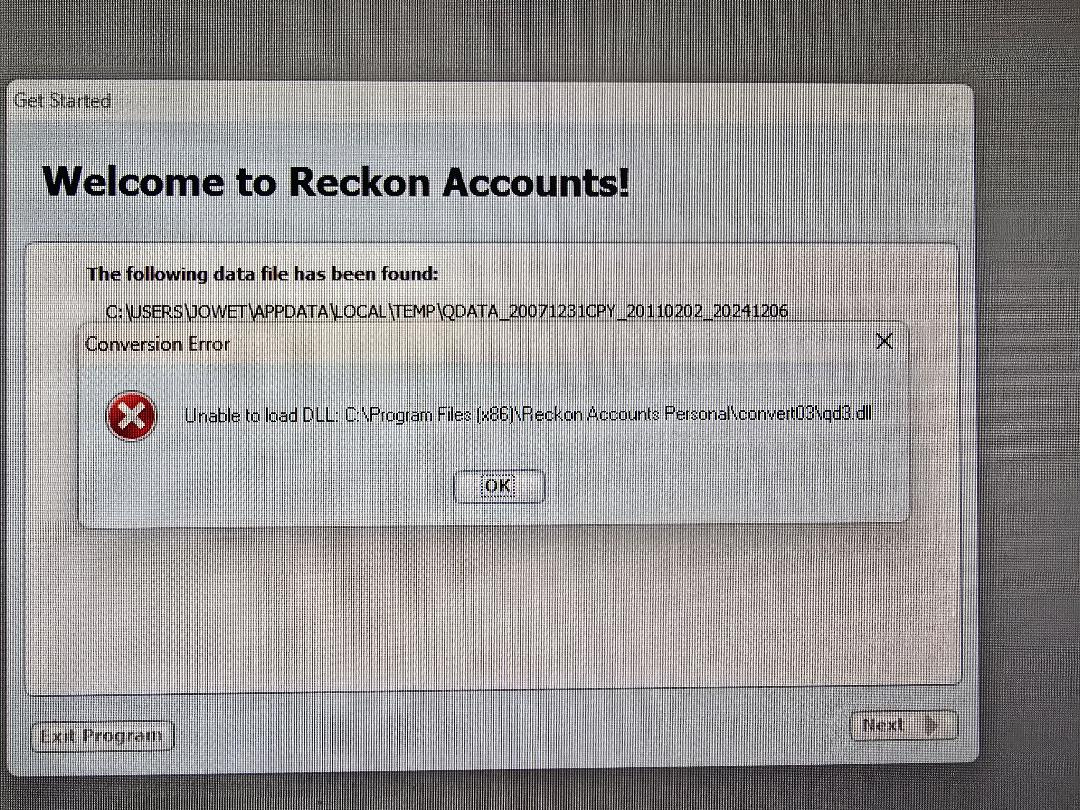
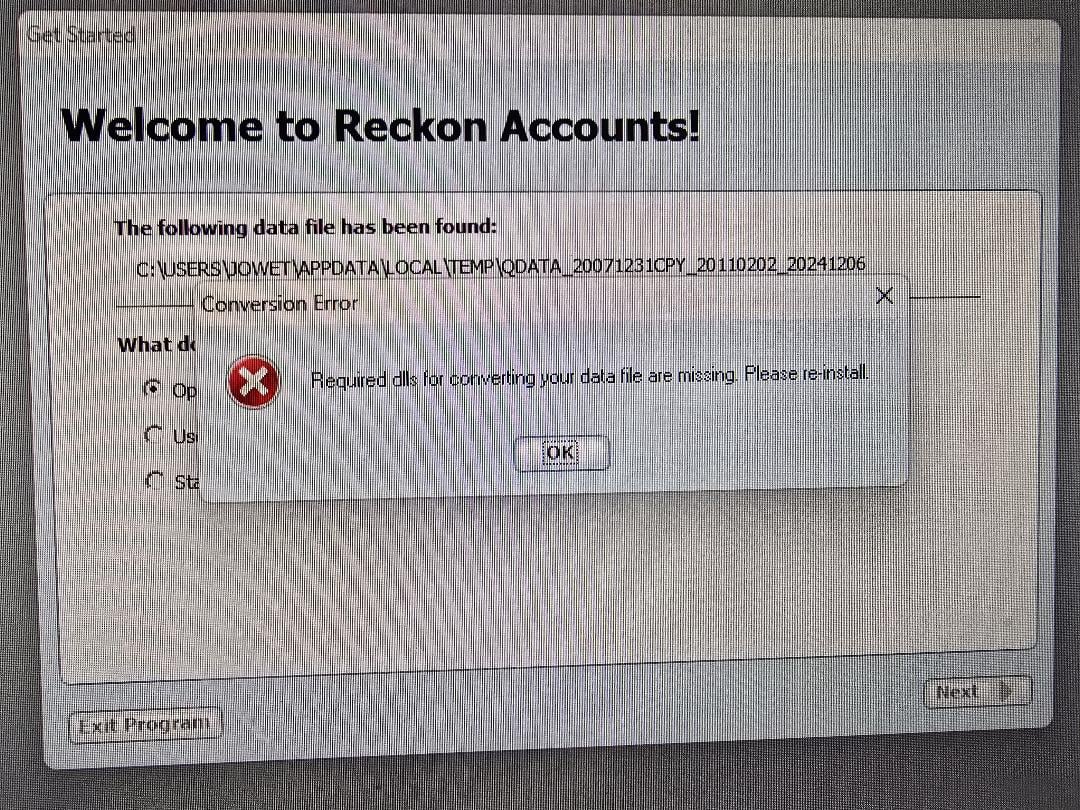
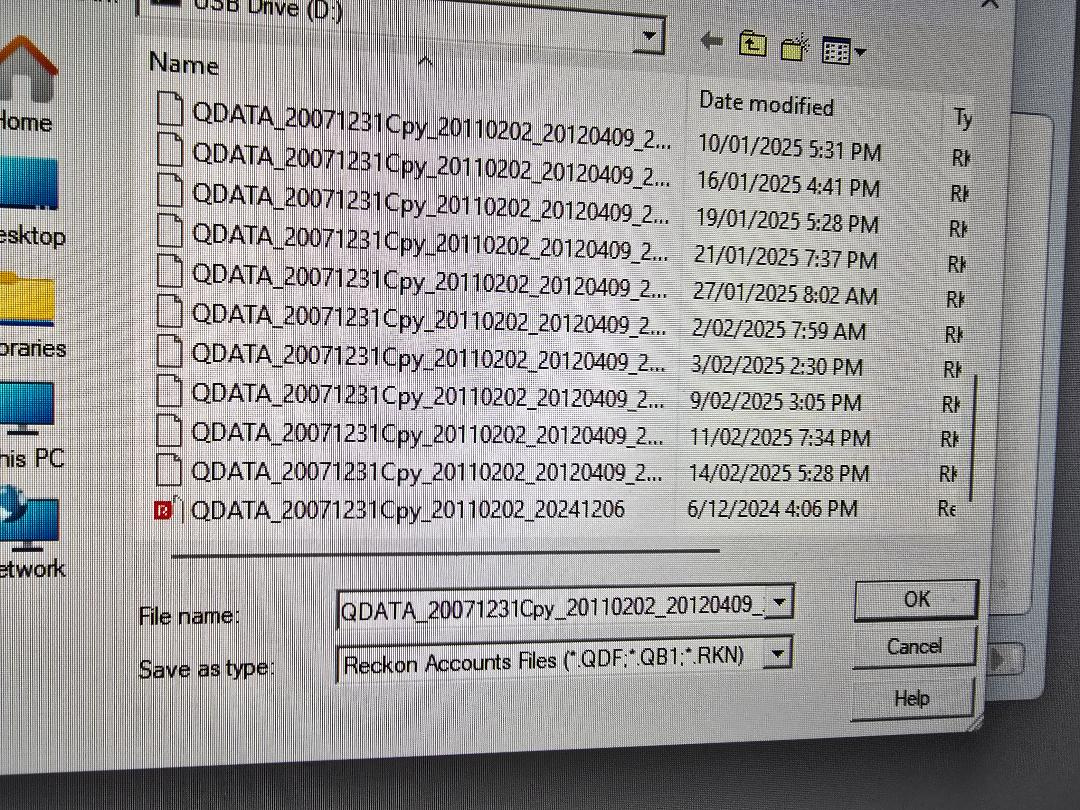
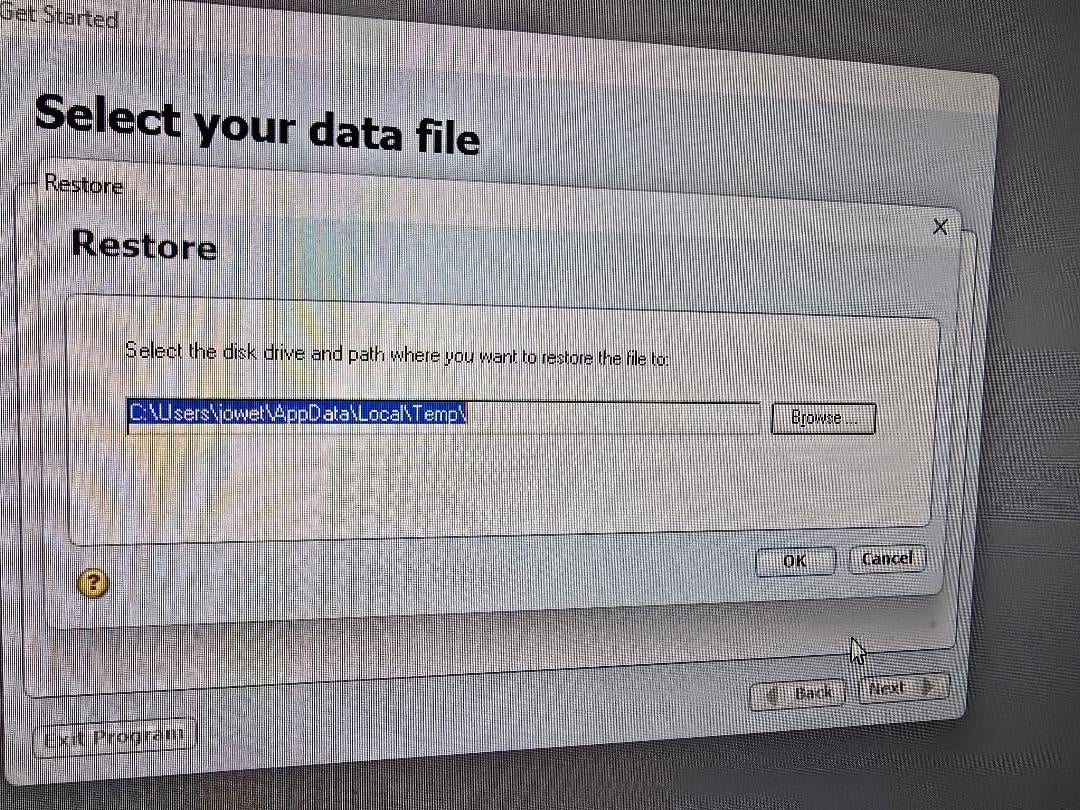
Firstly on day 1 all my shares data had disappeared but the rest of the program worked, then on day 2 this is what I now get when I try and open the program:

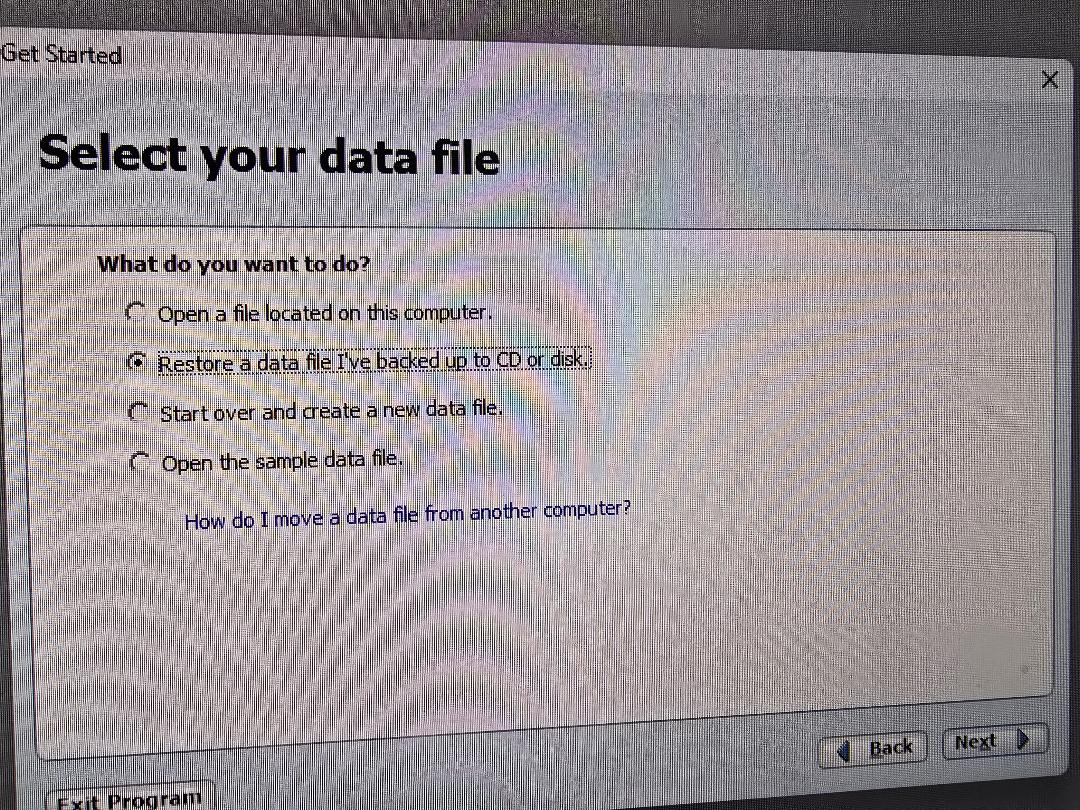
Firstly pics Q1, 2 and 3 in order. Then we I try to restore from the backup file, I get pics Q4, 5 and 6. From pic 6 there is no option so save in a Quicken folder.

thanks

Geoff

Answers

  • m3993003
    m3993003 Member Posts: 21 Reckoner Reckoner

    I have over 20 years of data saved, including full records of 20+ years of SMSF activity. It will be disastrous if this cannot be fixed. Please help

    Geoff

  • Lucas
    Lucas Reckon Staff Posts: 563 Reckon Staff Reckon Staff
    edited February 18

    Hi @m3993003,

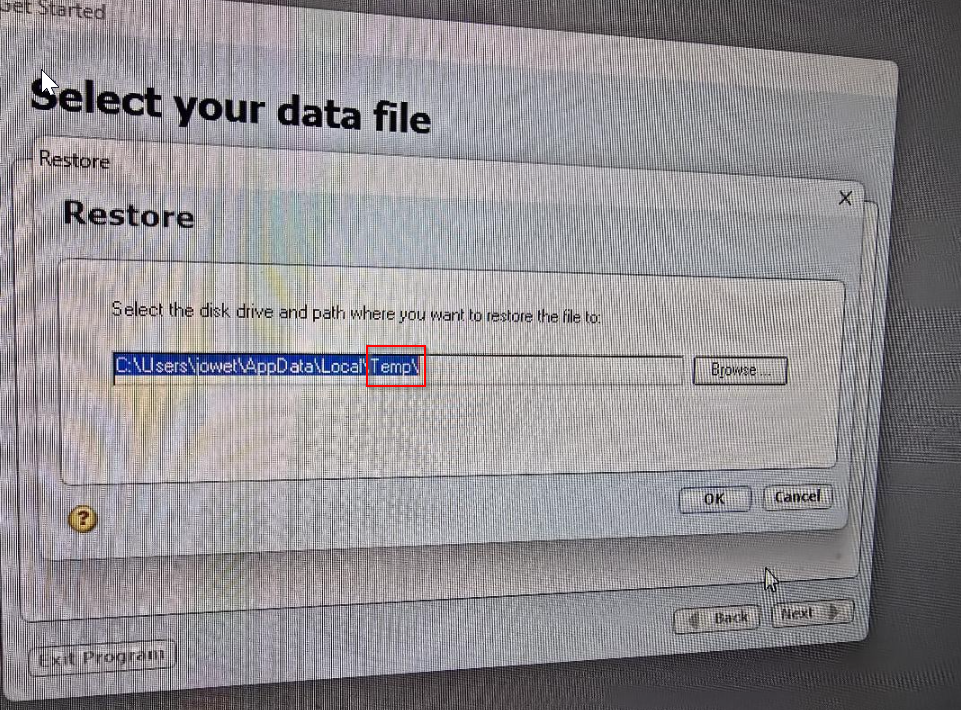
    The file you are opening appears to be in the temporary Windows folder and most files disappear from there. I suggest moving them to another location like your documents or desktop.

    I just want to make sure that you are browsing outside of the Temp file location after restoring a file from your USB, it would need to be moved as files stored in the TEMP folder after an extended period of time are removed by Windows. That's most likely why you are experiencing issues opening and saving the files.

    On another note, could you please take a look at the post below on how to take a screenshot as it allows for us to clearly identify issues easier and provides a higher quality for us to offer suggestions on how to answer your post based on the information in front of us:

    #TipTuesday - A Picture Paints A Thousand Words — Reckon Community

    Thank you and speak to you soon.
    Lucas

  • m3993003
    m3993003 Member Posts: 21 Reckoner Reckoner

    Lucas thanks for the quick reply. Unfortunately and weirdly my keyboard does not have a print screen button!

    The backup file is located on a USB, it has nothing to do with Windows Temp. It was saved on 14/2/2024.

    Yes the Reckon file was in Temp and I have moved it to desktop however it does not contain any data files.

    I cannot get past the screens shown in pics 1-3.

  • m3993003
    m3993003 Member Posts: 21 Reckoner Reckoner

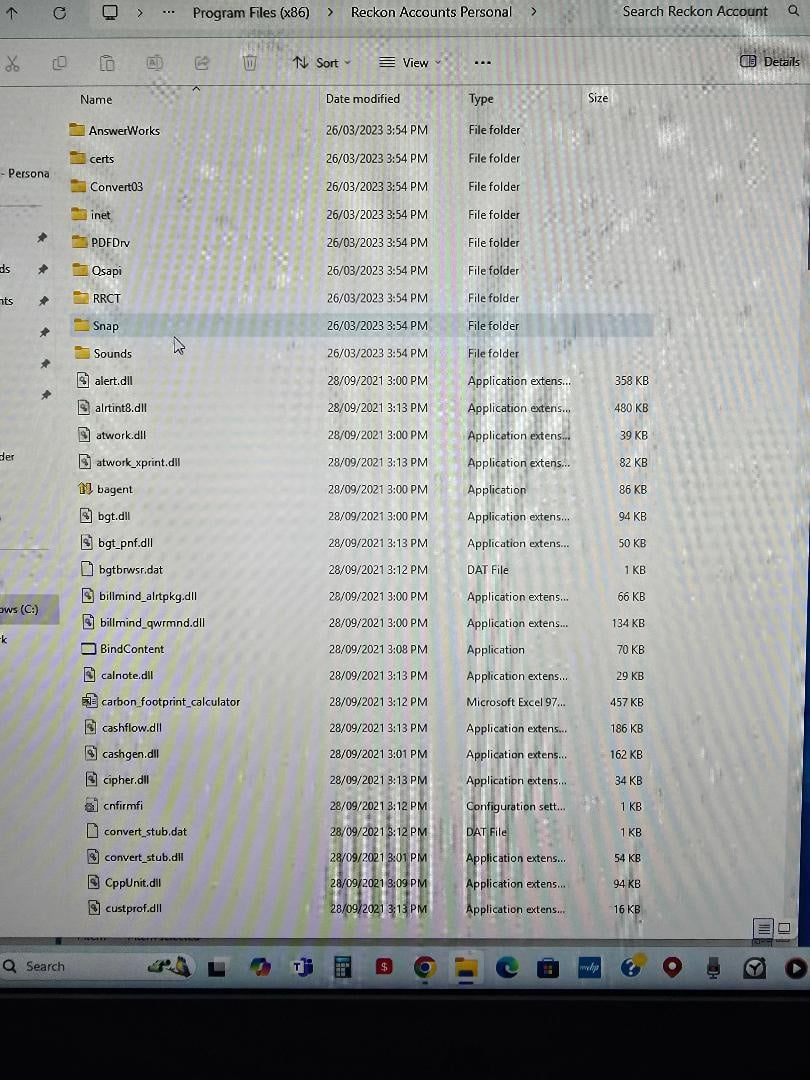
    Also I've just found a Reckon accounts personal plus folder in Program files but it also does not contain a data file.

  • Nickiu
    Nickiu Reckon Alumni Posts: 227 Former Reckon Staff Member Former Reckon Staff

    Hi m3993003,

    As per your screenshot, it seems like you saved the file in Temp folder. Can you try to save it in different location such as Desktop.

    image.png

    Thanks,

    Nick

  • m3993003
    m3993003 Member Posts: 21 Reckoner Reckoner

    Nick have u read my previous response? One Reckon folder, that did not contain a data file was in Temp. I have moved it.

    I cannot open the program to save a file anywhere!

    A suggestion: My renewal fee is due in a couple of weeks. What if I pay it now, then Reckon gives me access to download a replacement version? I'll then uninstall the current version, install the new one and hopefully open my 14/2 backup from the USB. Please confirm if this is acceptable? And provide me with a download link once you confirm receipt of my payment.

  • Nickiu
    Nickiu Reckon Alumni Posts: 227 Former Reckon Staff Member Former Reckon Staff

    Hi m3993003,

    I’d suggest the clean uninstall and reinstall by following the article instructions below. A clean reinstall may also fix issue.

    Let me know if you need further assistance!

    Nick

  • m3993003
    m3993003 Member Posts: 21 Reckoner Reckoner

    Nic my Quicken folder is in Downloads. It does not have a delete option see pic Q8. I have a Reckon Accounts Personal Plus folder in Program files but also it does not have a delete option.

    Can I use the Windows delete program tool to remove the Reckon Accounts app? Will the Selective Startup option still work. I am now becoming very concerned. I have been unable to add any data for nearly a week. Surely the simplest way is how I suggested? I fully uninstall the current Reckon app using Windows. Then I install a new version which I will pay for as soon as I get the OK to go ahead

    Geoff

  • m3993003
    m3993003 Member Posts: 21 Reckoner Reckoner
    edited February 20
    image.png

    image.png

    Sorry I did not attach the pics, here they are

  • m3993003
    m3993003 Member Posts: 21 Reckoner Reckoner

    Update. I was able to open the program by using open sample file option, then finding my latest file 14/2. BUT! all my investment data is missing, over 20 years worth! Suggestions please

  • Nickiu
    Nickiu Reckon Alumni Posts: 227 Former Reckon Staff Member Former Reckon Staff

    Hi m3993003

    Do you have a backup file, if so, Can you try restore backup?

    Cheers.

  • Nickiu
    Nickiu Reckon Alumni Posts: 227 Former Reckon Staff Member Former Reckon Staff

    Hi m3993003

    Also, Could you please locate all instances of QDF files, as well as their corresponding supplementary files (such as the QPH files containing share price data) on both your computer and any USB drives?

    Once you've found these files, could you compare the names and file sizes?

    Typically, the QPH file that matches a QDF (same name, different extension) will be small, especially if it doesn't have any data. However, you might find another QPH file elsewhere that’s larger.

    Let me know how you go.

    Nick

  • m3993003
    m3993003 Member Posts: 21 Reckoner Reckoner

    Nick The sniping tool nor print screen work on my PC. This is what appears after I copy and paste the latest backup USB files.

    The only QPH file I can find is in the Quicken folder which in turn is in the Documents folder. It is dated 24/10/2024 which is no use because of the date, regardless it wont open. There is no QDF file in the this Quicken folder.

    Nic, thanks for your help but clearly here my program is either corrupted or faulty in some way. Again I ask for download access to a new program, I pay the $220, and I delete this current program and replace it with the new one.

  • m3993003
    m3993003 Member Posts: 21 Reckoner Reckoner

    follow up, Nic the copied backup files will not appear in the above post.

  • m3993003
    m3993003 Member Posts: 21 Reckoner Reckoner

    what is happening now??? 6 days no reply!

  • Nickiu
    Nickiu Reckon Alumni Posts: 227 Former Reckon Staff Member Former Reckon Staff

    Hi @m3993003

    To assist you further I could need more details to scope down the issue and assist you better,

    could you please provide the following information:

    1: Confirm your current software version: Please confirm the version of Reckon Accounts Personal you currently have installed. It appears the file you're working with may be from an older version, so verifying your software version will help us determine if this is the issue.

    2: Last successful file access: Could you let us know when you last opened the software and successfully loaded a data file containing share price information?

    3: Update your software: If you haven't already, please install the latest version of the Reckon Accounts Personal software to ensure you have the most up-to-date features and fixes.

    4: Clarify file details: We need a detailed list of your files. Please confirm the following for each file type (RKN, QDF, QPH) on your computer as well as any USB drives:

    • File names
    • File sizes
    • Locations of the files

    5: Screenshots vs. mobile photos: The images you provided seem to be taken with a mobile phone. Could you confirm if you're using Windows inside a Mac via Parallels? Also, are you aware of the PrintScreen or PrtScr button on your keyboard, or if there’s another method for capturing screenshots?

    6: File consistency: If you have QDF files without a corresponding QPH file in the same folder, the share price data may be missing, as these files are essential for that data.

    Thank you

  • m3993003
    m3993003 Member Posts: 21 Reckoner Reckoner

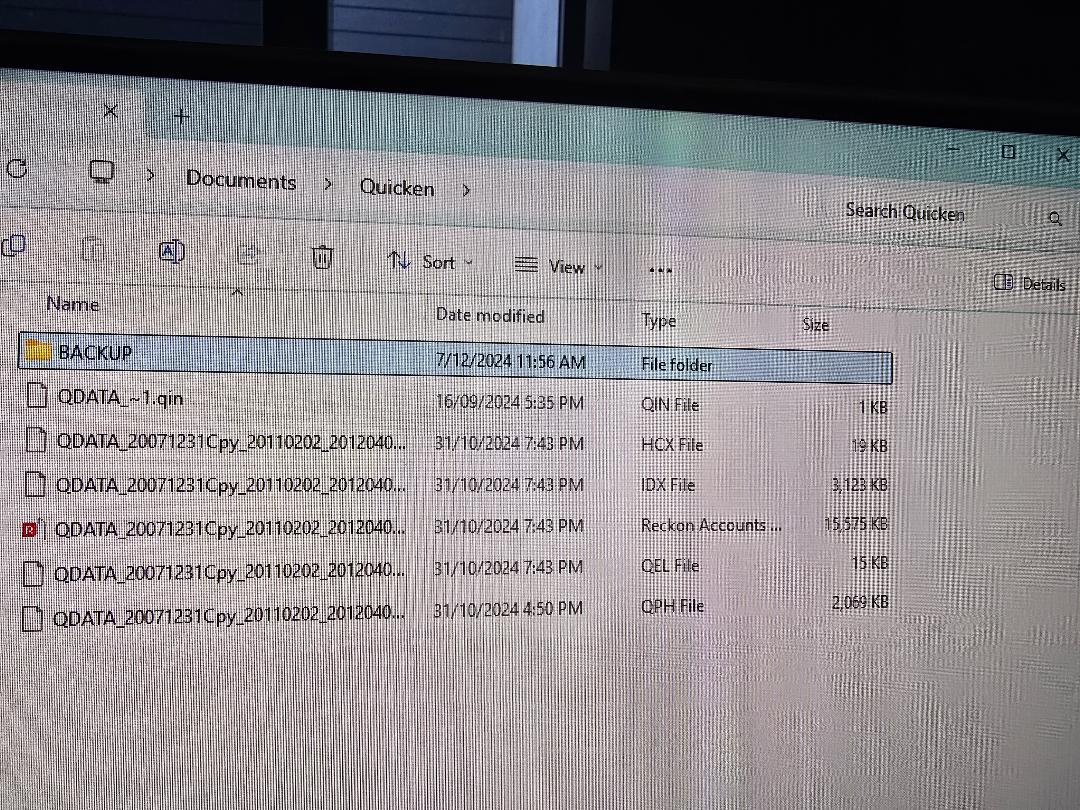
    Nic the program has reverted to not opening at all. There is a Quicken folder in downloads that contains a QIN, HCX, IDX, Reckon accounts QDF, QEL AND QPH file. In program files there is a Reckon Accounts file with a large number of mainly dll files all dated 28/9/2021

    I believe it is PP 2015

    Software last opened successfully 14/2/2025

    There is 2069kb QPH dated 31/10/2024, and QDF file with 15575 kb dated 31/10/2024 in the Quicken folder in Documents. I cannot find a RKN file anywhere on the PC. There is a RKN file in the USB containing 16195kb dated 14/2/2025

    As explained twice before my keyboard does not have a print screen button and the sniping tool only produces very small copies. I can clearly see the mobile pics in the posts above.

    I would very much like to update the software. Can u please provide a link where I can do this

    Geoff

  • Nickiu
    Nickiu Reckon Alumni Posts: 227 Former Reckon Staff Member Former Reckon Staff

    Hi m3993003

    To download new software, please visit here to get the download link. please login with your Customer-ID and Pin number.

    For the screenshot, if you are using Windows OS, the alternate way is to press Windows key+ Shift key + S. Have you had a chance to try this method?

    Cheers.

  • m3993003
    m3993003 Member Posts: 21 Reckoner Reckoner

    Nic I have submitted the email confirmed correct customer ID and customer PIN. I get the no error message return to this page, so I have cleared all cookies and still return to the same no error message page.

    yes I have tried screenshot method and all I get is a tiny unreadable section copied with no provision for enlargement. Again can I state I can clearly read the screenshots in the messages above.

  • Datarec
    Datarec Reckon Staff Posts: 1,436 Reckon Staff Reckon Staff

    Hi @m3993003

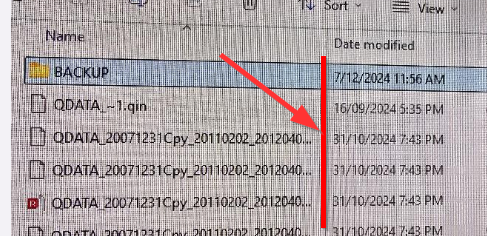
    Your screenshots whilst readable are not fully showing the full file name.

    They appear to be very long due to the inclusion of dates as part of the file name.

    Consider expanding the Name column to the right so you can show more of the actual file name.

    image.png

    If you are taking a screenshot by pressing the PrintScn or Print Screen key on your keyboard (desktop) then it gets copied to the clipboard.

    This would allow you to 'paste' that into the body of a community post by pressing the CTRL key and the letter V (CTRL + V).

  • Nickiu
    Nickiu Reckon Alumni Posts: 227 Former Reckon Staff Member Former Reckon Staff

    Hi m3993003

    I have privately messaged you to request additional information for troubleshooting.

    Thanks.

  • Nickiu
    Nickiu Reckon Alumni Posts: 227 Former Reckon Staff Member Former Reckon Staff

    Hi m3993003

    Just following up to see if you still need assistance. I sent you a private message but haven’t received a response yet. It would appreciate it if you could let me know.

    Thank you

    Nick

  • m3993003
    m3993003 Member Posts: 21 Reckoner Reckoner

    Nick the last message I received from you and the community was to ask for my customer no which I provided. Nothing since and this is the second time today I have responded. Can u please provide a working link where I can re download the program? It appears this is the only possible hope I now have

    Geoff

    customer no again is 103360

  • Nickiu
    Nickiu Reckon Alumni Posts: 227 Former Reckon Staff Member Former Reckon Staff
    edited March 12

    Hey @m3993003

    It seems I didn't receive your private message, please ensure you are actually responding to the private message and not sending an email if that's what you've done previously.

    I've just tried reaching out but couldn’t get in touch with you. I’ll try again in about half an hour.

    Thanks

  • Nickiu
    Nickiu Reckon Alumni Posts: 227 Former Reckon Staff Member Former Reckon Staff
    edited March 12

    Hey @m3993003

    I just tried to get in contact with you again but didn't succeed.

    Thanks

  • Nickiu
    Nickiu Reckon Alumni Posts: 227 Former Reckon Staff Member Former Reckon Staff
    edited March 13

    Hey @m3993003

    The above customer ID you have provided is not the correct one for your Reckon software. I have sent you the correct login details and the link to download the new software via private message. Please use this information to proceed with the download.

    Thanks

  • m3993003
    m3993003 Member Posts: 21 Reckoner Reckoner

    Nick thanks I've downloaded the new file but it will not open the latest backup file from 14/2/2025. Incredible and really upsetting. I have 20 years of records there including all my SMSF data. I appreciate what u have done. Is there a number I can call you please? Thanks for calling me earlier. I am hard to reach. I will be home now and from about 3.30 pm tomorrow

    Geoff

  • Nickiu
    Nickiu Reckon Alumni Posts: 227 Former Reckon Staff Member Former Reckon Staff

    Hi Geoff,

    Unfortunately, I don't have a direct line. Could you let me know when would be the best time to get in touch with you?

    Thanks

  • m3993003
    m3993003 Member Posts: 21 Reckoner Reckoner

    hello Nic, would 2.30 today Friday be ok please?

  • Nickiu
    Nickiu Reckon Alumni Posts: 227 Former Reckon Staff Member Former Reckon Staff

    Hi m3993003,

    Apologies for the delayed response, I’ve been unwell. Would Thursday work for you? If so, please let me know what time would be most convenient.

    Cheers.

  • m3993003
    m3993003 Member Posts: 21 Reckoner Reckoner

    thanks Nic, anytime after 4 tomorrow, Thursday, would work,

    Geoff

  • Nickiu
    Nickiu Reckon Alumni Posts: 227 Former Reckon Staff Member Former Reckon Staff

    Hi m3993003

    Thank for your confirmation. Speak soon!

  • Nickiu
    Nickiu Reckon Alumni Posts: 227 Former Reckon Staff Member Former Reckon Staff

    Hey @m3993003

    I just tried to get in touch with you but didn't succeed again. I'm going to try again in the next 10 mins.

    Hope to speak with you.

    Nick

  • m3993003
    m3993003 Member Posts: 21 Reckoner Reckoner

    thanks Nic, sorry I got home later than expected. I am here now

    Geoff

  • Nickiu
    Nickiu Reckon Alumni Posts: 227 Former Reckon Staff Member Former Reckon Staff

    Hey @m3993003

    Thank you for the time on the phone with me. I'm going to investigate on the file and will get back to you as soon as possible.

    Nick

  • Nickiu
    Nickiu Reckon Alumni Posts: 227 Former Reckon Staff Member Former Reckon Staff

    Hi @m3993003

    I'm going to get in touch with you in regard to the issue shortly.

    Nick