Hi
I am starting to use new invoice menu. However the print addition removes the Purchase order as can be seen on screen.
The settings menu does not have option of purchase number! How to resolve this?
Hi @bmistry,
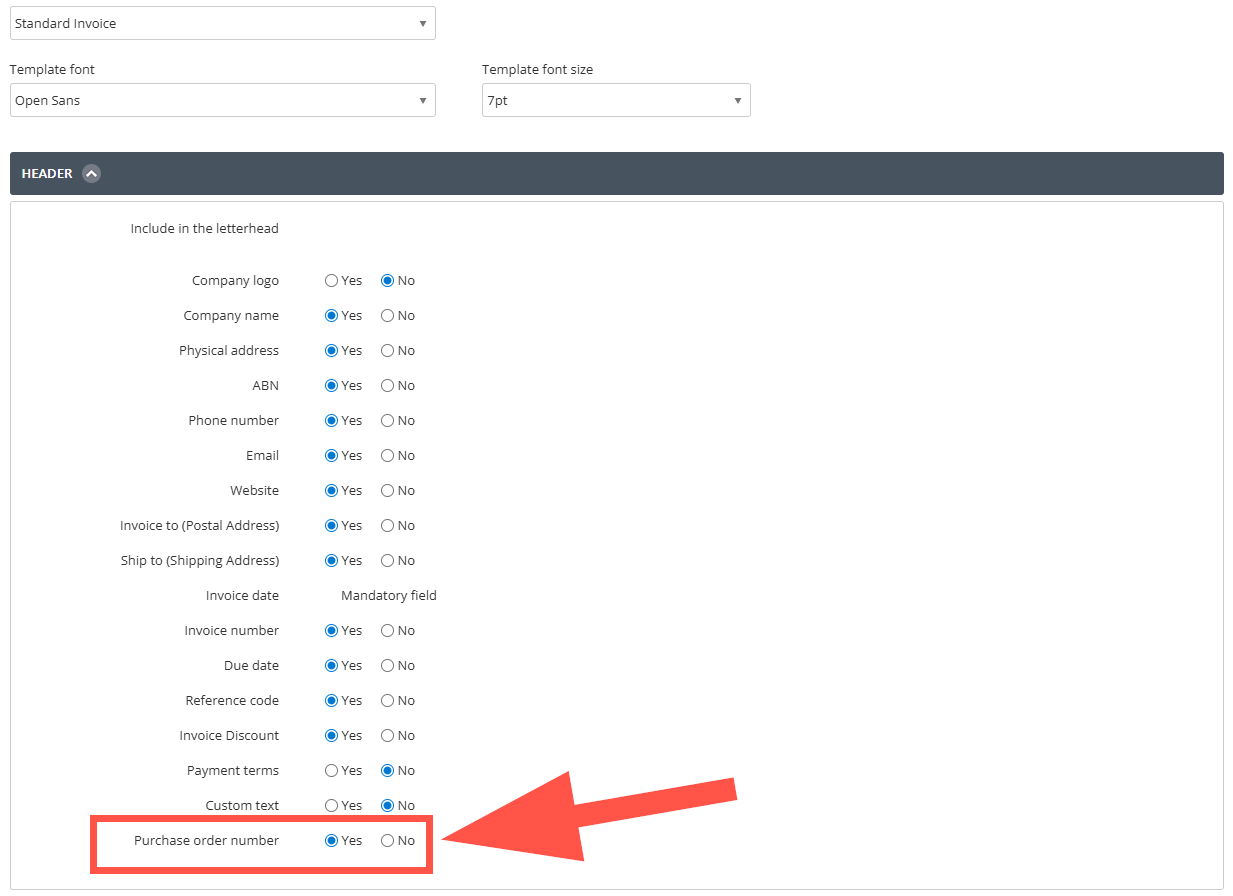
You will need go into the manage template section within Settings > Money In > Invoice Templates.
Once you click manage templates and select the invoice template you're using from the dropdown, please look at the header and enable the Purchase order number setting.
This will then appear on your invoice when printed and emailed.
Thank you and speak to you soon.
Don't miss announcements and important info for Reckon One.
Check out our Reckon One how-to videos for tips & tricks, and help with common tasks!
Got a cool idea or want a new feature in Reckon One? Click here to let us know!