
A brand new update has just hit Reckon One and its another big one!
A long awaited feature; Line-item Classifications is now available and we've also packed in a bunch of other enhancements and bug fixes, check out the details below.
✨ Line-item Classifications
We've expanded Reckon One's classification functionality and reporting capabilities to give you more granular insights. Check out what's new!
Line-item Classifications across all transactions
Previously classifications were only available at the transaction header level, however now you can assign classifications to individual line items in all transaction types including invoices, bills and more!

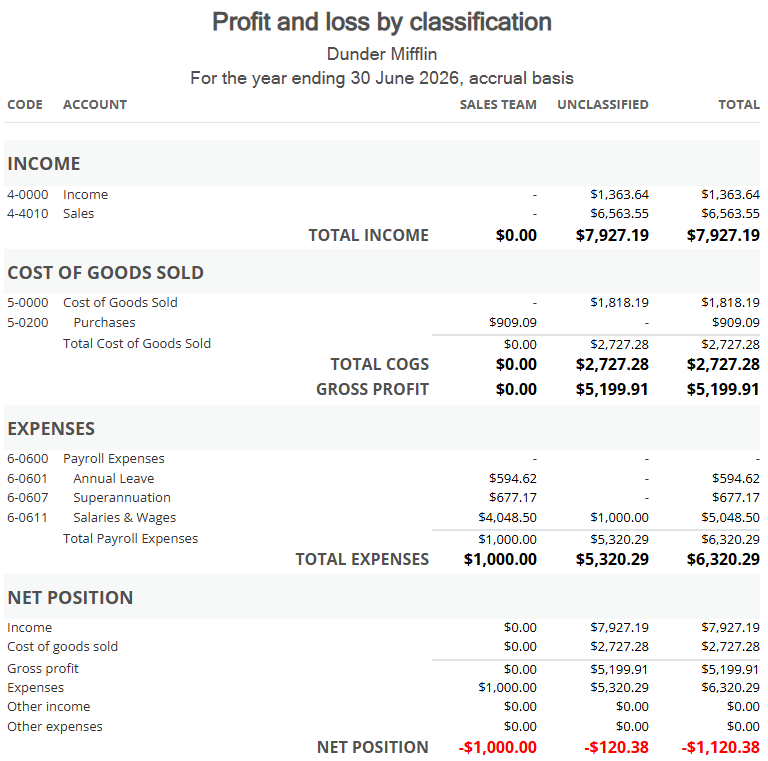
Brand new Profit and Loss by Classification Report
A new dedicated report is now available that breaks down income and expenses by classification. This new report also supports filtering and column customisation, please note it will only appear when classifications are enabled in your book.
Enhancements to existing reports
Classification Columns - You can now display classification columns in the Account Enquiry, Customer Transactions and Supplier Transactions reports!
Filter by Classification - Reports can be filtered by one or more classifications.
- Aged Debtor, Aged Creditor, Customer Transactions, Supplier Transactions reports show header-level classifications
- Profit & Loss, Balance Sheet, Trial Balance, Account Enquiry now include line-item classifications
✨ Improvement to the description field in invoices
Based on your feedback, you can now simply press the Enter key in the Description field to start a new line. This replaces the previous requirement of pressing Shift+Enter to start a new line.

✨ Save button now remembers your last selection
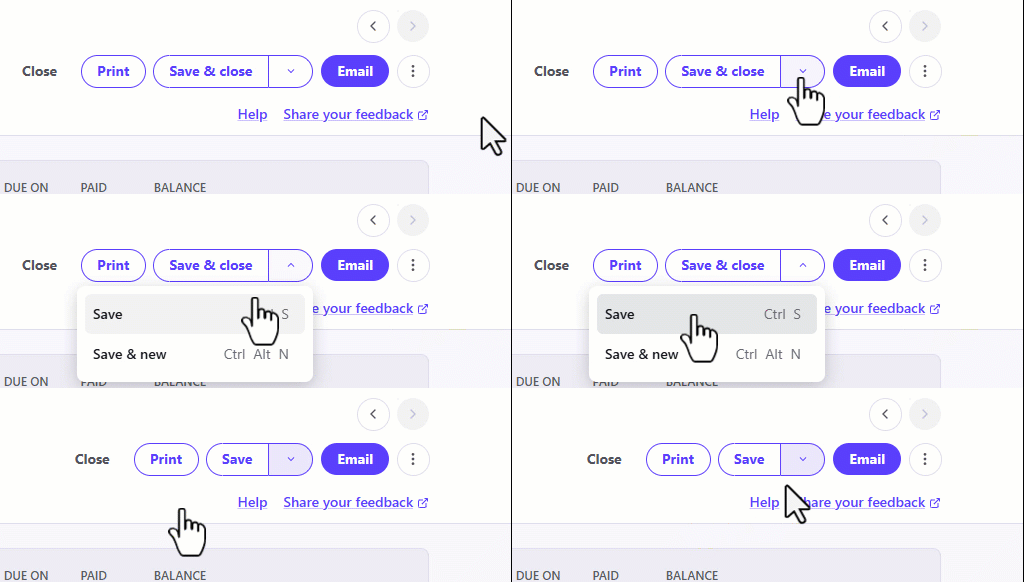
We heard feedback on improving the flexibility of the save button when creating an invoice to reduce the amount of clicks. The Save button in invoices has become smarter and now remembers your last selection.
✨ Invoice header is now sticky
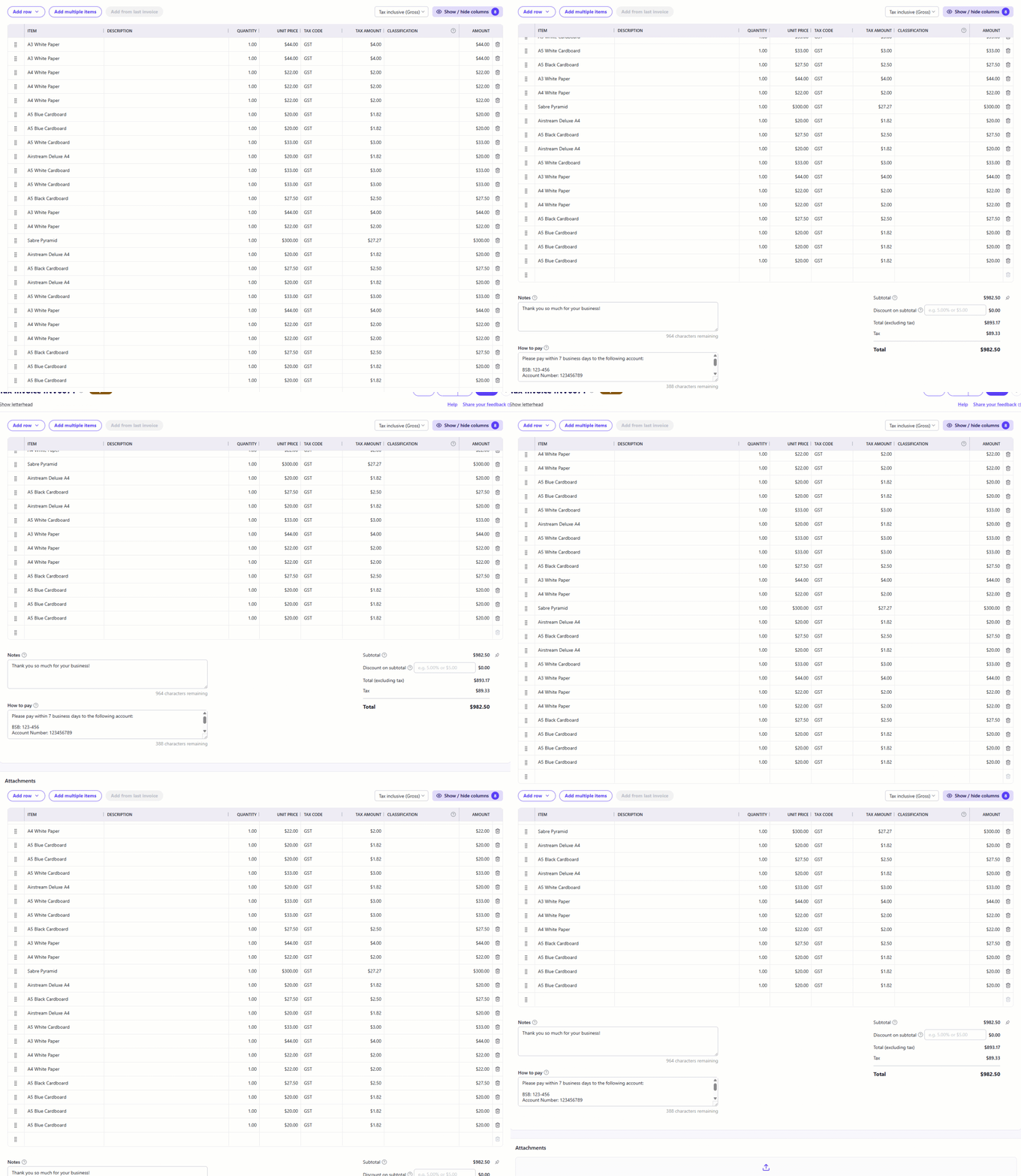
Another improvement based on user feedback is making the invoice header sticky when scrolling through an invoice with many line items. This change allows you to see exactly what each column represents as you're scrolling through an invoice.
✨ Importing time data to invoices now displays total
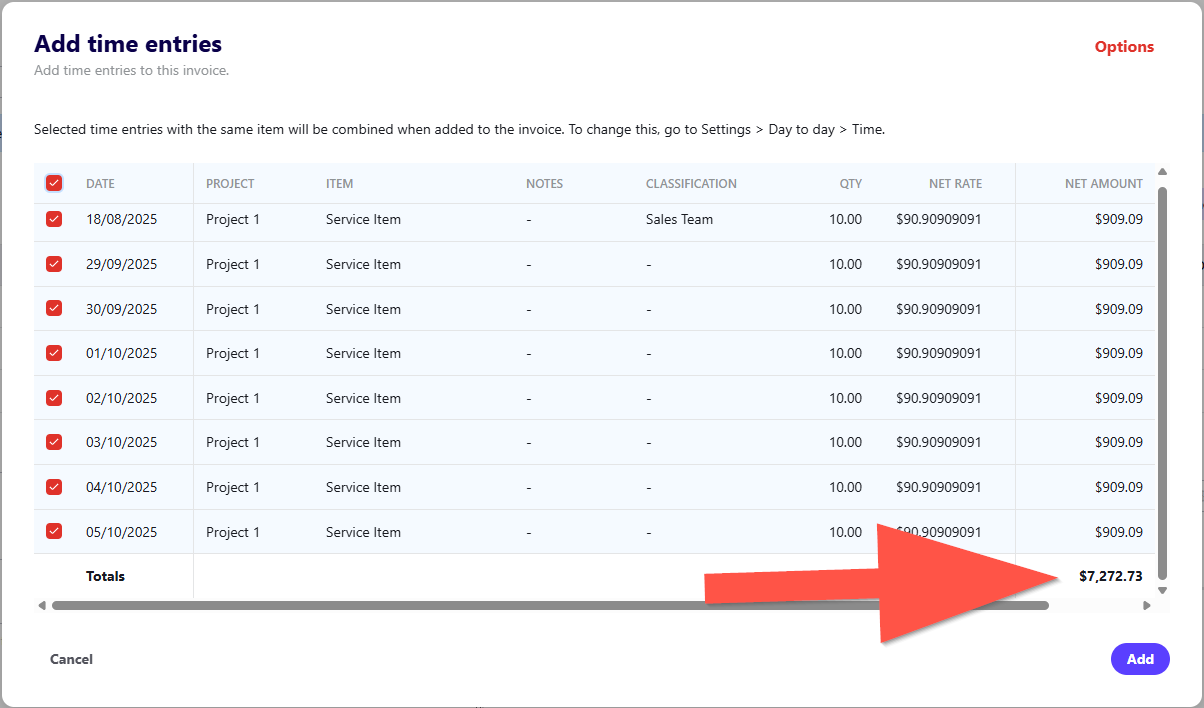
We received feedback to add a grand total of the Net Amount column when importing time data to a new invoice. This is now available and you'll see a grand total listed on time entries that you select to add to your invoice.
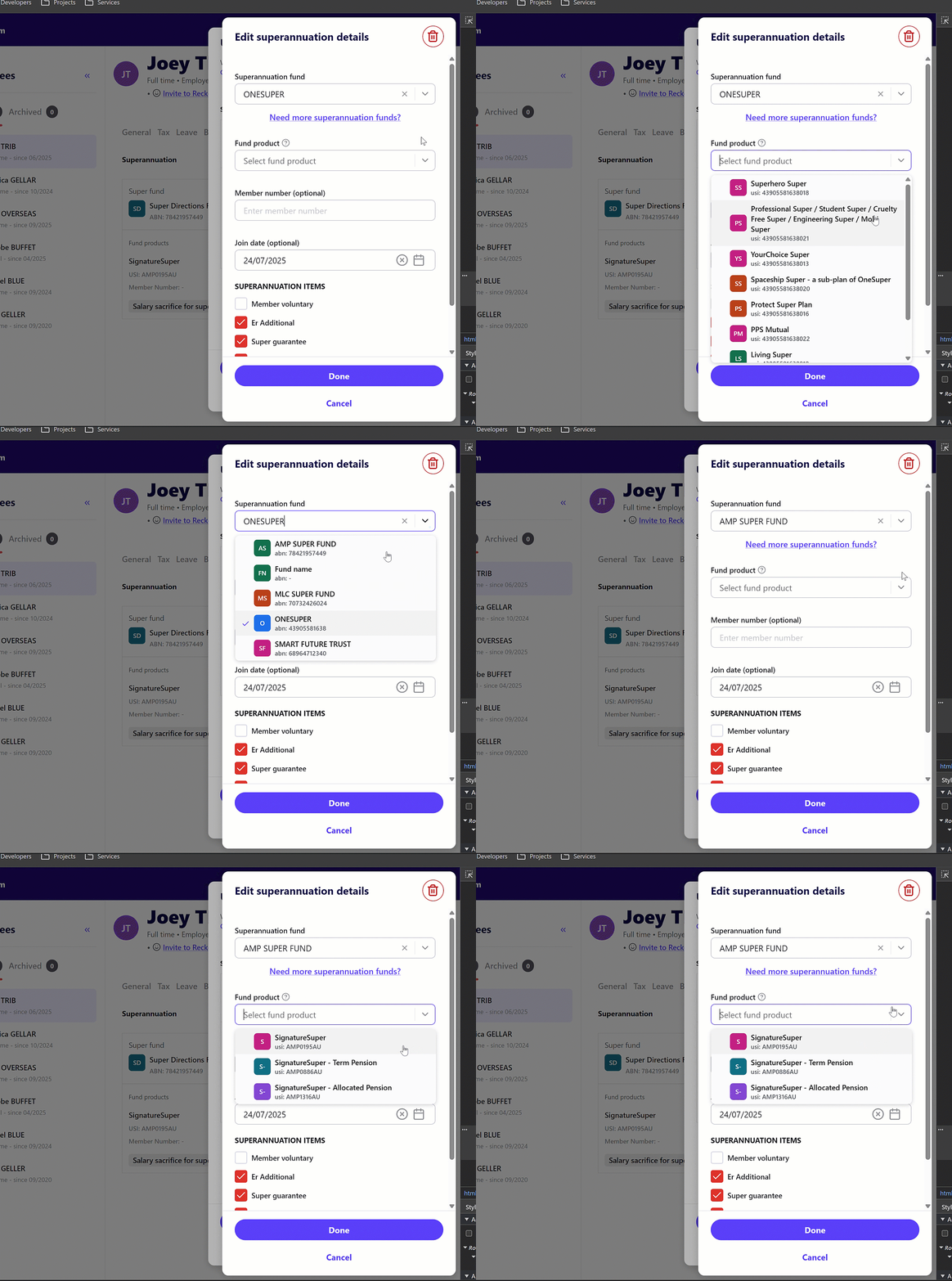
✨ Super Fund ABN & USI display improvement
The ABN and USI of super funds are now displayed in the dropdown menus when adding a superannuation fund to an employee.
✨ Enhancement to default car allowance
The default car allowance pay item has been updated to $0.88
🐛 Bug Fixes
✅ We've fixed an issue where a Super accounts IsStatRateReascEx can only be true when Super pay item has sub-type of CA or SG was being displayed when assigning a super fund to an employee.
✅ We've resolved an issue affecting the ability to save an invoice due to a tax rounding issue.
✅ Fixed an issue where a prompt to save changes was appearing on the invoice screen when no changes were made.
✅ We've fixed an issue where a Something Went Wrong error was appearing when a payrun only contained a single employee whose tax details had the Exclude employee’s data from being reported to the ATO via STP option ticked. This has been corrected and Reckon One will now display a message stating the submission does not contain any valid employees.
✅ Fixed an error that occurred when selecting View and Edit Leave Balances in the pay run drawer - after ticking the Do not accrue time checkbox and clicking Done.
✅ The Statutory Rate RESC exempt option is no longer enabled by default when editing superannuation details on the Pay Setup menu for SG and CA super pay items, ensuring it behaves as expected.