How to apply refund to customer invoice

CuttingEdge
CuttingEdge Member Posts: 36 Reckoner Reckoner
edited November 12 in Accounts Hosted

Our customers need to make a deposit of $200 before we can submit works.

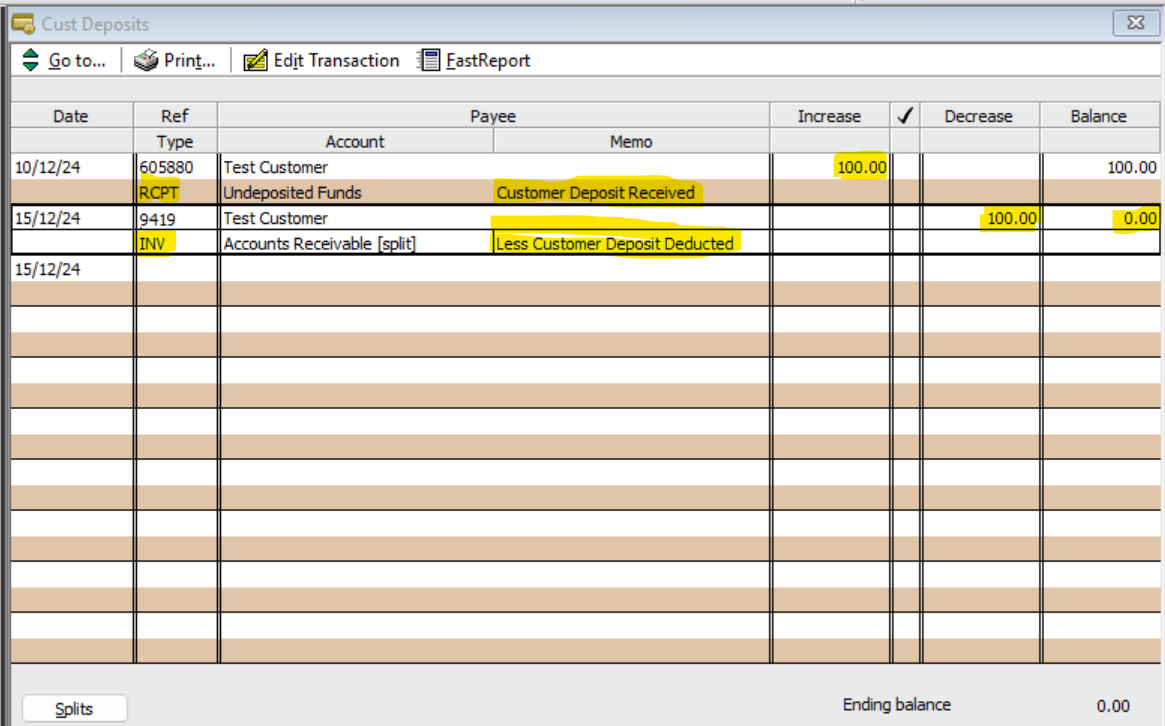
We create an invoice and then apply the $200 payment to the invoice. If the works come to the total of being under $200 the difference is refunded.

For the works a new invoice is completed and then the deposit is deducted of the amount.

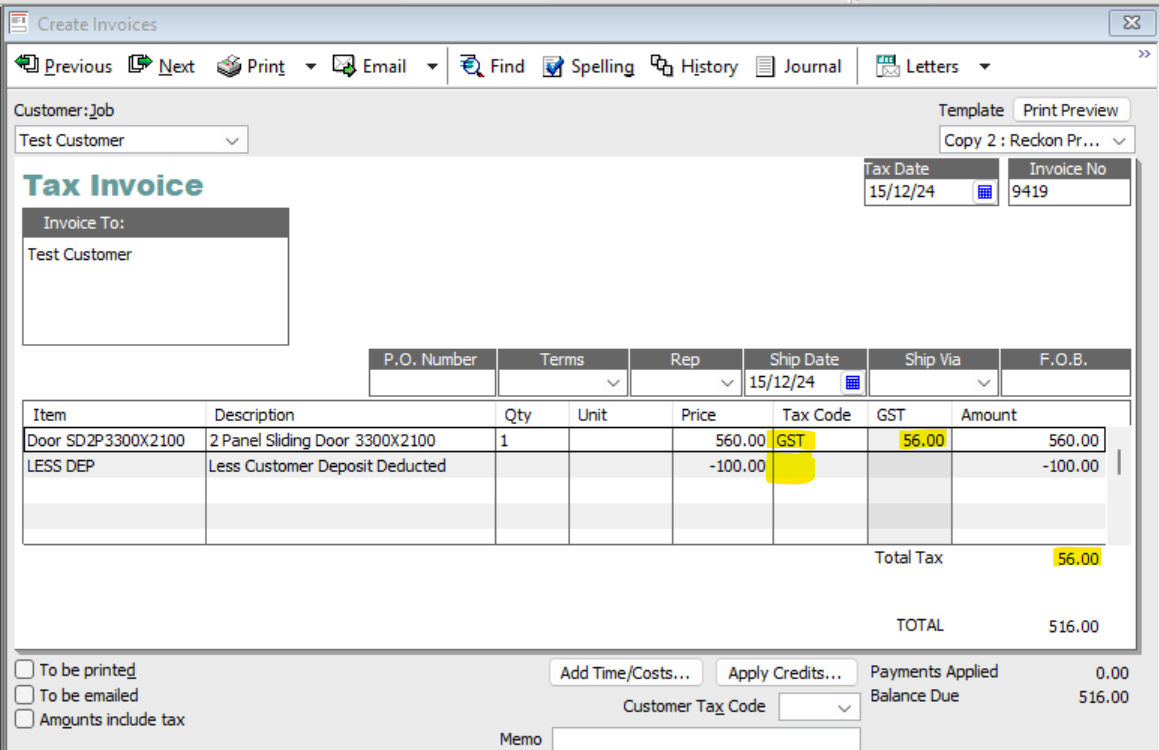
The issue Im having is that when I'm recording the deposit reckon is including the gst amount from the deposit and adding it to the balance that's due, but not giving the correct due amount.

If i tick the amount to include tax box then the balance goes into negative and i cant record the invoice without an adjustment. But when i create the adjustment its not applying to the invoice when i allocated it refund….
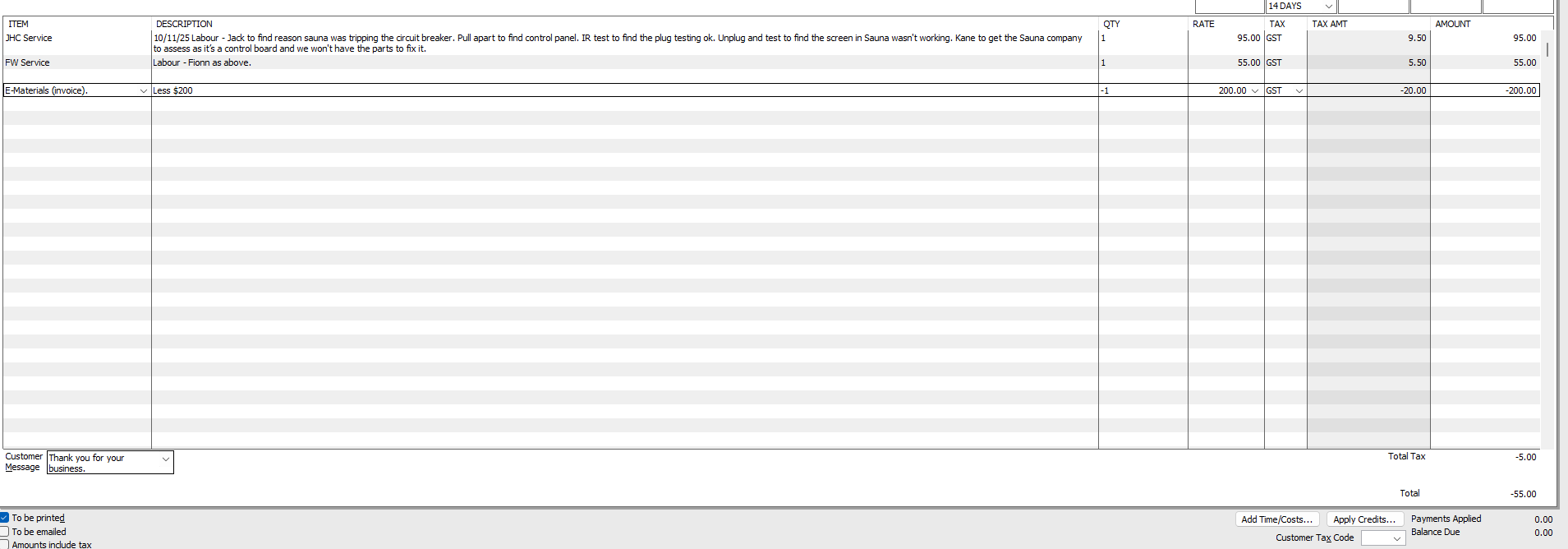

image.png

Comments

  • klaura
    klaura Reckon Staff Posts: 493 Reckon Staff Reckon Staff

    Hi @CuttingEdge,

    You may want to check this KB regarding the refund process.

    How do I enter a refund or rebate to a customer? - Reckon Help and Support Centre

    I hope it helps.

    Kind regards,

    Karren.png
  • Acctd4
    Acctd4 Accredited Partner Posts: 4,208 Reckon Accounts Hosted Elite Expert Reckon Accounts Hosted Expert

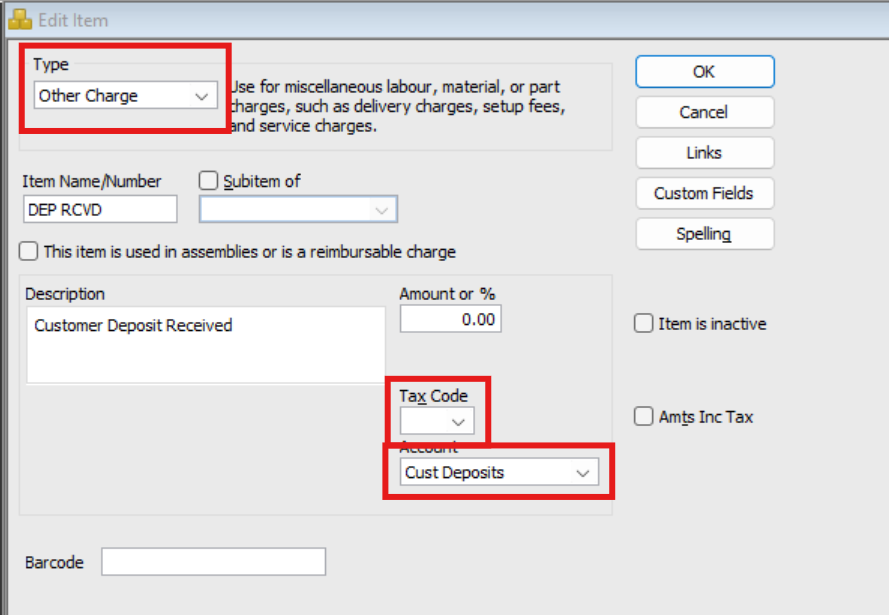
    @CuttingEdge You need to use an Item/Items specifically linked to a separate "Customer Deposits" (liability-type) account, with NO tax code.

    You can either:

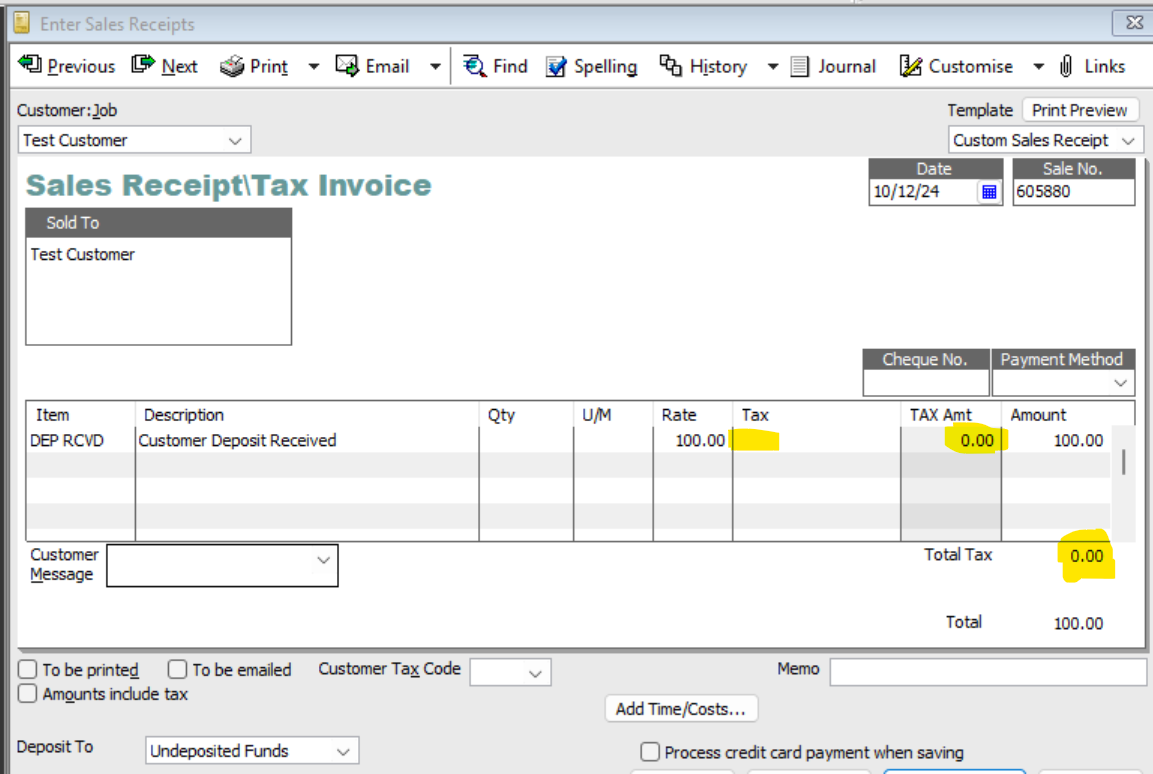
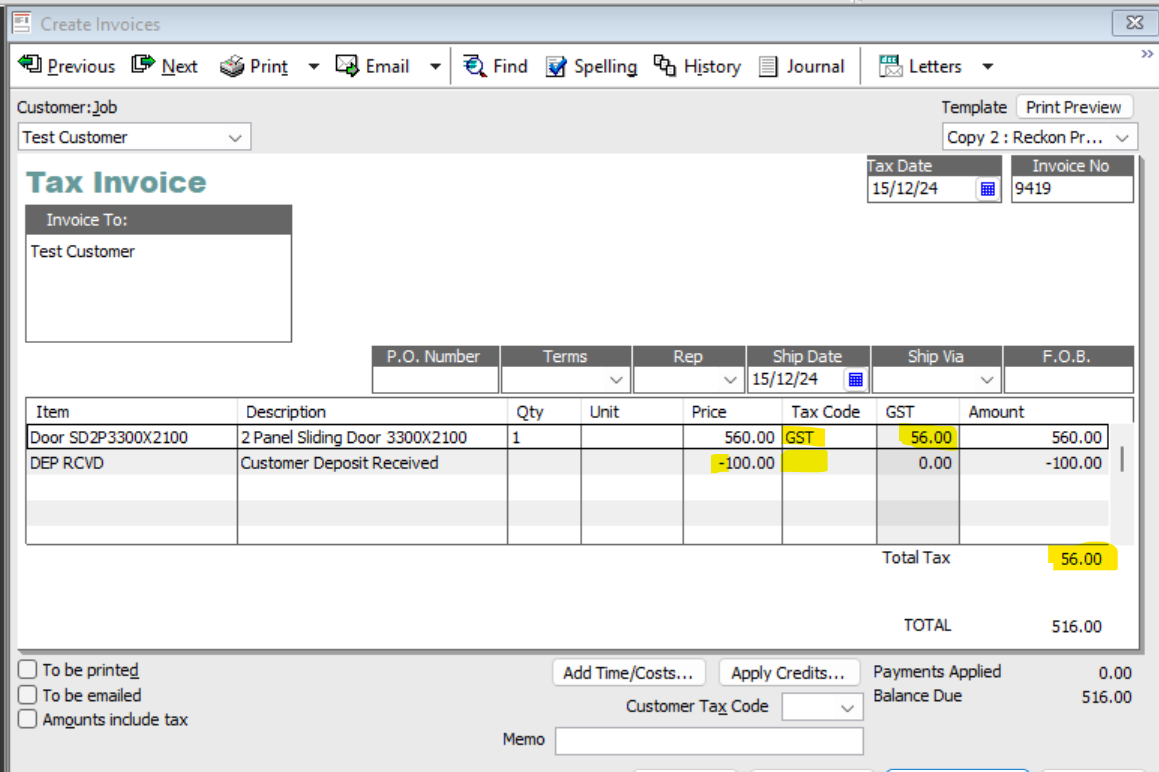
    • Use just one Other Charge-Type … as a NEGATIVE when receiving the original deposit (on a Sales Receipt) then as a POSITIVE when deducting it (on the subsequent Invoice) :
    image.png image.png

    Then when subsequently invoicing:

    image.png

    OR

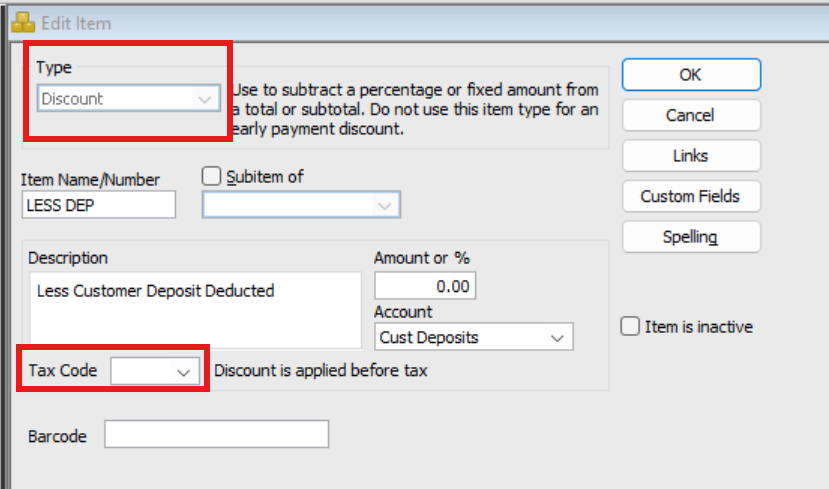
    • Use the Other Charge-type Item for receiving the Deposit only (as above) & create a separate Discount Item for deducting it:
    image.png

    … just for the deducting (a Discount Item-type will automatically enter as a negative) :

    image.png

    Here's how it increases/decreases the liability account accordingly:

    image.png