The Reckon Invoices App has received a brand new update to version 4.0.9 which introduces a a bunch of new features! Check out the full inclusions below.
✨ Adding your own logo to invoice templates
You can now add your own logo to your invoices directly from the Reckon Invoices mobile app! This allows you add an image saved on your mobile device to your dedicated invoice templates.
To add a logo, simply click on Manage ➡️ Invoice Templates
- If you don't have an existing logo on your selected invoice template, you can add one by clicking Add.
- If you already have an existing logo image, it will appear and if required you can update it by clicking the Replace option
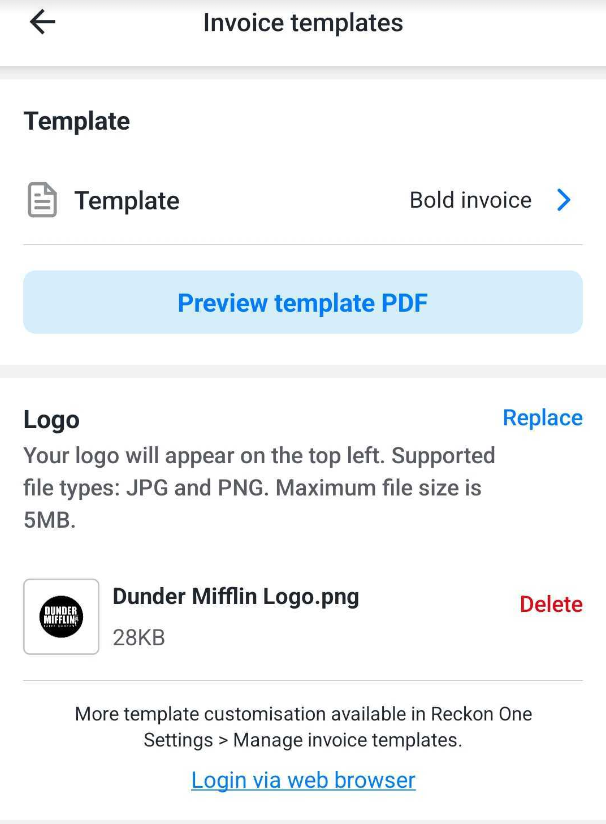
You can preview your logo at any time by tapping the Preview Template PDF button to see a full sample preview of your selected invoice template.
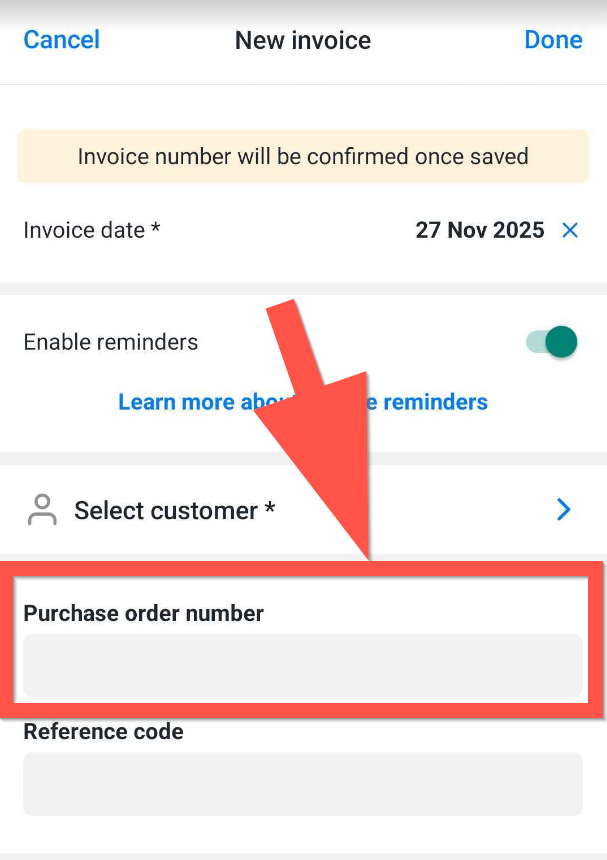
✨ Purchase Order numbers can now be entered!
You can now enter purchase order numbers when creating an invoice in the mobile app!
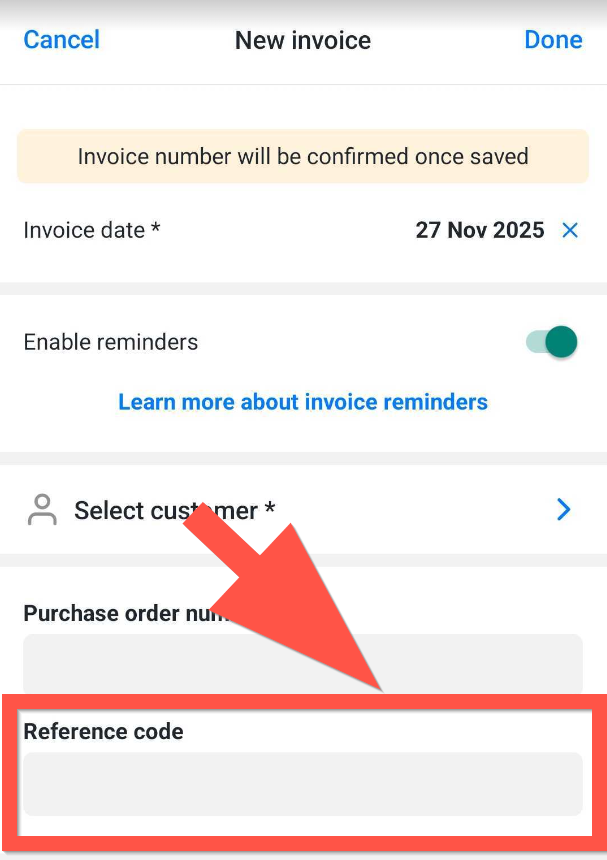
✨ Reference Code field is now available!
Due to popular demand, a Reference Code field is now available when creating invoices directly in the Reckon Invoices App! This is handy when adding a little extra information to an invoice.
🐛 Bug Fixes
We've also squished a few bugs including refresh issues with invoice PDF's and fixed some inconsistent invoice number issues which were causing some confusion.
📲 Download the latest update today!
The latest update is now available to download in the Apple App Store and Google Play Store, grab it today to utilise the latest features.
