
We thought we’d wrapped up our final Reckon One release for 2025… but we’ve managed to squeeze in one more! This end-of-year update delivers a highly requested new feature - the ability to easily access all payslips for an employee! Plus we've added a range of other improvements and bug fixes to round out the year on a high.
✨ Easily access all payslips for an employee
We've heard a lot of feedback around making the ability to access all payslips for an employee easier so we're excited to deliver this update! A new Pay Slip History tab has been added to employee profiles which gives you a faster and more intuitive way to access all pay slips for a selected employee.
You can view key pay run details, including pay period, pay run name, pay date, and net payment, along with being able to download individual pay slips directly, with a date range filter to quickly locate payslips from specific time periods.
This improvement will streamline your work flow and reduce time spent navigating multiple pay runs.
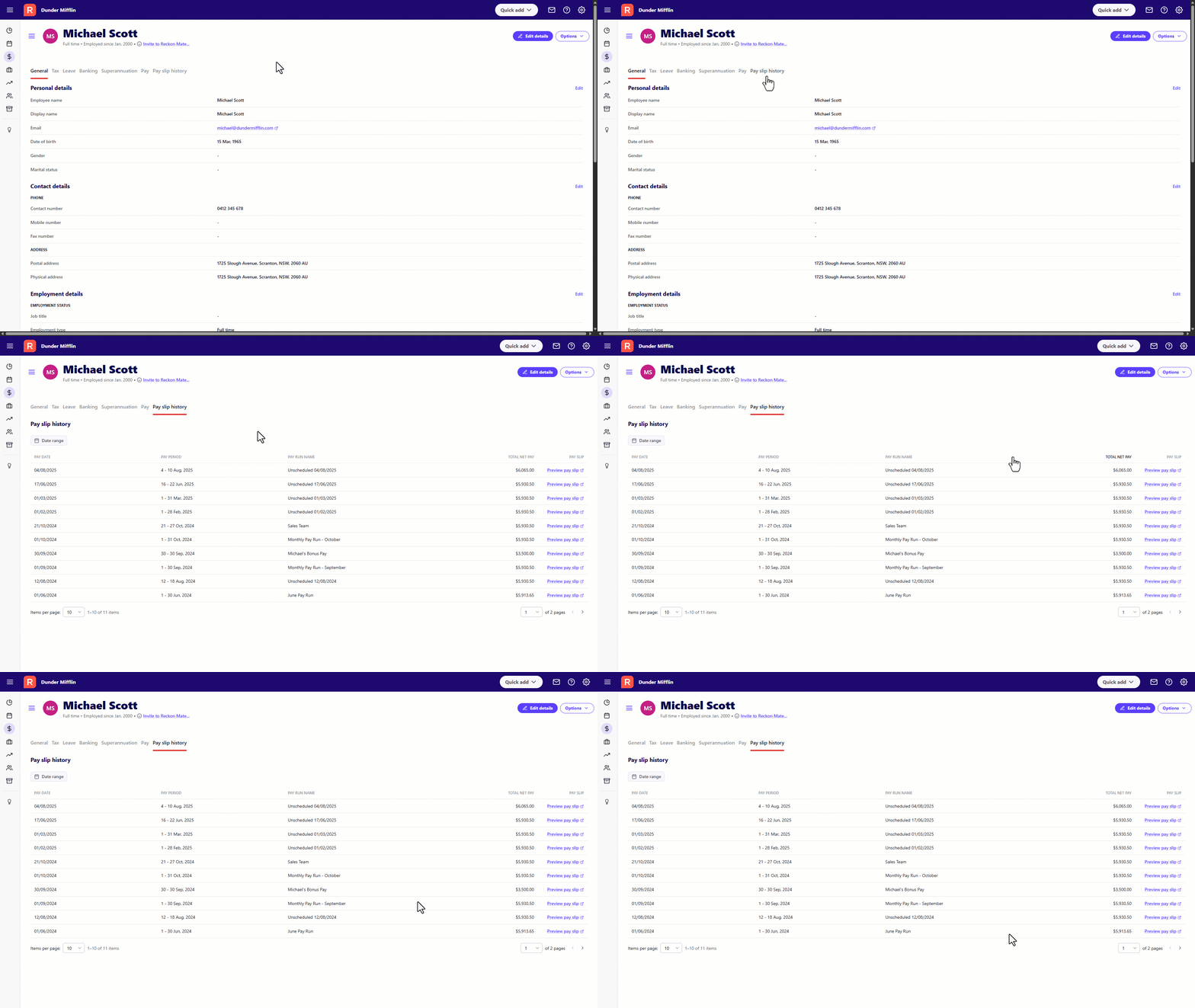
(Please note: This feature is available on the Payroll Plus and Payroll Premium plans).
✨ Payroll Detail Report - Classifications for leave items
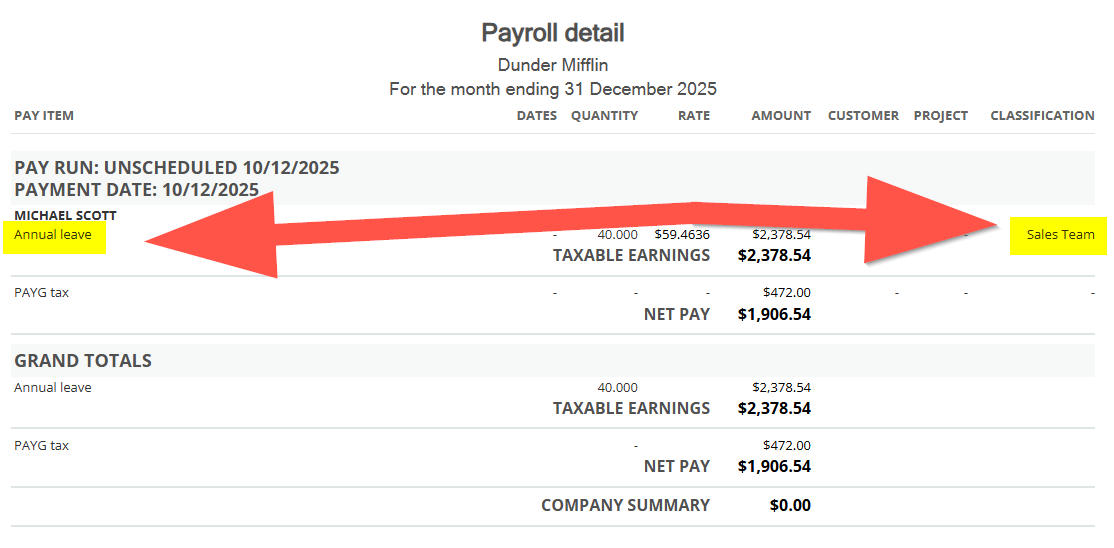
We've improved the Payroll Detail report to display classifications for all leave pay items. This is in conjunction with our previous updates for classifications in payroll which you can find more info on here.
✨ Payroll Detail Report - Classification name
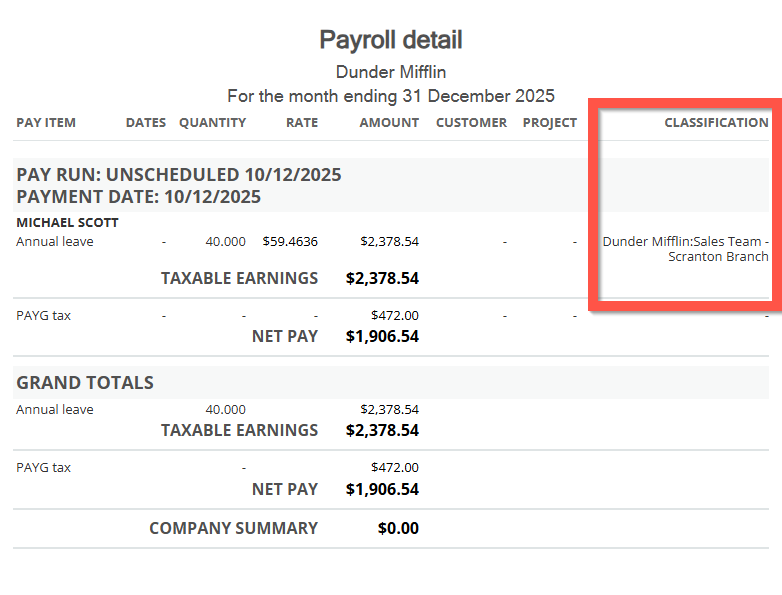
We've updated the Payroll Detail report to show the full classification name including parent and sub classification levels.
✨ Employee Earnings Summary Report - Classifications
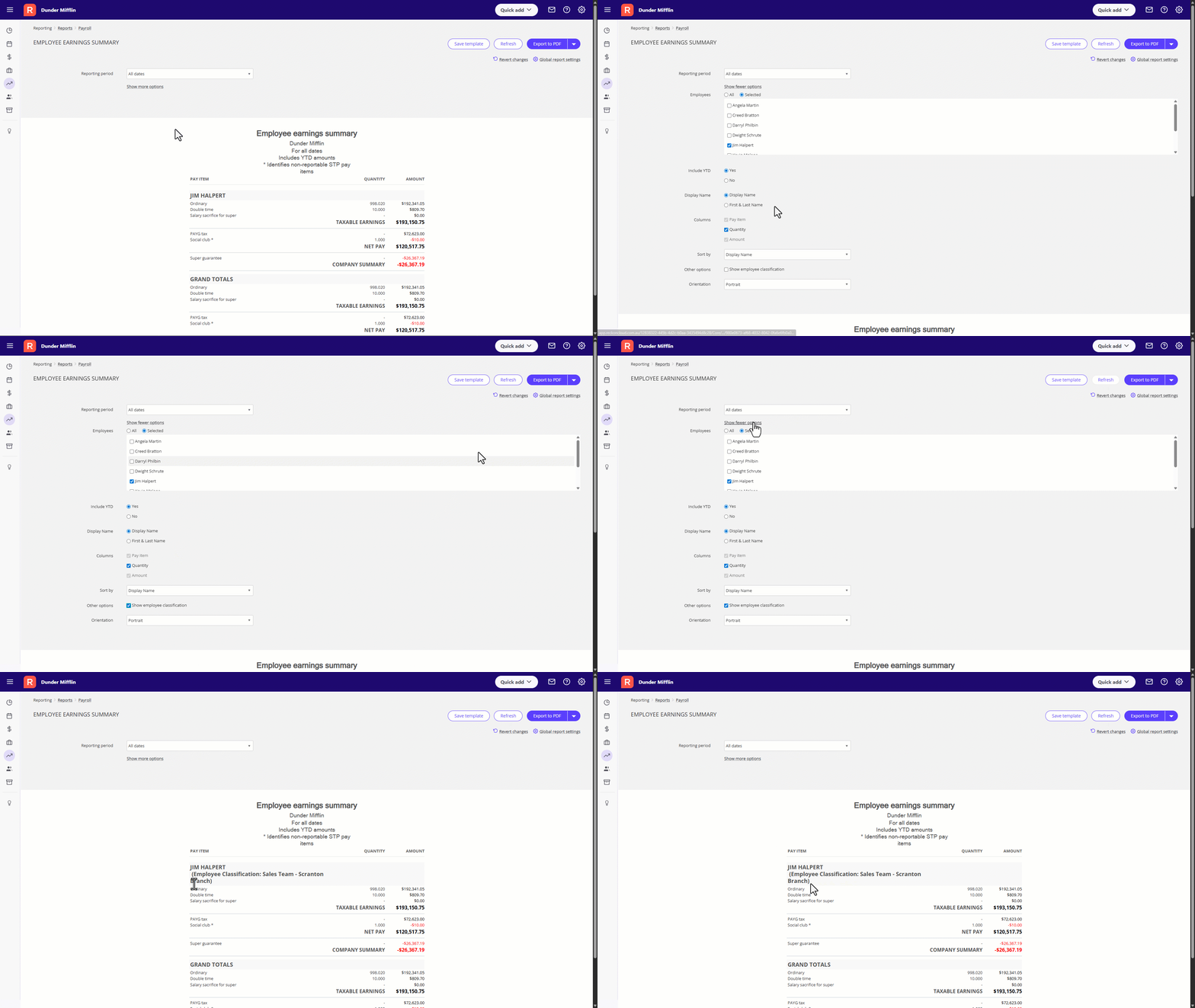
The Employee Earnings Summary report now has the ability to display an employee's classification in their header.
To add employee classification to the report, click on Show More Options ➡️ tick Show Employee Classifications ➡️ click the Refresh button to regenerate your report with the added data.
✨ Leave Balances and Accrual Value Report - Classifications
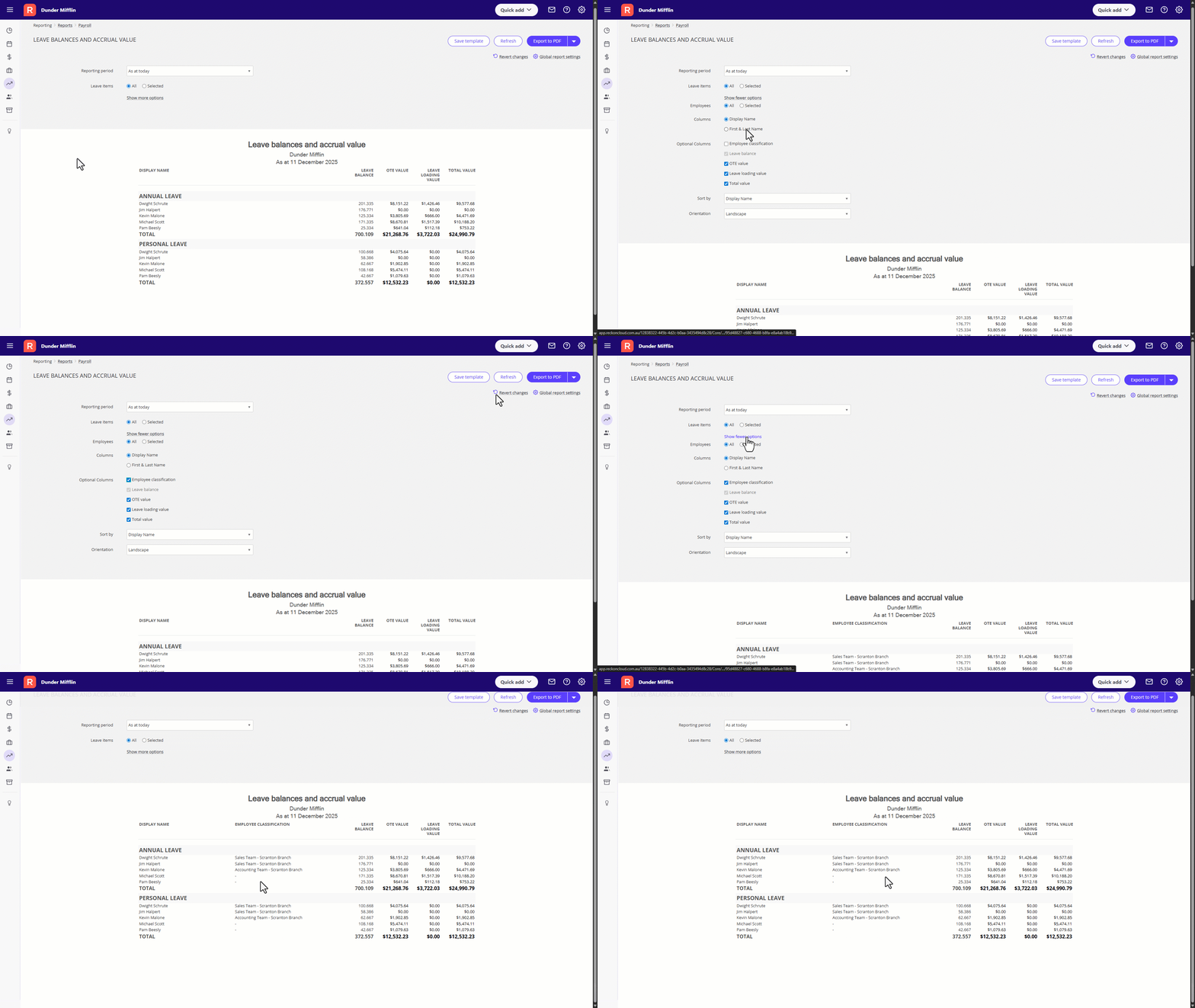
You now have the ability to include employee classifications in the Leave Balances and Accrual Value report as an optional column.
To add classifications to the report, click on Show More Options ➡️ tick Employee Classifications ➡️ click Refresh to regenerate your report with the added data.
✨ Super Contributions by Employee Report improvements
We've made a couple of improvements to this report based on feedback from our users! 🙂
Report is now ordered by Pay Date
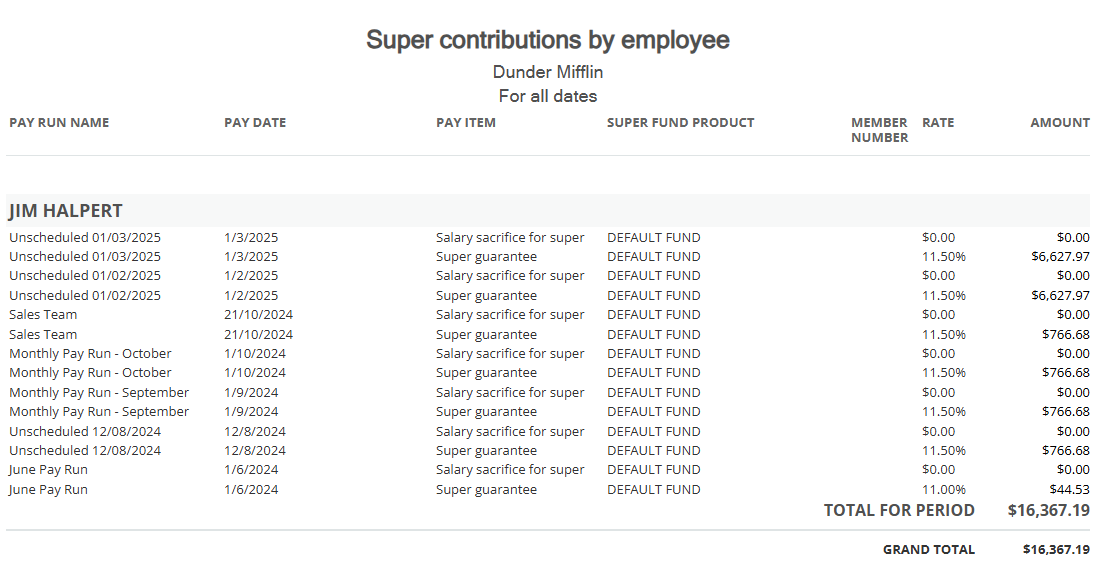
Pay runs for each employee in the Super Contributions report are now sorted by pay date with the most recent at the top.
Adding a Pay Date column
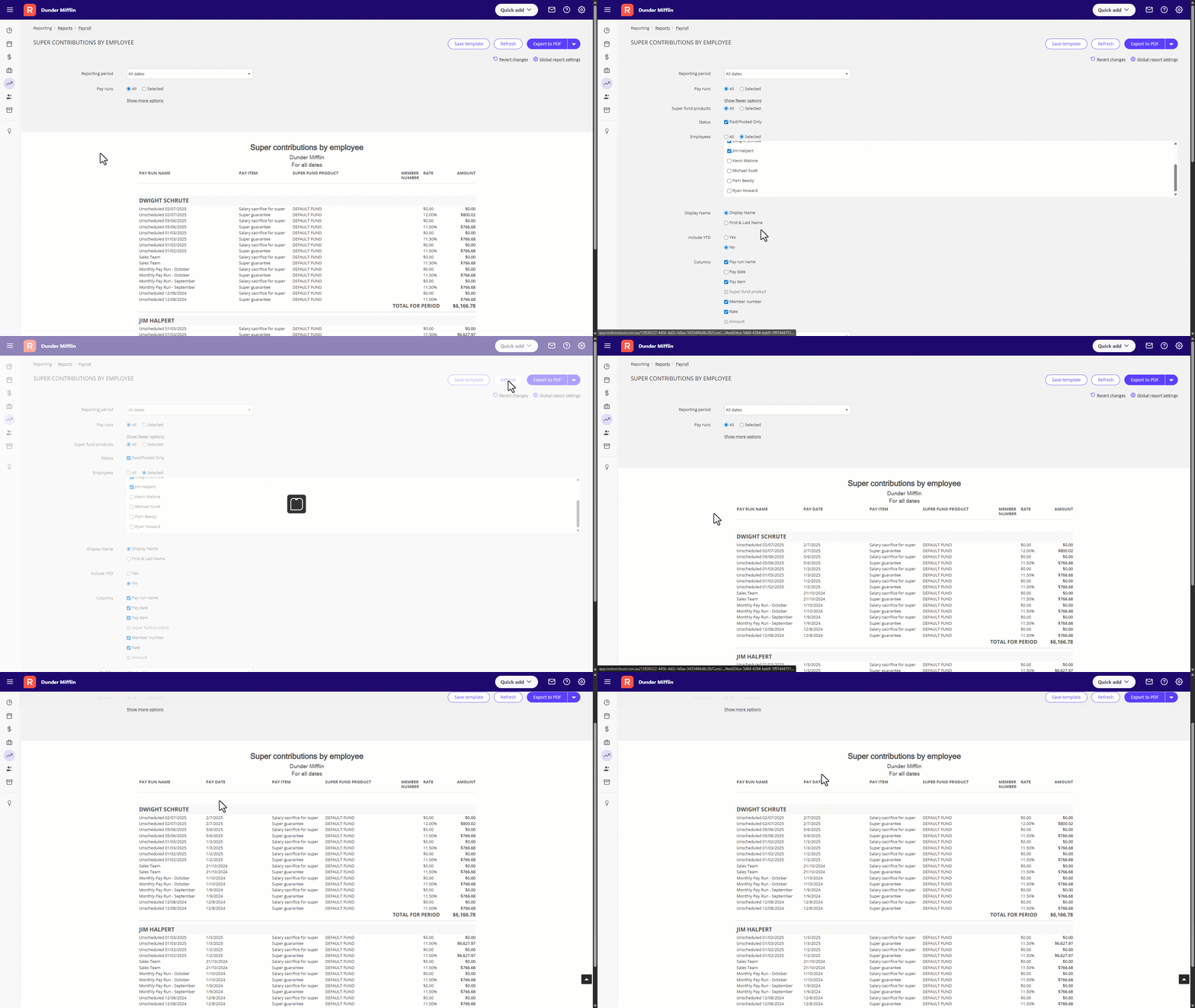
You can now add Pay Date as an additional column in the Super Contributions by Employee report. To add Pay Date to the report, click on Show More Options ➡️ tick Pay Date ➡️ click the Refresh button to regenerate your report with the added column.
✨ Tax Code Transaction Report - Displaying Notes
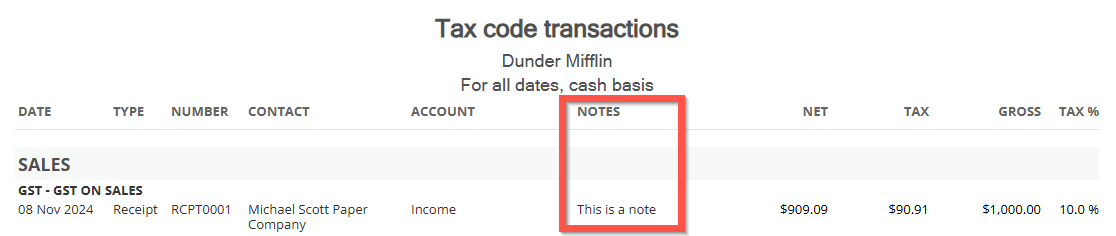
You now have the option to add a Notes column to the Tax Code Transaction report which will show any notes that have been added in the respective transaction.
To add the Notes column to the report, click on Show More Options ➡️ tick Notes ➡️ click the Refresh button to regenerate your report with the added column.
✨ Prefilling customer contact on full payment screen
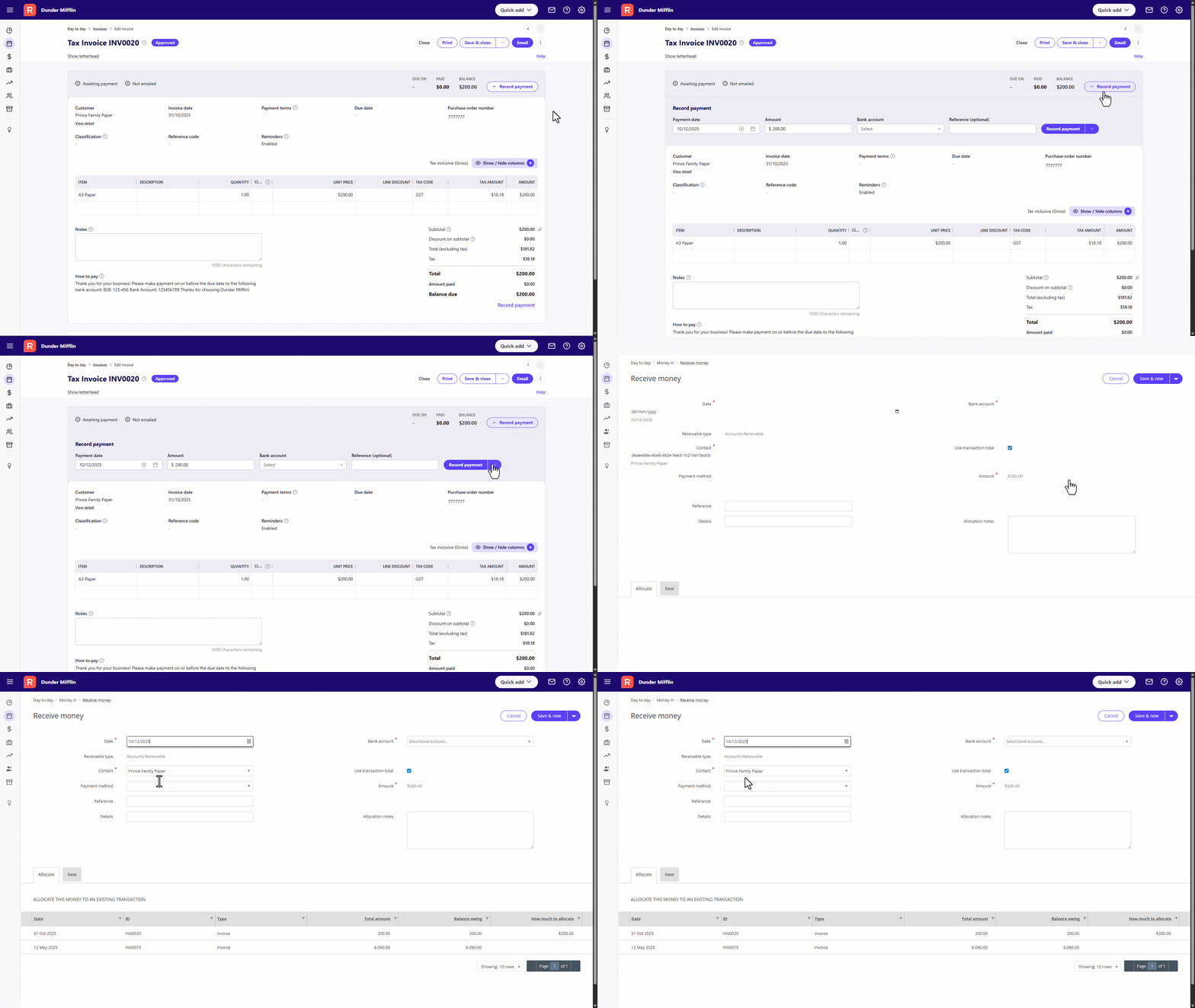
When adding payment details for an invoice using the full payment details screen, the contact is now prefilled when clicking through from the invoice along with the total invoice amount.
🐛 Bug Fixes
- Fixed an issue where nothing happened when selecting View Pay Slips if the CC field contained invalid information
- Resolved a problem where the Send Pay Slips pop-up window would close without sending payslips if the CC field contained invalid data
- Corrected some errant behaviour so that the Send Payslips pop-up window will no longer close when no employees are selected to prevent accidental closure without any action taken
- Corrected the reporting options for certain Super pay items where RESC Exempt was being selected
- Fixed an issue where the recurring invoice template's name would go missing in the invoice list screen after updating/emailing an invoice
- The ability to duplicate a journal has been removed for users with View-only permissions
- Resolved an issue where users couldn't delete a reversed journal via the Journal details screen
