We're starting 2026 off with a bang with Reckon One's first release of the year and its a good one! 💥🚀
This update includes a brand new Single Touch Payroll (STP) report which will make your reconciliation a breeze plus bunch of other enhancements & fixes. Check out the full inclusions of this release below.
✨ STP Year to Date Report
A brand new Single Touch Payroll Year-to-Date report is now available in Reckon One and I'm pretty sure its going to become your favourite payroll report! 🙂
The STP report allows you to easily view employee STP balances that will be submitted to the ATO.
The report shows STP-reportable YTD values from Paid or Posted pay runs, including Initial YTDs, for a selected financial year (draft pay runs are excluded). Balances are always calculated from the start of the financial year however you can set an end date if required.
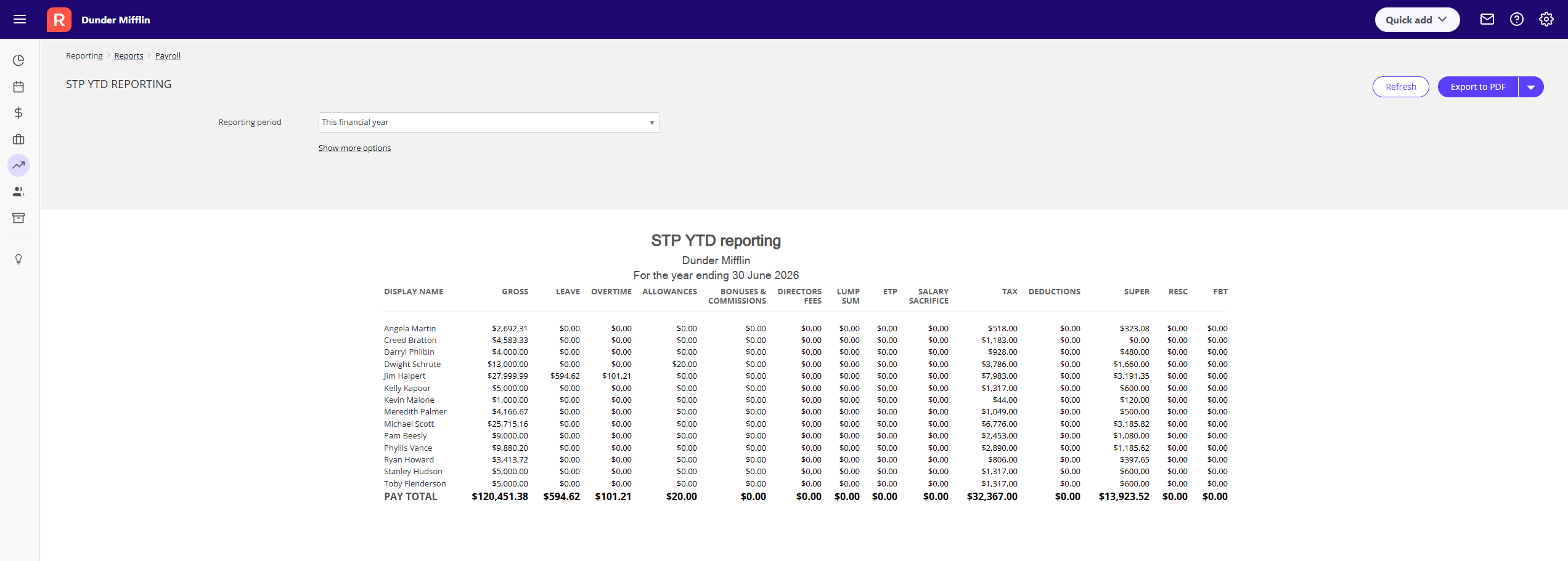
The STP report makes it much easier to reconcile payroll throughout the year, compare figures with the Employee Earnings Summary Report, identify discrepancies earlier, and eliminate any stress not just at EOFY time but throughout the year.
✨ Improvements to the STP Widget
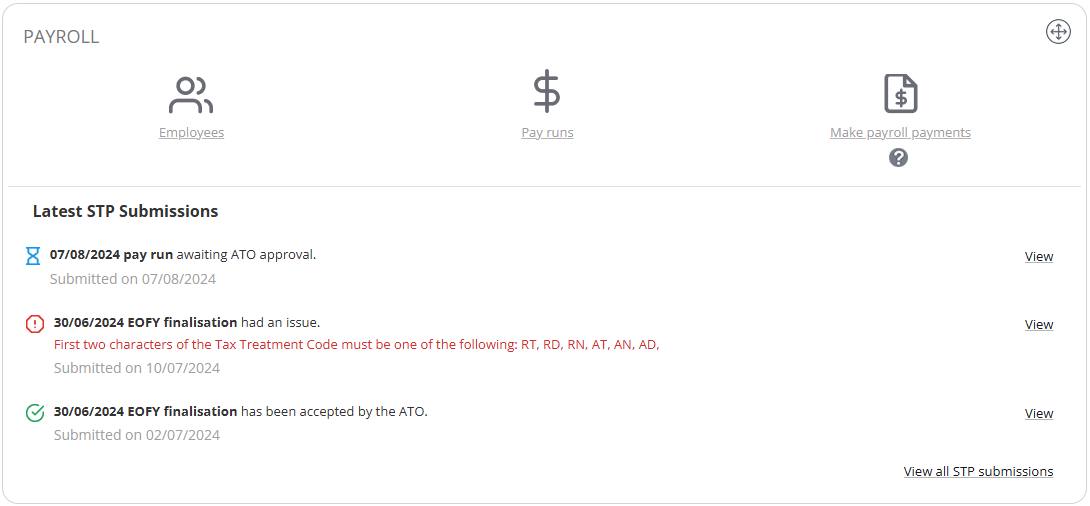
We've made visual improvements to the STP Widget on your dashboard. Icons have been refreshed, messaging has been made clearer and more visually distinct.
If you haven't already added the STP Widget to your Reckon One dashboard, check out more info on it here.
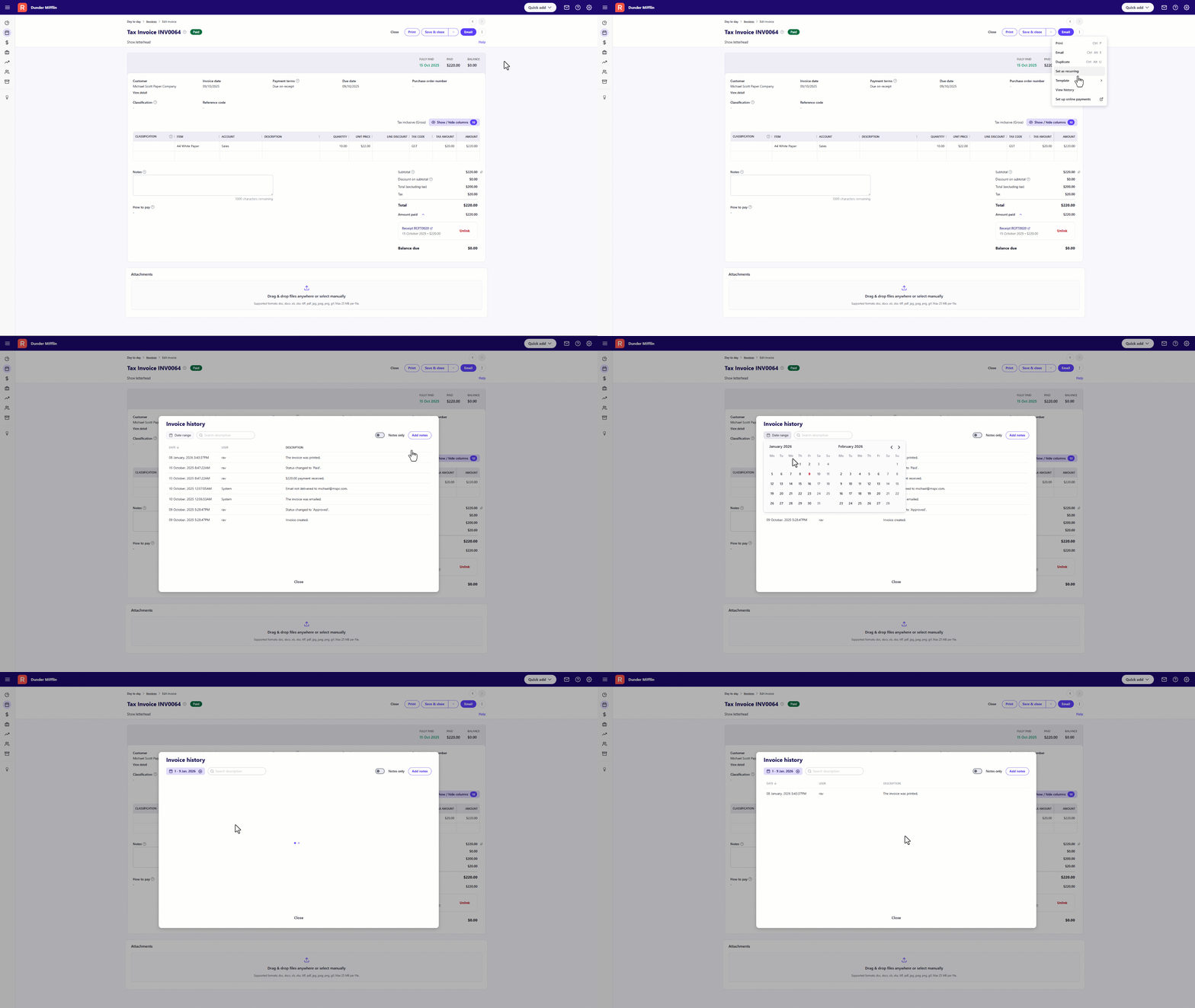
✨ Invoice & Journal history now includes a date filter
When viewing the audit history of an invoice or journal entry, you'll now find a date range filter which allows you to easily filter entries to specific date ranges.
✨ Account Enquiry Report - improved performance
We've put a bit of work into improving the performance of the Account Enquiry Report particularly when generating a large amount of account data.
✅ Fixes
- The Leave Taken by Employee report is now ordered by payrun pay date.
- We've fixed the filter on the SuperStream screen to ensure a page refresh is not required after invalid entries.
- Ensured an employee's superannuation membership number populates in the SAFF export and relevant reports.
- Updated the limit on the display of suppliers in the dropdown when adding a deduction payee.
- For the following super item pay types:
- Member Voluntary – Deduct from gross before calculating tax is now correctly enabled
- Spouse Deduction – Deduct from gross before calculating tax is now correctly enabled
- Previously amounts for YTD Reimbursement and Tax-Free Allowance pay items were reducing the Net Pay on the Payroll Summary report. This has now been fixed. When these items are used in a pay run, the amounts are correctly added to Net Pay in this report.
- Fixed an issue where an unexpected error message would appear when attempting to delete a custom field for an item when its currently in use.
- We've ensured that changing an item type does not impact item purchase information
- Fixed an issue in the Profit and Loss by Classification report where amounts recorded against 3rd level sub-accounts were not included in report totals when an item classification was applied.