This is a big one.
Reckon One has just received an update which includes some very highly requested improvements including the introduction of Custom Saved Reports, a simplified & more intuitive Reports screen and a lot more!
Check out the full inclusions below.
✨ Custom Saved Reports are here!
We're super excited to deliver the very highly requested; Custom Saved Reports!
This new feature allows you to make changes to any existing report in Reckon One and tailor it to your specific requirements then save it for easy access in future. It’s perfect for creating dedicated memorised reports for specific tasks, employees or business objectives, without having to reconfigure them each time!
To learn how to use Custom Saved Reports check out our how-to video here -
Custom Reports 🎥
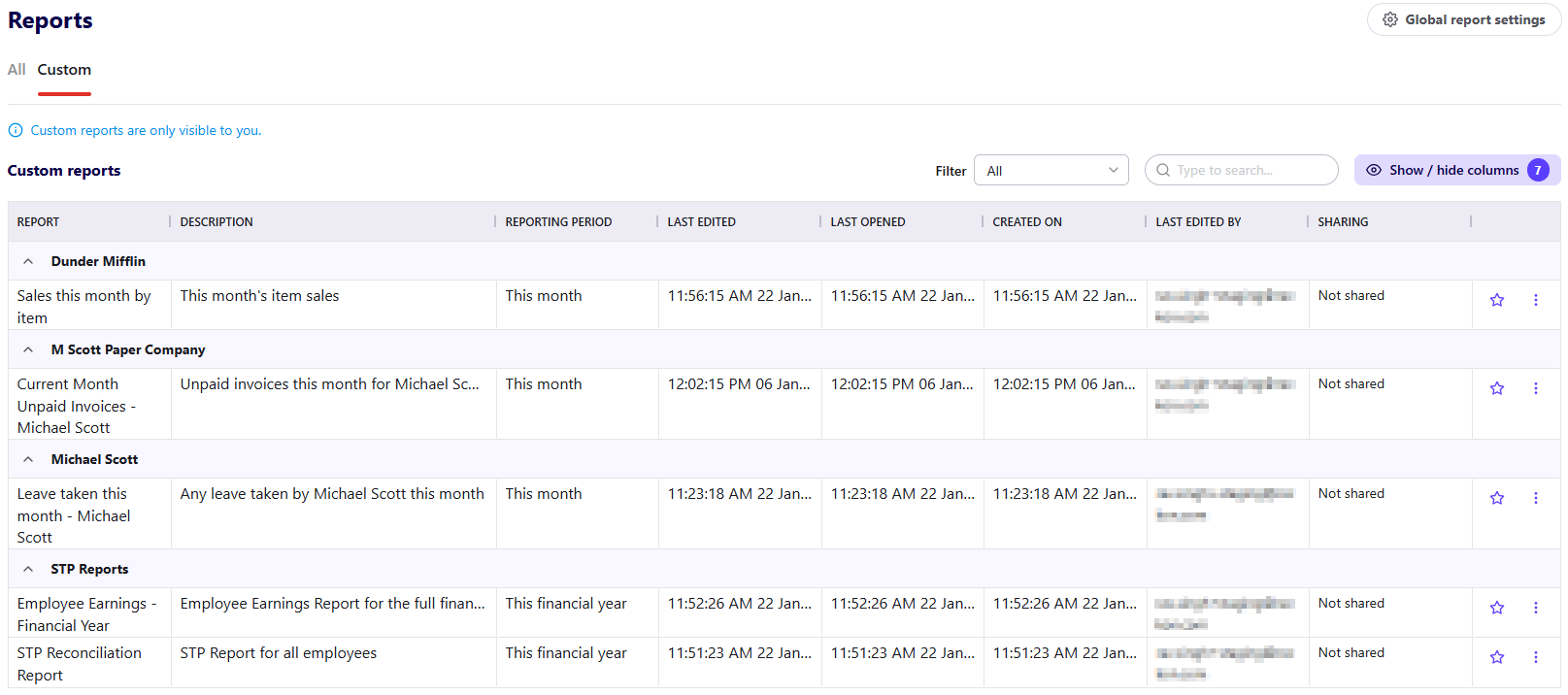
✨ A new simplified screen for Reports
Your reports screen has received a major upgrade! You can now browse, search and filter reports from one simplified screen with easy access to view, edit and save your reports.
No more working through multiple screens, all your reports are accessible in one spot with your favourite reports at the top!

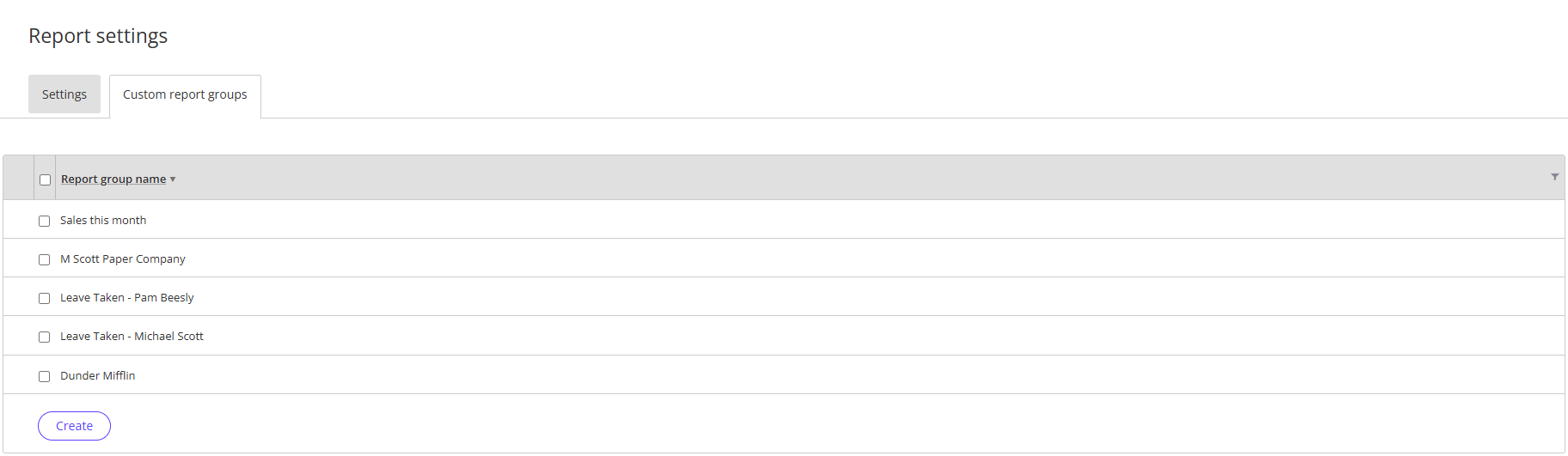
✨ Custom Report Groups
You can now create your own custom groups for reports. This is particularly handy for custom saved reports and allows you to organise your reports into specific groups that are tailored to your business. For example, you could create a custom report group for a specific customer or employee and then create & save custom reports for that customer/employee to that dedicated group.
Learn more about custom report groups in our Custom Report how-to video here.
✨ Share your custom reports
You can choose to share your custom saved reports with other members of your team who you've shared your book with!
Shared users can also make their own adjustments to the report, ensuring everyone gets the insights they need, their way.
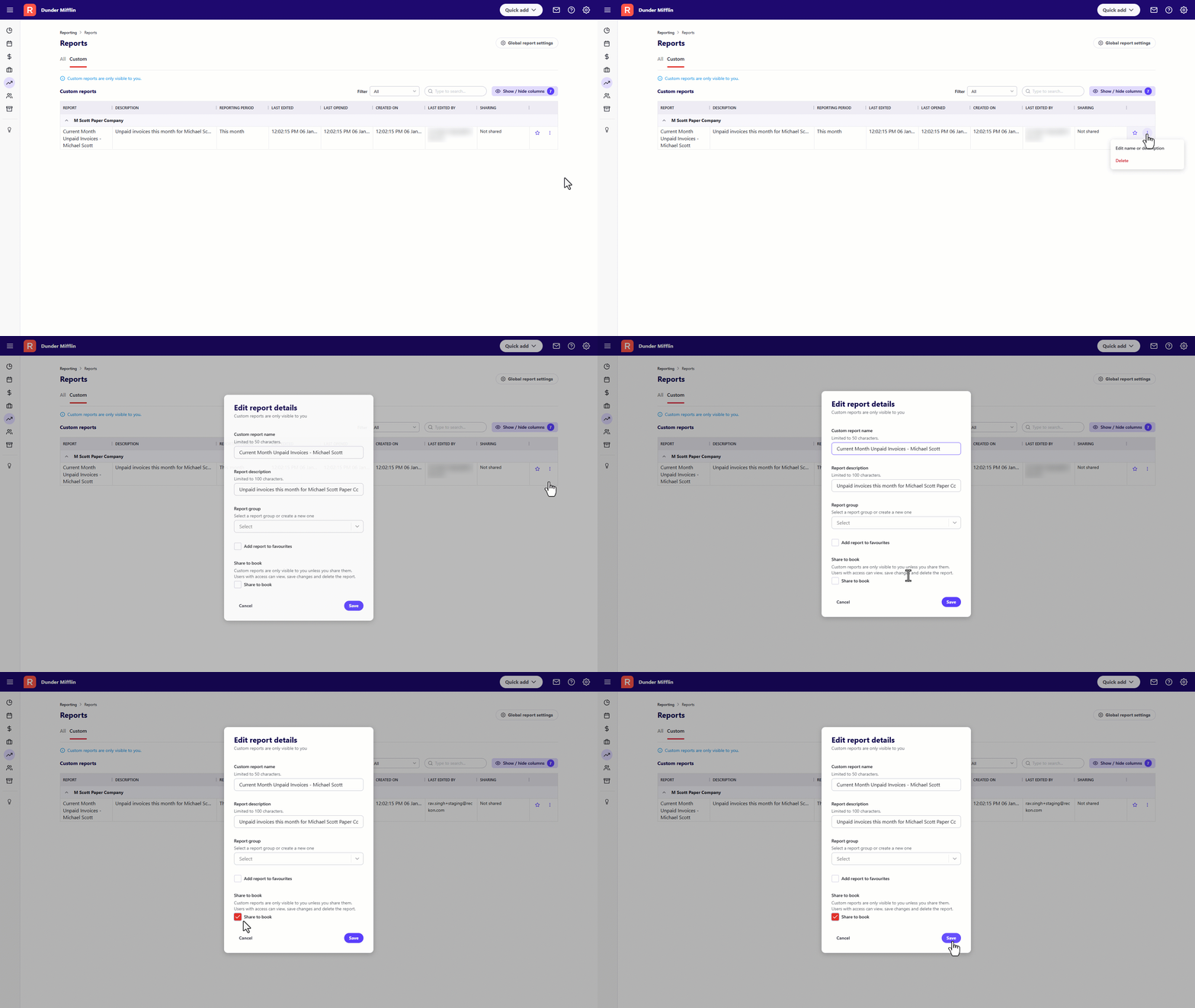
Note: You cannot unshare a custom saved report once its been shared.
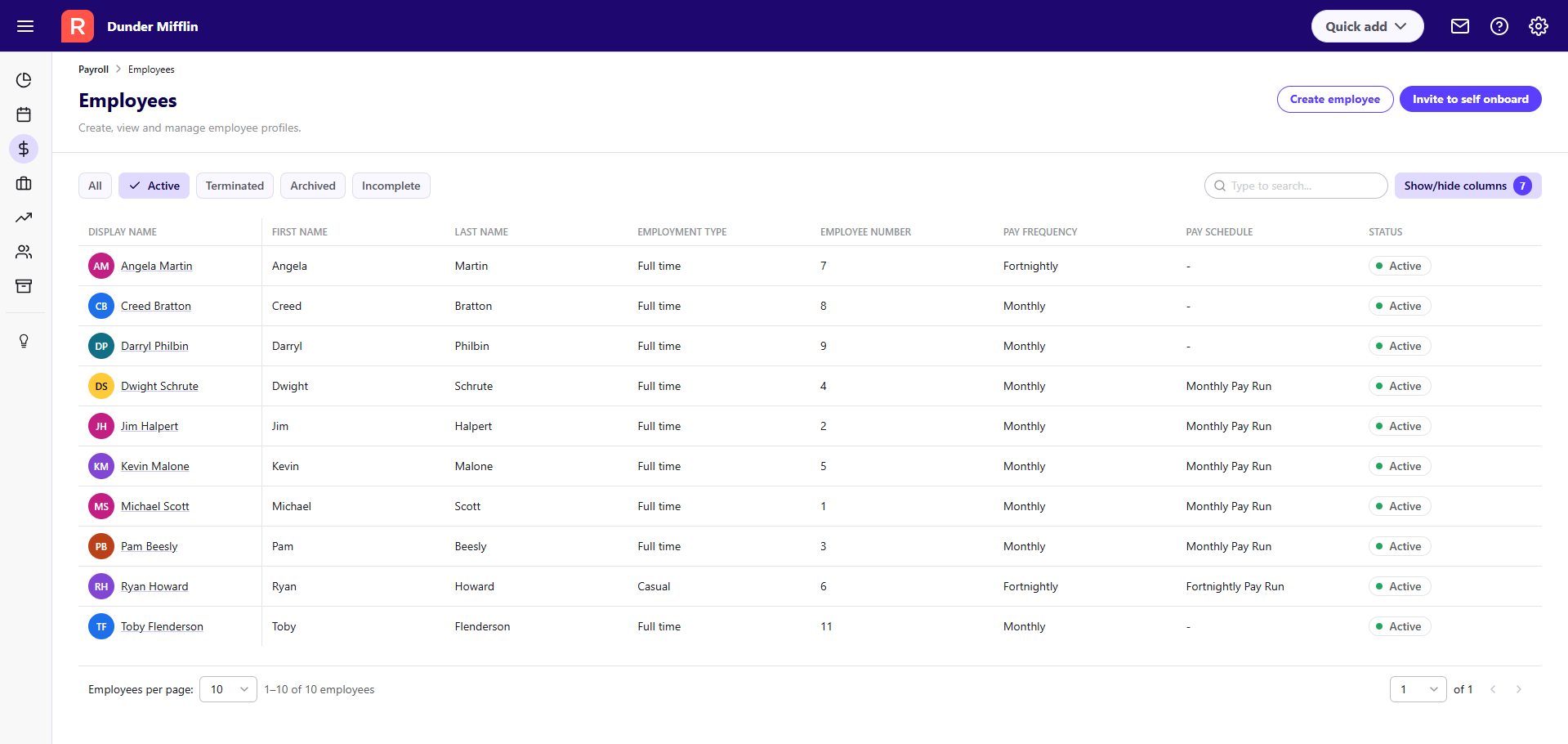
✨ An updated Employee List screen
The employees list screen has received an upgrade built directly from your feedback!
We've said goodbye to the old left-side panel list and instead its been replaced with a brand new, full-screen employee list that supports search, filtering, and ability to customise on-screen data columns.
Some of the new updates to the new employee list screen include:
- Ability to search and filter employees across all statuses (Active, Archived, Terminated, Incomplete)
- Customisable table view to display key employee information columns
- Full page employee profiles with improved navigation and readability
- New, specific buttons to create or onboard new employees
- Updated pay details screens for greater clarity and consistency
To learn how to create a new employee, check out our how-to video here - Creating a new employee 🎥