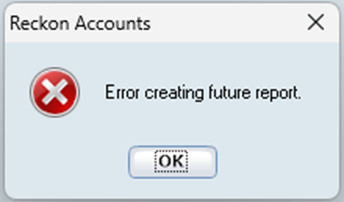
When attempting to generate a Cashflow Forecast in Reckon Personal Plus v31 or Reckon Home & Business v31, you may encounter an ‘Error creating future report’ error message which prevents the cashflow forecast from generating successfully.
Our teams have developed a fix which is available as an updated DLL file. Applying this fix will resolve the error and allow the Cashflow Forecast to generate as expected.
Please follow the steps below to apply the fix.
1️⃣ Close Reckon Personal
Ensure your Reckon Personal Plus or Home & Business software is fully closed before proceeding.
2️⃣ Download the fix
Download the zip file containing the updated DLL file HERE and save it to a local folder on your PC such as Downloads.
3️⃣ Navigate to the installation directory
Open File Explorer and go to your Reckon Personal installation folder.
- The default location is: C:\Program Files (x86)\Reckon Accounts Personal
- If you installed the software in a different location, navigate to that folder instead.
4️⃣ Rename the existing DLL file
- Locate the file named dllapps_frcast.dll
- Right-click the file and select Rename.
⚠️ Please take care to ensure you have selected the correct file listed above only. - Rename it to: dllapps_frcast-OLD.dll (This keeps a backup of the original file if needed)
5️⃣ Copy the new DLL file
- Open the ZIP file you downloaded earlier from step 2.
- Extract or copy the new dllapps_frcast.dll file
- Paste it into the Reckon Personal installation directory
6️⃣ Reopen Reckon Personal
Launch the software again and generate your Cashflow Forecast. The report should now run without error.
⚠️ Important information
You will need Windows administrator permissions on your PC to rename and replace files in your installation directory.
Further reading
For more info, check out our help guide here.
