ABN on reports


Does anyone know how to show your ABN on a P&L report
Best Answers
-
Hi Tracie,
It may not be in the exact spot you want it, but you can add the ABN to the footer when you print the P&L.
Generate the P&L; click on Modify Report; click on the Header/Footer tab and towards the bottom of that screen tick the Extra Footer Line. You can type the ABN here and it will appear on your report when you print it.
HTH
0 -
I'd rather do the exact same as Judy but put the ABN in the Company name section (at the top) after the name
2 -
-
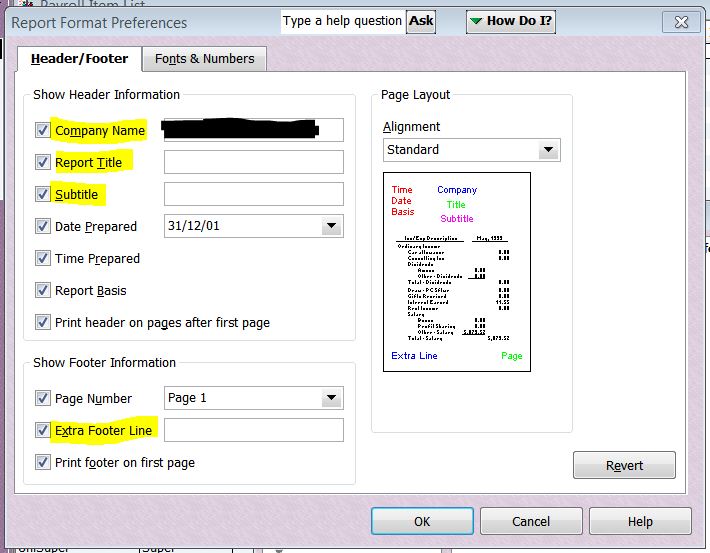
@Tracie O You can also have this (or anything else) show by default (eg on ALL reports) by adding the ABN in your report Preferences:
- Edit (dropdown menu along top toolbar) > Preferences > Reports & Graphs
- On Company Preferences tab, click on Format & type required default text (eg ABN) into preferred field:

Don't forget to click OK on here AND on the main Preferences window in order to save your updates!
0





Answers
-
Thank you for all your answers. Most helpful!
1