Emailing Remittance Advices


Anyone know how to turn the Preview option off when emailing remittance advices - one of accounts just emails them automatically once the send button activated - the other one we get a preview email of each remittance advice and if you go off the screen you are locked and cant get back to that screen to issue advice. Want to make them automatic and not have to preview each one.
Thanks
Comments
-
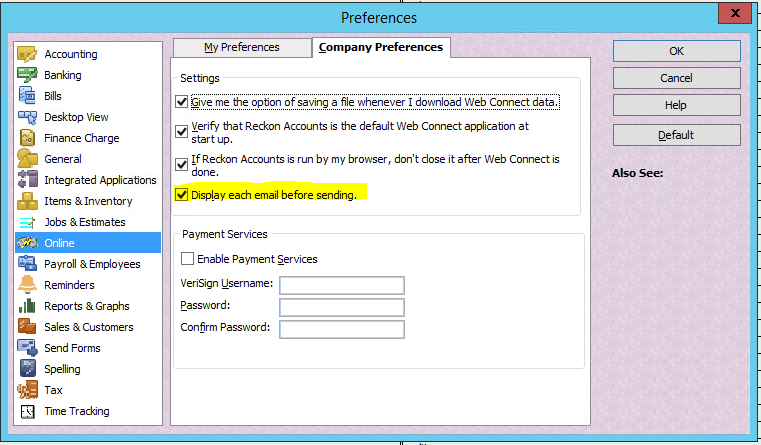
This is a setting in your Preferences:
Click on Edit (along top toolbar)
In the dropdown menu, select Preferences
In the navigator list, click on Online
On the Company Preferences tab, untick Display each email before sending:
 1
1 -
Thanks - all sorted - had gone to preferences but not the company preferences when there was nothing in my preferences I didnt go in there - all sorted - appreciated
0