Hi all, Can anyone advise if using Lump Sum A with tax tracking type (R), works successfully?


I need to use Lump Sum A on a final pay because payment is a result of redundancy.
The payroll item has tax tracking type R
I will also be manually entering the tax at 32%, as per ATO. Its not a severance pay, just unused Ann Leave.
Will this push thru to STP correctly?
I'd appreciate knowing any issues first, if there are any, thanks
Im using Reckon Accounts 2021 edition
Leshelle
Answers
-
Hi Leshelle
Provided you have setup Lump Sum A - including for correct STP mapping! - it will flow through in the applicable STP submission correctly 😊
0 -
Thanks, hopefully it is. These payroll items pre date STP. I'll see if I can find an STP set up guide from Reckon.
0 -
Shaz, where would you check for correct STP mapping for lump sum payments? I'm using Reckon Hosted. I need to process a lump sum payment this week.
Thanks
0 -
Double click on the Payroll Item in the Payroll Items list & click Next through the windows.
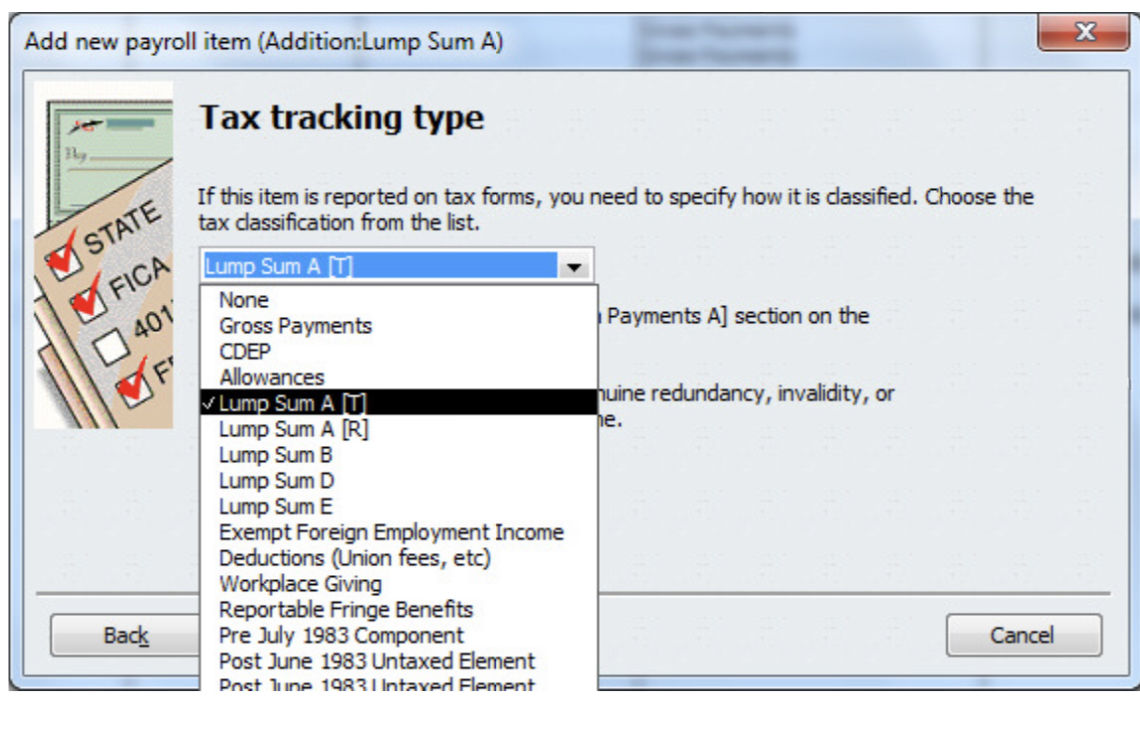
In the Tax tracking type window, it should be linked to the applicable Lump Sum/Termination category there:
 1
1 -
Thanks Shaz for your reply. Yes I have done that, I thought there might have been something else I was missing.
0 -
No, that’s it (for STP anyway!) @Wayne Seabrook 😊
0 -
for lump sum A - do i need to enter a new payroll item + expense item? i dont have a tax tracking type option per above ? i am using RECKON ACCOUNTS ENTERPRISE 2022
0 -
Hi Tricia
Yes, you do need a new Payroll Item. It's up to you whether you want a separate expense account for it (in which case yes, you'll need to create a new one of those also) or whether you just want this shown in with the rest of your wage expenses. Personally, I just link it to the standard Gross Wages & Salaries Payroll Expense subaccount.
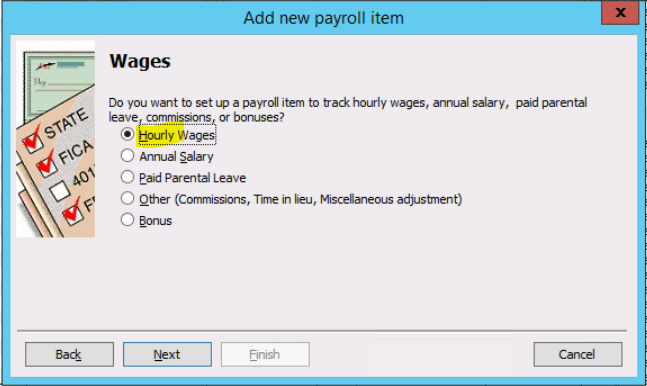
Create it as an Hourly Payroll Item:

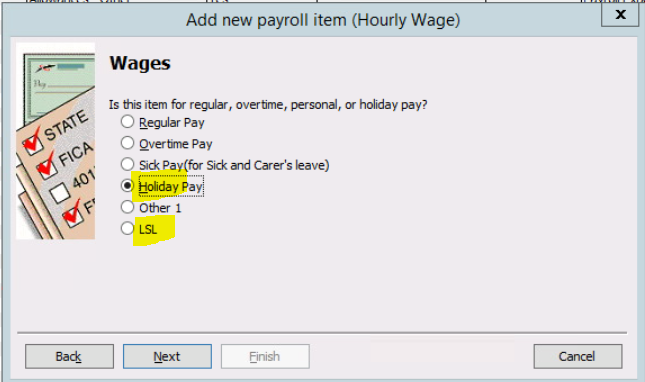
... linked to the applicable Annual/LS Leave type:

This enables the applicable leave balance to reduce accordingly.
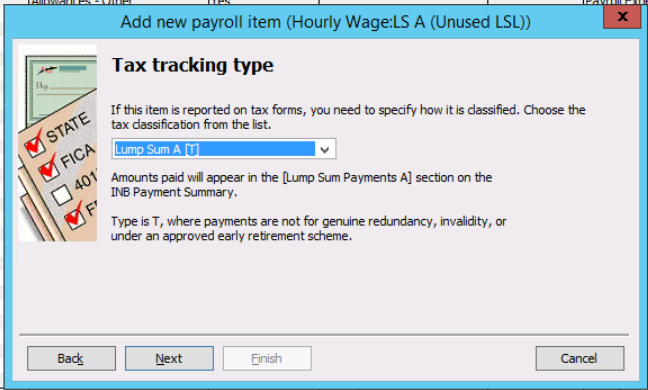
Then link it to Lump Sum A:

Note: The above screenshot is for a standard termination/resignation. It needs to be set up slightly differently - & linked to the Lump Sum A [R] Tax tracking type - if it's for a genuine redundancy.
(NB: Leave doesn't accrue on unused leave payouts & no compulsory SG Super is applicable to this either)
0