how to edit an invoice in reckon premier account


Hi, How can i edit an amount that i received and entered incorrectly under the Customer Receive Tab?
Comments
-
Hi Ang
Is it the invoice or the payment you want to edit?
0 -
Hi Shaz,
Thanks for replying :)
it's the payment amount.
0 -
Open the Payment & edit the amount accordingly in the Amount box. This will then generate an over/underpayment note at the bottom of the screen.
De-select the invoice (click on the tick next to the invoice you've allocated it to) & either re-tick it again - if the payment's an exact match - or enter the partial amount to be applied in the Payment column.
Make sure you Save it to update.
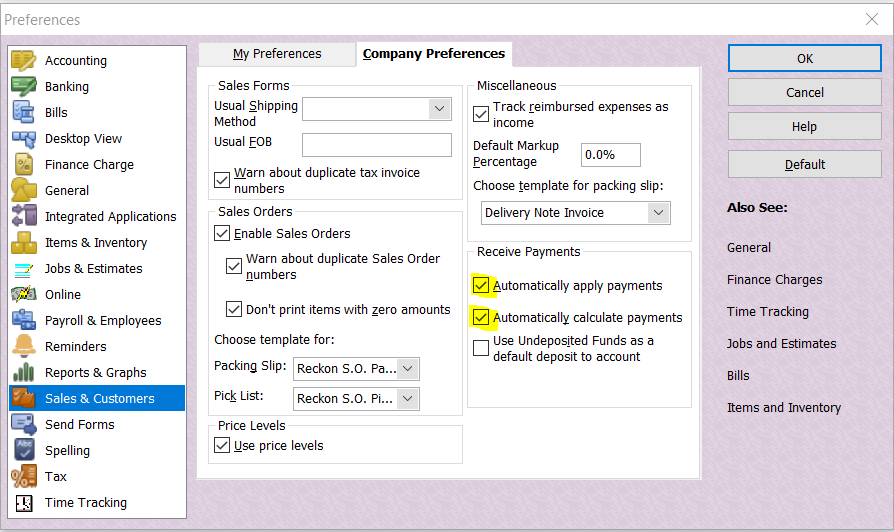
TIP: In your Preferences (under the Edit dropdown menu > Preferences > Sales & Customers > Company Preferences), you can set it to automatically allocate when entering the Amount &/or to automatically calculate the Amount as you tick 😊:
 0
0