If I don't pay my annual subscription, what happens?


My Reckon Personal plus 2022 is not updating share prices, and is reverting back to today's date when I enter past transactions. I am using Google finance for my shares, and the only thing I need the programme for is for transactions in bank accounts, and the history of those accounts.
If I don't subscribe, can I still use those accounts or is the whole Reckon programme removed?
Answers
-
Hi @Rob Chapman
Personal Plus and/or Home & Business needs to have an active licence in order to open/function. There is no read-only mode unfortunately.
In regard to your share price updates not working, can you give us a bit more info on that. How long have they not been updating? Is there an error message or anything else happening on-screen when you perform a share price update?
2 -
This content has been removed.
-
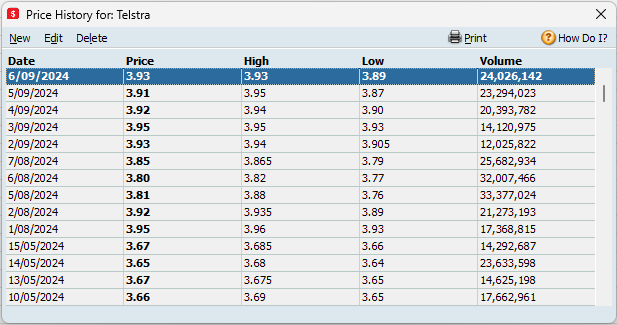
So when you view the Price History for an ASX-listed share, the last price date entry is June 18 and not the current date?
Example screenshot below.
What troubleshooting has been conducted so far?
0 -
This content has been removed.
-
Right click on an individual ASX share and select Price History. You'll see the latest updated date(s) and the respective price history. Does this also show June 18 as the last updated date?
In regard to troubleshooting, an uninstallation is a good first step when it comes to troubleshooting. When you performed your uninstall, was that just an uninstallation through the Windows control panel? If so, then rather than that, I'd suggest performing a 'clean' uninstall and reinstall which is a more comprehensive process. I'll link information and a step by step guide on how to action this here -
Next, I'd recommend performing a share price update only ie. with the currency exchange option unticked.
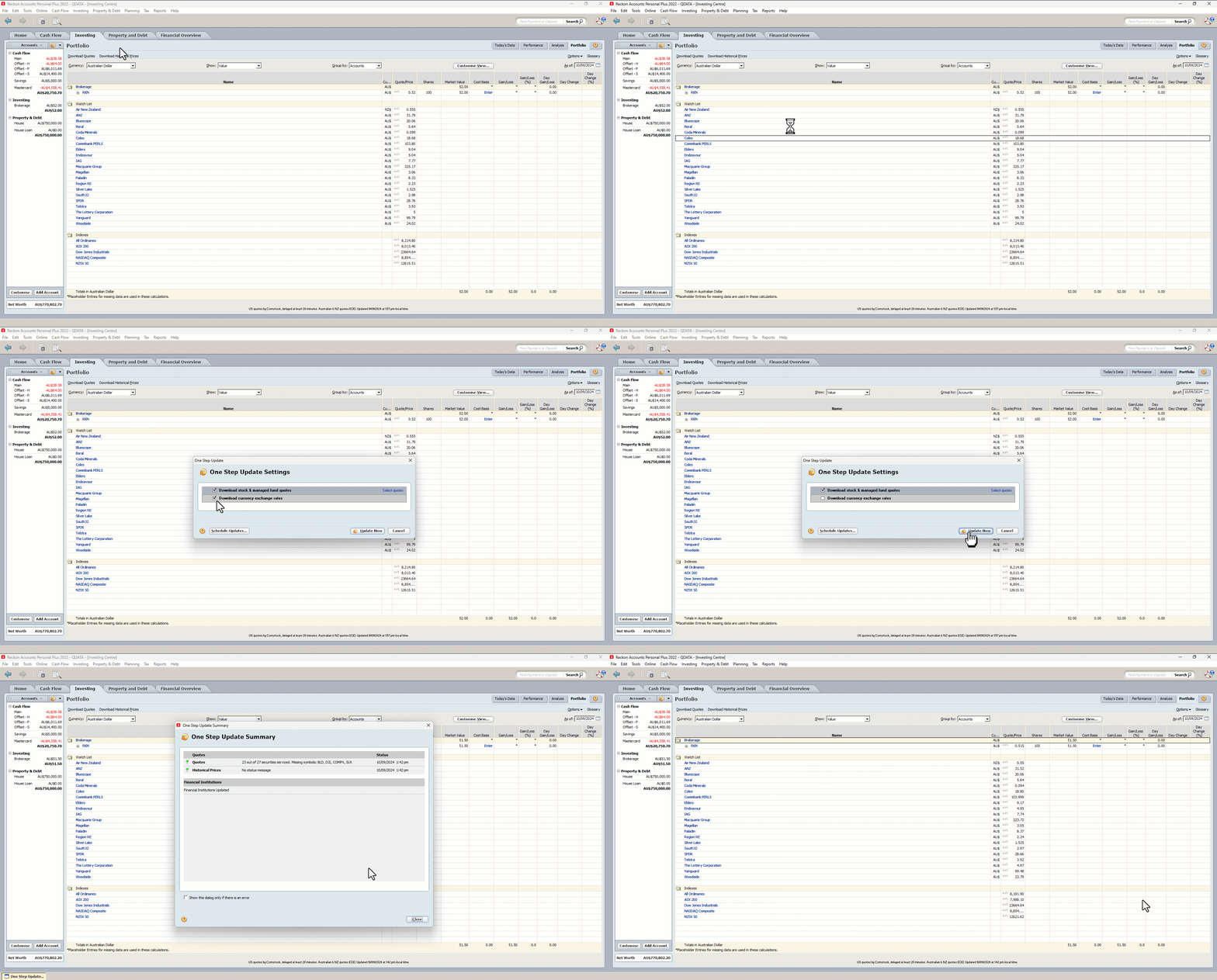
Lastly, we have a step by step guide on the most common causes of share price update failures and how to resolve them which I'd strongly recommend here -
0 -
This content has been removed.
-
This content has been removed.
-
I'd say you'd need to @Rob Chapman, you need to remove all components of the software from your operating system.
Before doing anything though, as outlined in the guide, please ensure that you have valid backup copies of your data files.
0 -
This content has been removed.
-
This content has been removed.
-
This content has been removed.
-
This content has been removed.
-
This content has been removed.
-
Sorry to hear there hasn't been a result from the process you've undertaken Rob.
While I unfortunately don't have much more that I can suggest around this, I think the the clean uninstall process that you performed reasonably rules out the issue coming from the software install itself.
My inclination would be your data file may have some element of corruption which could be leading to some of the adverse performance you're experiencing. If its a large and/or older data file it might have accumulated errors or inconsistencies over time. You could try performing a file validation and super validation if you haven't already but I can't guarantee that will give you the results you need.
Consider starting with a new data file to see if that improves performance, as it would help confirm whether the problem lies with the file or something else.
Additionally, restoring an older backup prior to these issues starting and using that instead could be an option although I cant comment on how feasible that may be in your specific case.
0 -
This content has been removed.



