STP how do i check that my last lodgement was successful- is there a report? How do i access spent hours trolling Google and Reckon help to no avail.
Hi @MooreQuip1,
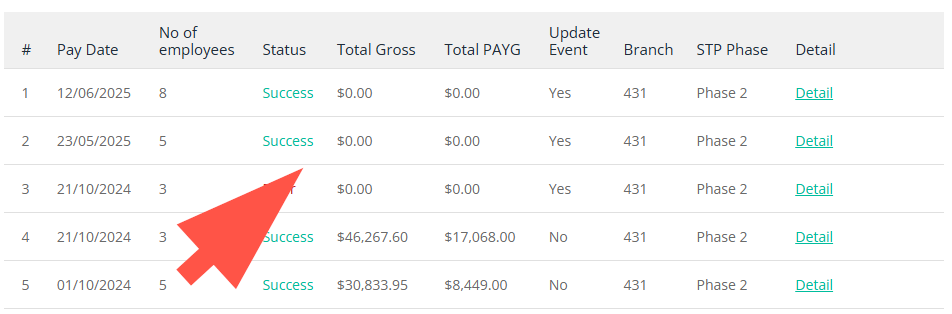
You can check your GovConnect within https://portal.reckon.com/ , when you make a submission to the ATO it should display a success or failed status. It can take a few hours after being sent through.
Thank you and speak to you soon.
I can't find the the customer portal within Reckon hosted to check the status.
It's not within Hosted, it's on our separate site for GovConnect that is on https://portal.reckon.com/ . Login with your details as you usually would and please select GovConnect and you can check the submissions there.
So you can't get an activity statement though the reckon portal for STP?
Are you referring to a payment summary? Please take a look at this for me:
Hi @MooreQuip1
STP files are created from the Paycheques in your payroll software … in this case Reckon Accounts Hosted (RAH).
Reckon's portal however, is a separate platform where you LODGE these STP files.
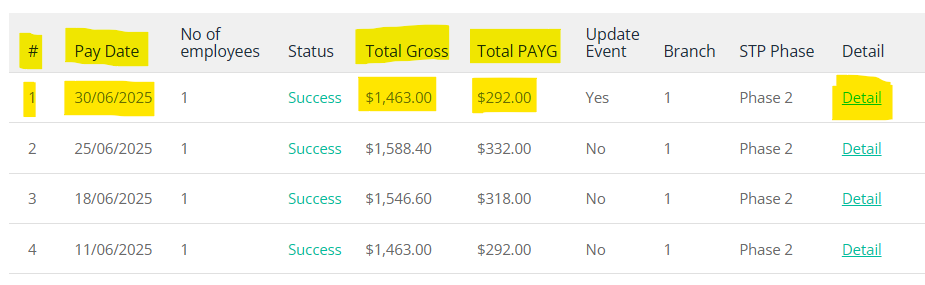
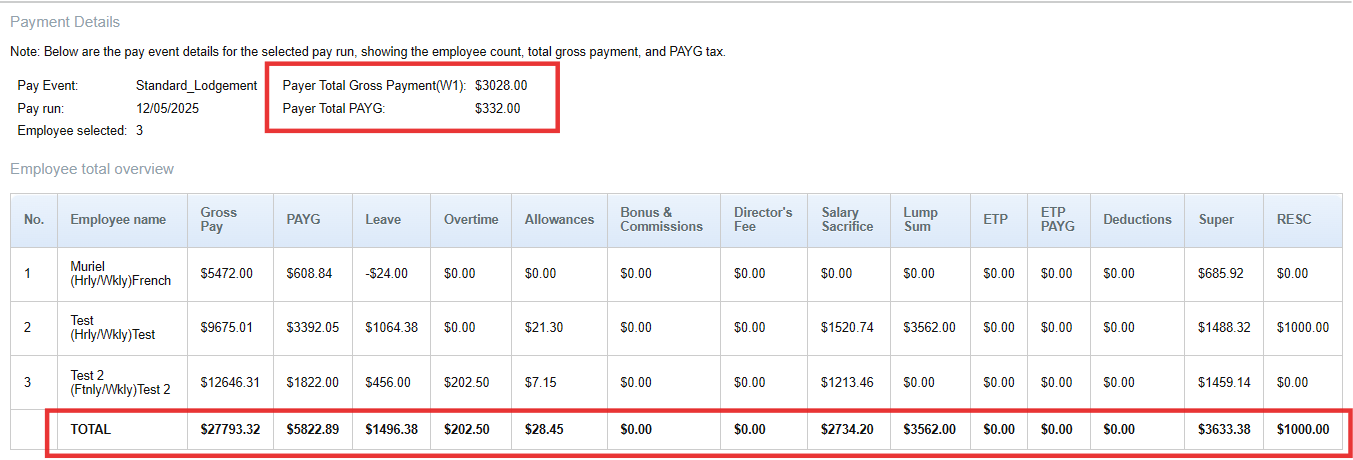
After uploading, your submission list (in Reckon's portal) displays the Total Gross & Total PAYG for each individual submission (pay run). This particular STP list shows this employer's last pay run was submitted on 30/06/25:
However, STP simply updates YTD balances each submission (rather than each independent pay run) Therefore, your latest submission (#1) will always be the most current, as this will contain the latest data & therefore the most up-to-date YTD balances
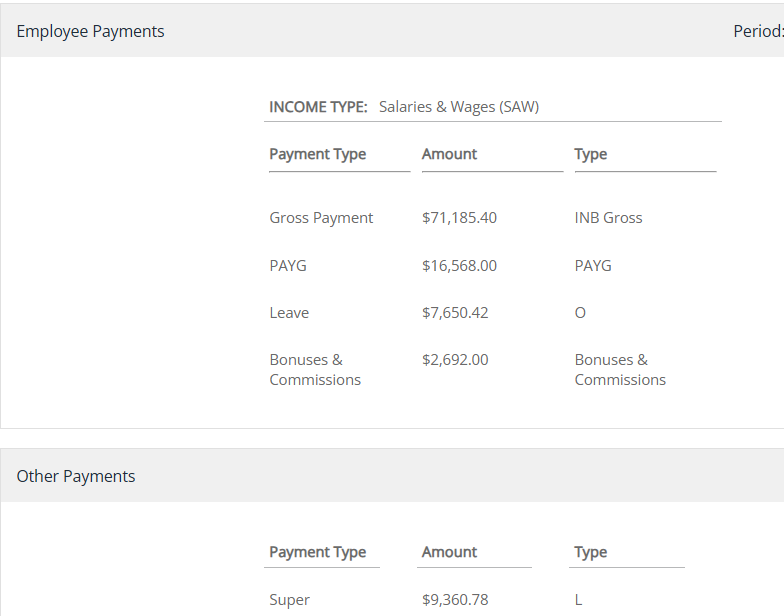
The Detail link at the end of each submission (highlighted in the screen snip above) will show you the balance breakdowns (below) - as at that date - for each employee, line-by-line. These are the YTD balances for this employee, from Line #1 above:
Each employee line also has a Detail link (marked in red box above) where you can view how this data displays in the employee's myGov:
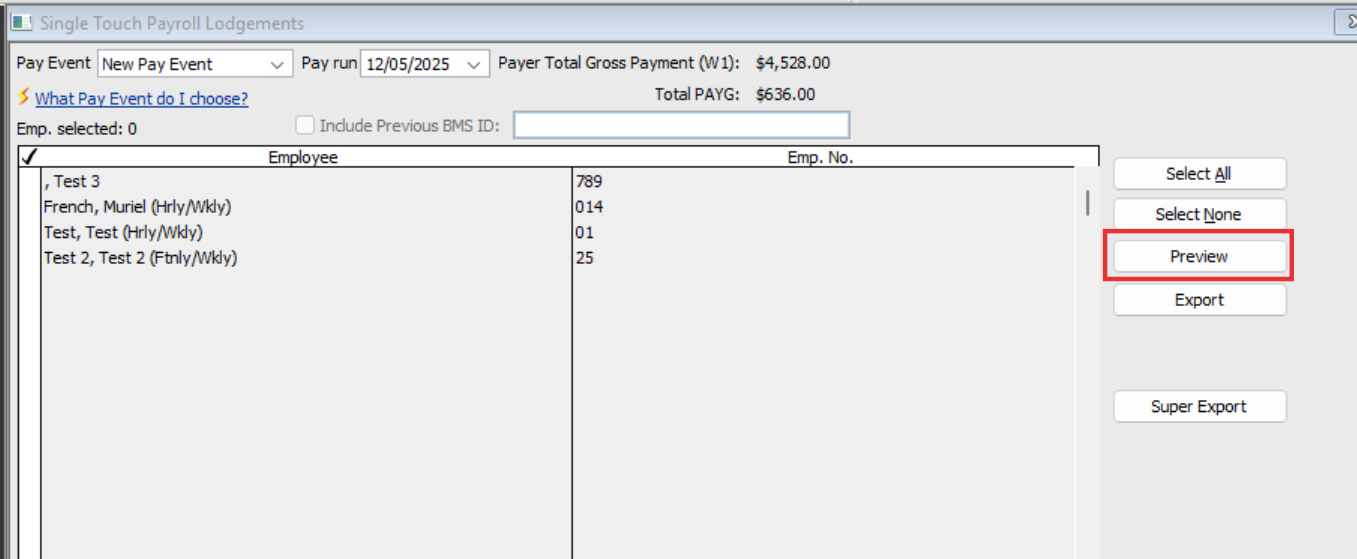
The latest 2025 RA/RAH versions contain a new STP Preview button:
… which now enables you to preview that detailed breakdown without having to upload the submission (to Reckon's portal) first! :
The preview will generate the full YTD TOTALS - with the PAY RUN totals still at the top - in a new window :
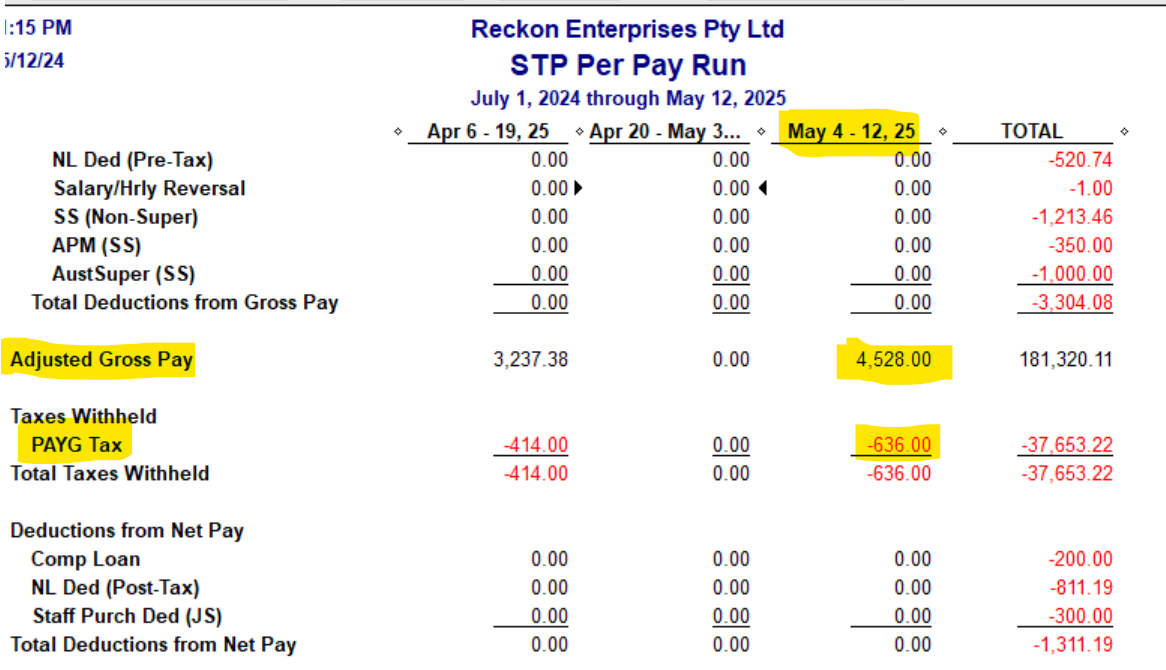
I never lodge a submission without cross-checking against a customised Payroll Summary report, which I modify for This Financial-Year-To-Date with columns per pay run eg Week, Two Week, Month etc) then Memorise & add to my icon bar for simple 1-click checking each time:
(Checking them each time ensures the submissions are always accurate throughout the year & makes finalisation a 5-minute job, rather than 5 hours!)
Hope that helps 😊
Check out the latest important info & announcements for Reckon Accounts Hosted
Each Reckon software has its own dedicated category on the Community. Click below to browse all categories.