Payroll Summary too Large to Export

Kathyd
Kathyd Member Posts: 131 Reckoner Reckoner

Hi, When I go to export the Payroll Summary it comes up a message advising too many
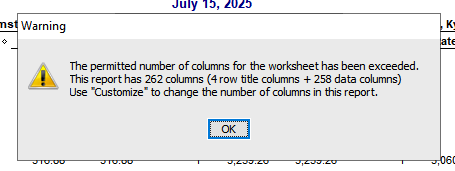
image.png

We have 87 employees and I am only taking out the Hrs & Rate. Is there a way around this ? Could I take out over two exports and then brinmg it together. How do other companies get around this with large number of employees? Await your reply 😊


Comments

  • tok
    tok Member Posts: 25 Reckoner Reckoner

    Perhaps export two reports and then merge them together in excel?

  • Kathyd
    Kathyd Member Posts: 131 Reckoner Reckoner

    Hi, so how do I only take out 1/2 the employees. Where do I have the opportunity to tick the employees so I can extract two report to merge later?

  • Kathyd
    Kathyd Member Posts: 131 Reckoner Reckoner

    I have created two Payroll Schedules is there a way I can extract by the different schedules?

  • Acctd4
    Acctd4 Accredited Partner Posts: 4,211 Reckon Accounts Hosted Elite Expert Reckon Accounts Hosted Expert
    edited July 18

    @Kathyd

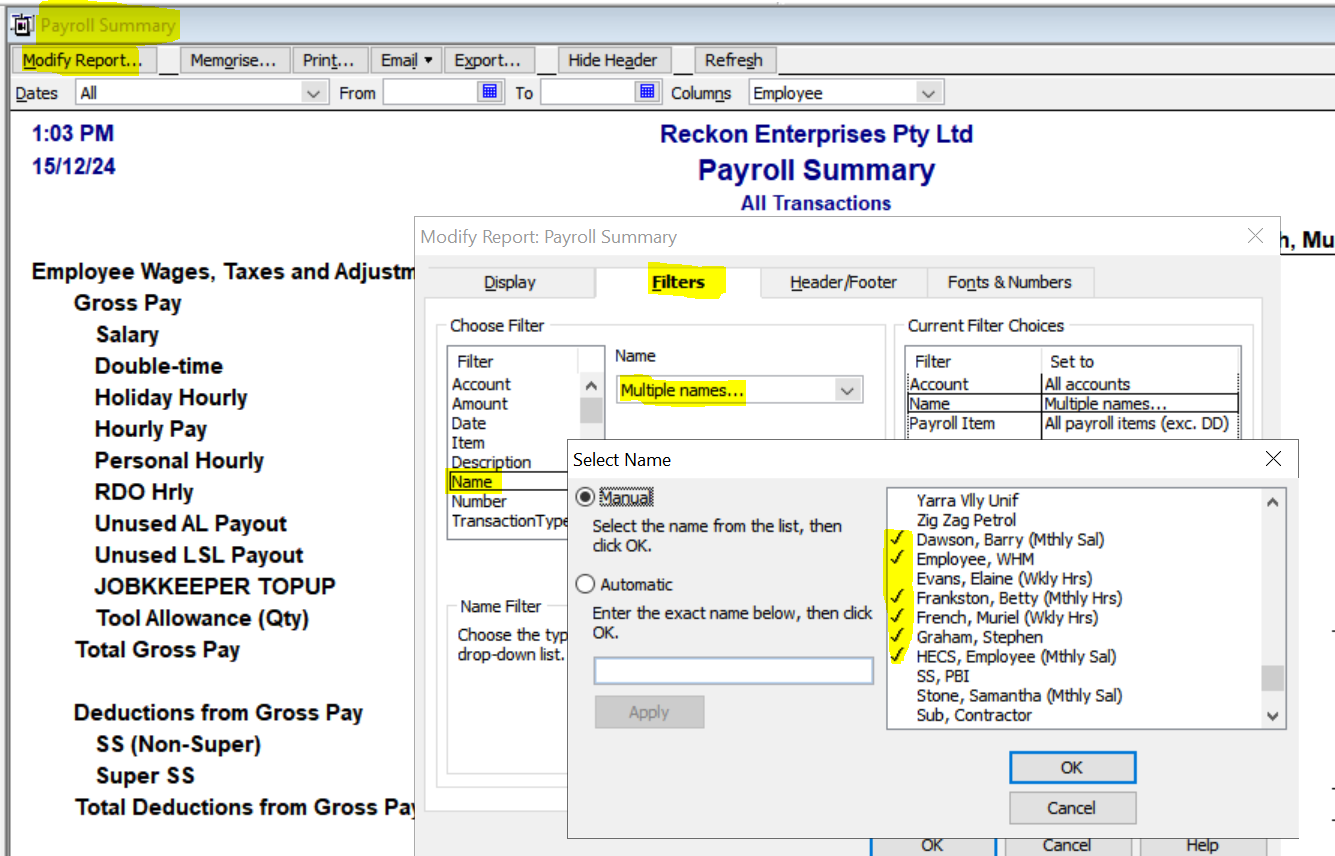
    Open the Payroll Summary in RA & click on Modify Report (top left)

    On the Filters tab, select Name > Multiple … & manually tick the first lot then OK out of each section to refresh/display:

    image.png

    Export that to Excel then repeat the process, ticking just the other names instead 😊

  • Kathyd
    Kathyd Member Posts: 131 Reckoner Reckoner

    Hi, this is great and thank you! Is there any other way as I will need to tick about 50 and then do the same . I only take out the hr & rate. Could I use another field within the Empoyee info then be able to put a filter by that field?

  • Acctd4
    Acctd4 Accredited Partner Posts: 4,211 Reckon Accounts Hosted Elite Expert Reckon Accounts Hosted Expert

    Unfortunately not as the payroll data reports are transaction-generated/filtered, rather than reporting from/on database (list) details 😬