How do I change default bank account in payroll?

Megan_Chud
Megan_Chud Member Posts: 9 Novice Member Novice Member

I would like to use a new bank account for payroll. I am using Reckon One. Any help appreciated!

Answers

  • Tanvi_kataria
    Tanvi_kataria Reckon Staff Posts: 565 Reckon Staff Reckon Staff
    edited July 24

    Hi @Megan_Chud

    You can manage your Bank accounts through Payroll Settings. Follow the steps mentioned below -

    • Login to Reckon One
    • Go to Payroll - Payroll Settings

    If you are required to add a Bank Account before selecting for Payment:

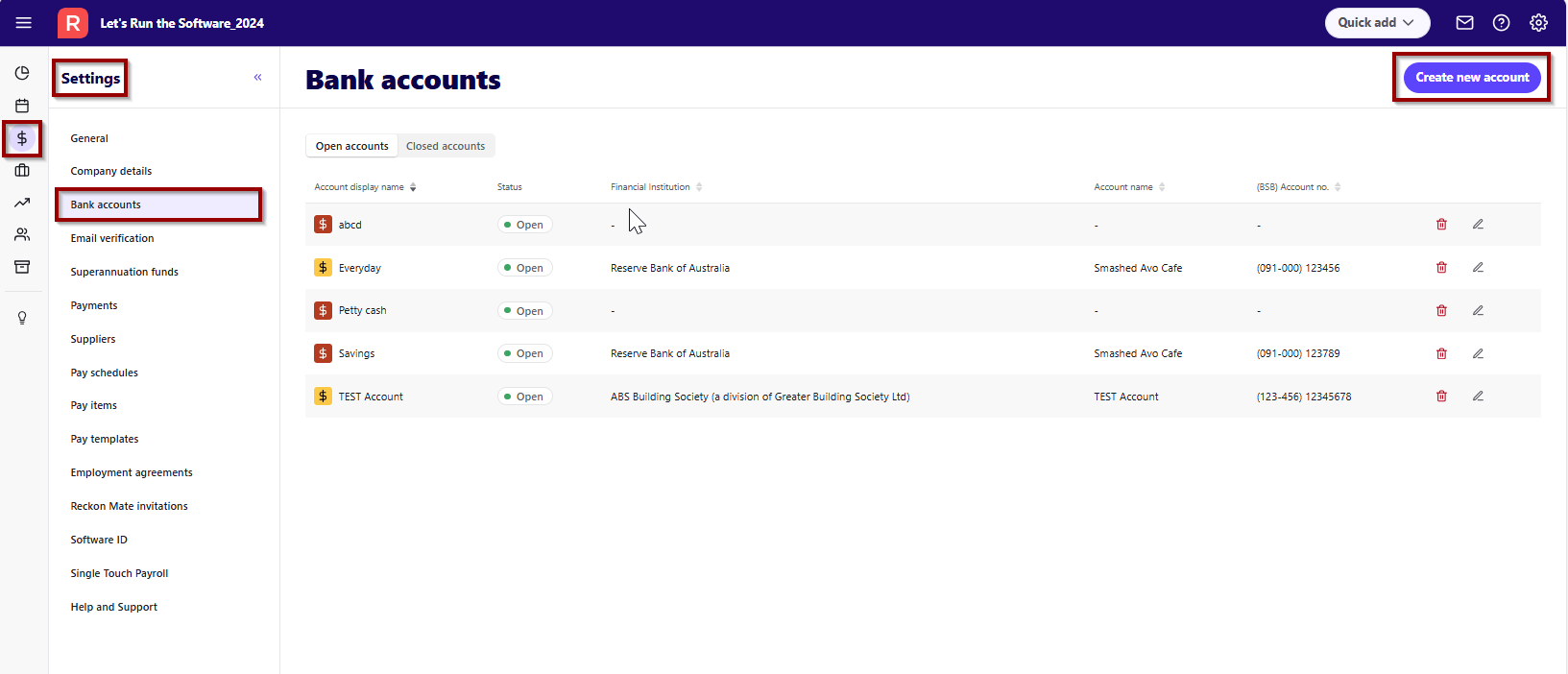
    • Go to Bank Accounts - Create new account
    image.png
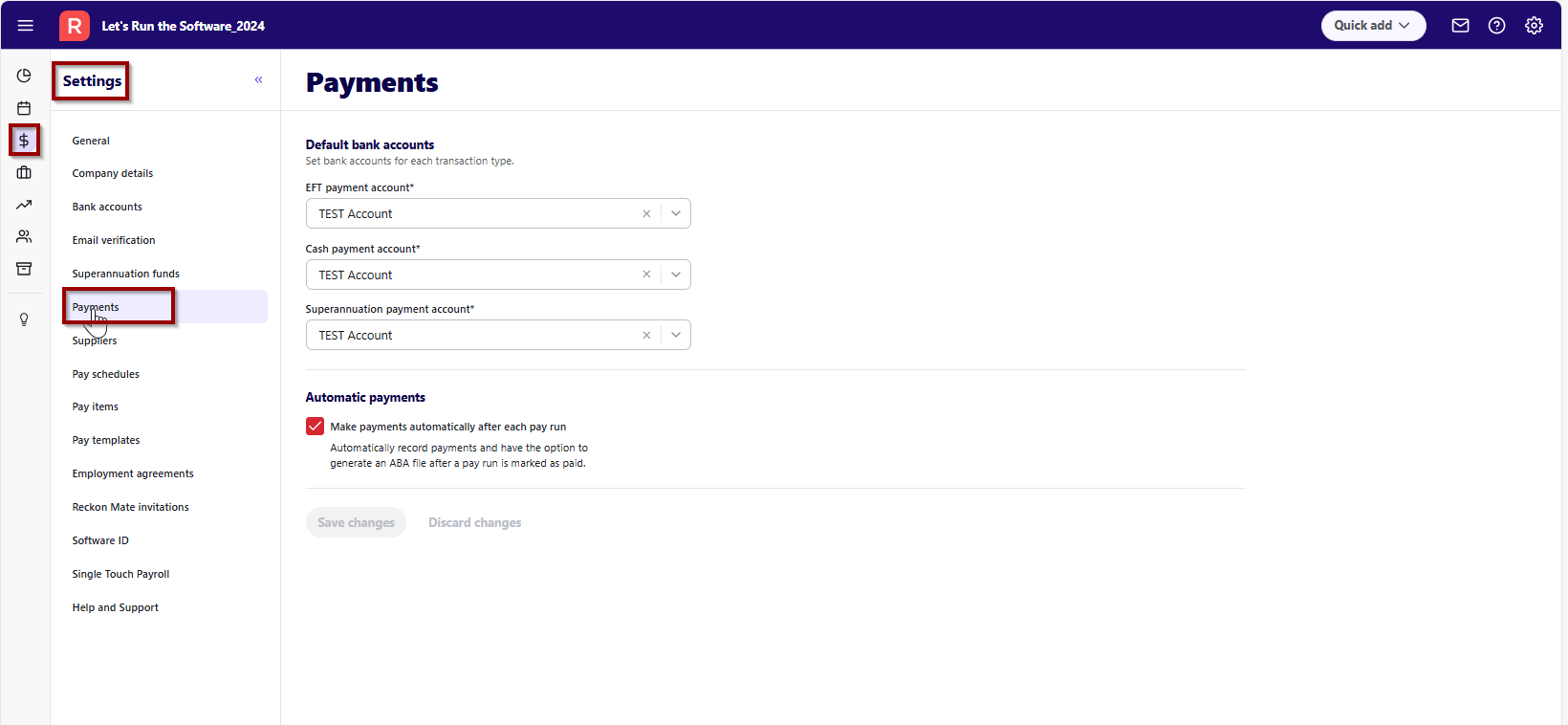
    • Once added, Go to Payments
    image.png
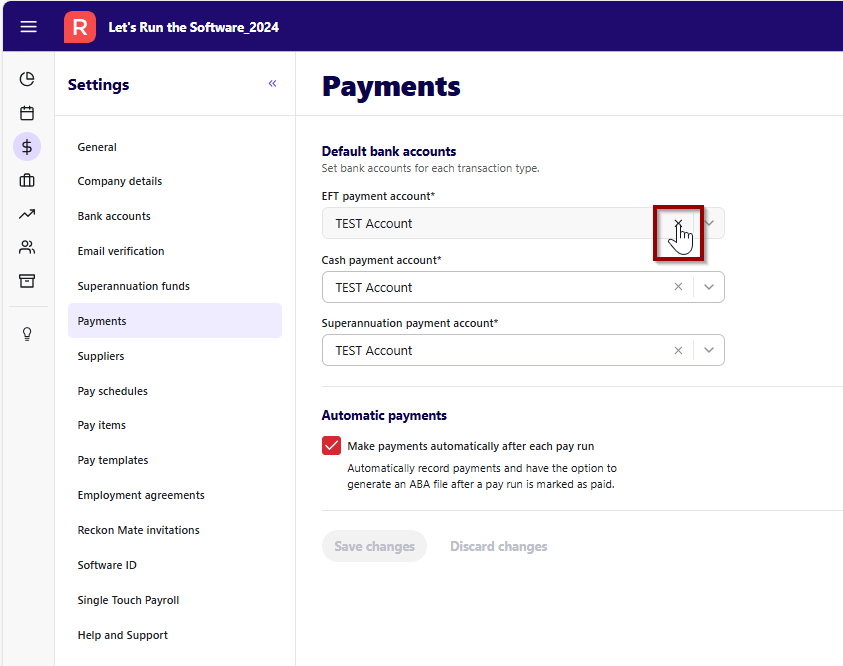
    • Remove the Previous selection by clicking on 'x' as in the screenshot attached
    image.png
    • Make a selection by selecting the correct Bank account from the dropdown
    • Save Changes

    I hope this helps. Please feel free to reach out if any concerns/issues. Thank you!

    Regards

    Tanvi

  • Megan_Chud
    Megan_Chud Member Posts: 9 Novice Member Novice Member

    Thank you so much for your help! Can you tell me what is the process for removing a bank account from my book?

  • Tanvi_kataria
    Tanvi_kataria Reckon Staff Posts: 565 Reckon Staff Reckon Staff

    Hi @Megan_Chud

    Have you ever used those Bank accounts for Payment purposes in Reckon One?

    If so, unfortunately, those bank accounts can't be deleted along with the system generated Bank accounts. However, here are the steps to delete the Bank accounts:

    • Login to Reckon One
    • Go to Payroll - Payroll Settings
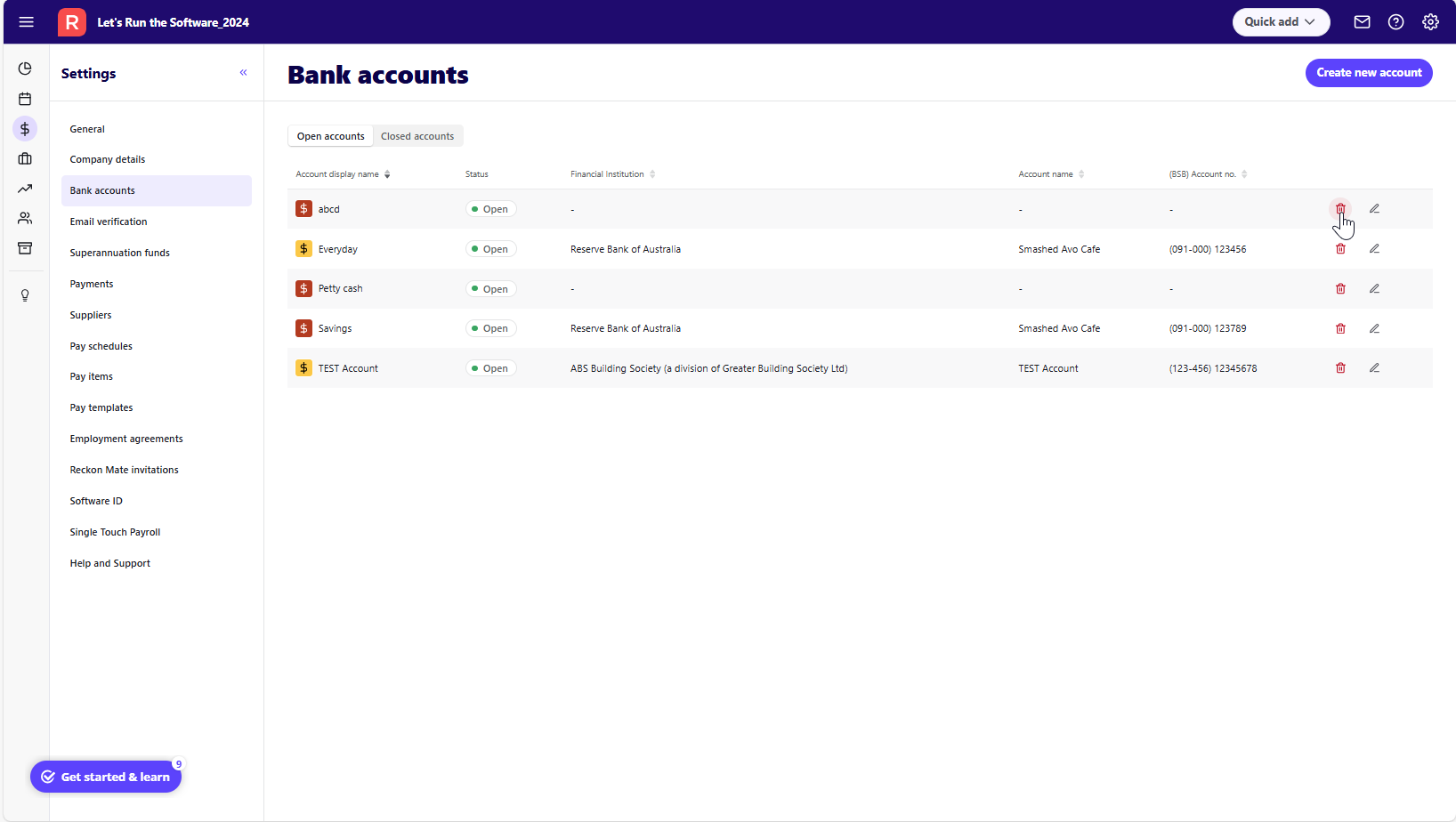
    • Click on Bank Accounts and select the "red bin" to delete the Bank account.

    Find the attached screenshot for your reference -

    image.png

    I hope this helps. Thank you!

    Regards

    Tanvi