help unrecoverable Error and shutdown- after Reckon accounts Premier V34 re inventory adjusts
Hi,
after installing V34 I can not access a inventory adjust once it is done without getting a unrecoverable error and shutdown message.
I am able to make the inventory adjust and I can see it changes stock levels etc.
I need to be able to see the inventory adjustments to check they are correct.
Before the update I did this by running a quick report on the item and this shows the inventory adjusts. The quick report still works but now when I click the inventory adjust in the report it shuts down. I get a unrecoverable error and the shut message. This occurs to new and old inventory adjustments.
The error message code is 14700 88586
Has anyone else experienced this? I have no other issues with the update so far and I have run the rebuild and verify and got the 'no issues with your data' message. The trail balance and all data seem fine.
I see there are other issues with the V34 but others have suggested some work arounds.
Any help would be appreciated.

Best Answers
-
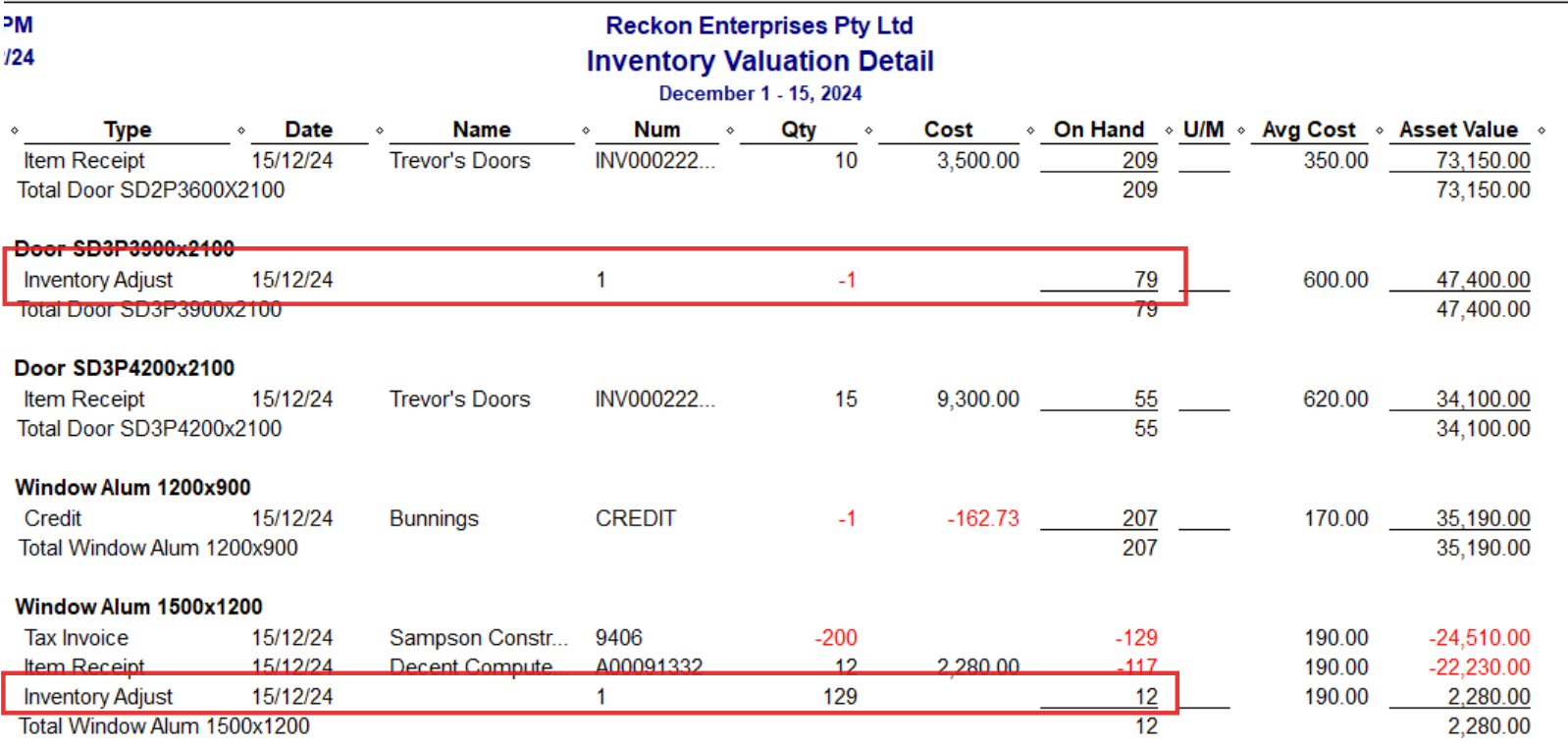
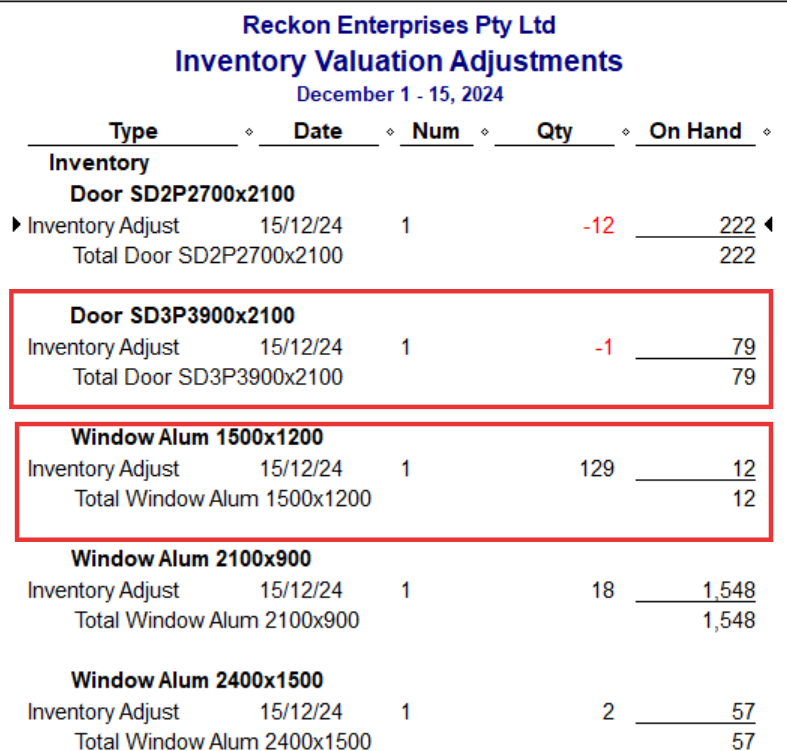
@Tilley The Inventory Valuation Detail report will show your Inventory Adjustments:
You can even filter it further to remove all other entries & unnecessary columns, if you prefer. I would do that, then rename it & Memorise it ! :
Hope that helps 🙏🏻
2 -
Hi @Tilley,
Use of Custom Transaction Detail reports, modified to show Item and Qty fields, filtered to show Transaction type = Inventory Adjustment, then if needed set for the specific date.
This allows for viewing the info in the transactions, but not edit.
Instead of edit, create a new Inventory Adjustment to correct for the required quantity
Thank you and speak to you soon.
0
Answers
-
Hi @Tilley,
A corruption may have occurred whilst upgrading the data file, could I suggest that you restore the backup taken before the conversion and attempting to use the file?
If it still occurs, you will need to raise a ticket with our support to have data recovery review the file for you.
Thank you and speak to you soon.
0 -
Hi Lucas,
Thanks for the reply but this is a typical Reckon reply.
It is too late to restore any back up before the conversation date as the new payroll data /superannuation increase etc has been done. I have ever reported the EOY STP etc.
There was no mention of possible corruption in the updated instructions. I did all that was asked and everything was working well after the upgrade.
I did'nt notice this until after I added the EOY stocktake adjustments, like I said the data all seems fine and the adjustments worked.
Last year there was a fault in Reckon upgrade that was fixed in this years update.
Guess I will just have to live with this. Is there a report that shows the inventory adjusts and as this might be a possible work around.
Hoping others may have an answer.
1 -
Thanks Shaz and Lucas,
Posting this in case others need this work around.
I needed to see the whole inventory stocktake adjustments I had made without having to quick report each item.
Shaz's work around was easiest report to see my stocktake adjust:
The
Inventory Valuation Detailreport will show your Inventory Adjustments:by modify date to adjustment date and transaction type to inventory adjust , I do get a report . So I will use this.
If i find an error in the an inventory adjust I will use Lucas' suggestion:
Instead of edit, create a new Inventory Adjustment to correct for the required quantity.
Just need to remember not to click on an inventory adjust in any report as this crashes Reckon.
Thanks again😉
t
1 -
We also have this issue. Its very frustrating!
1 -
Hi Lucas,
I notice someone else has this issue.
Thanks
0 -
Thanks KristE,
appreciate you commenting.
Thanks
0 -
First make a COPY of your existing QBW company data file.
Then test if this process below works on the COPY of the file.
- Export the Items List to an IIF file and call it “ORIGINAL - Items.IIF”
- Open that IIF file in Excel. Open it as a tab-delimited text file.
- For all items that have a value of STOCK in the column INVITEMTYPE, modify the values for the column called HIDDEN and set it to N
- Once done, save the changes (save it as a new file, example “All Set to Active – Items.IIF”)
- Then import the modified IIF files that contains the changes back into the copy of the QBW data file.
Searching the Reckon Help and Support Centre | Asking good questions on the Community
#TipTuesday: Picture Paints a Thousand Words | How do I add screenshots to my discussion?
0 -
I am having the same problem works fine on old version 2021 but soon as it updated the file for V34 it won't let me look at old inventory adjustments with out locking up. Is there fix for this without exporting and importing as I have found in the past exporting to excel that it can't handle long descriptions and will limit the length when re-importing.
Thanks
0 -
Hi @Roger_6882466 ,
Our development team has carefully investigated the issue. We appreciate your patience and understanding during this time. Please see the announcement below for a detailed update, including our findings and the steps we have taken to address the issue.
If you have any further questions please let me know.
Regards,
Reeta
1