Reckon One has just received a new update which gives access to the new invoice experience to all users, adds a new report and squishes a heap of annoying bugs. Check out the details of today's release below!
✨ New invoice experience is now available to all users!
Reckon One's brand new invoice experience is now open to all Reckon One invoice users! We're really excited to deliver this update and is now available as opt-in to all Reckon One users with invoices included in their plan.
When creating an invoice you'll see a banner at the top which allows you to switch to the new invoice experience! Check out a glimpse of the exciting new changes with the new experience below and a huge thank you to our beta testers particularly those from the Reckon Community, your feedback has been invaluable! 🙂
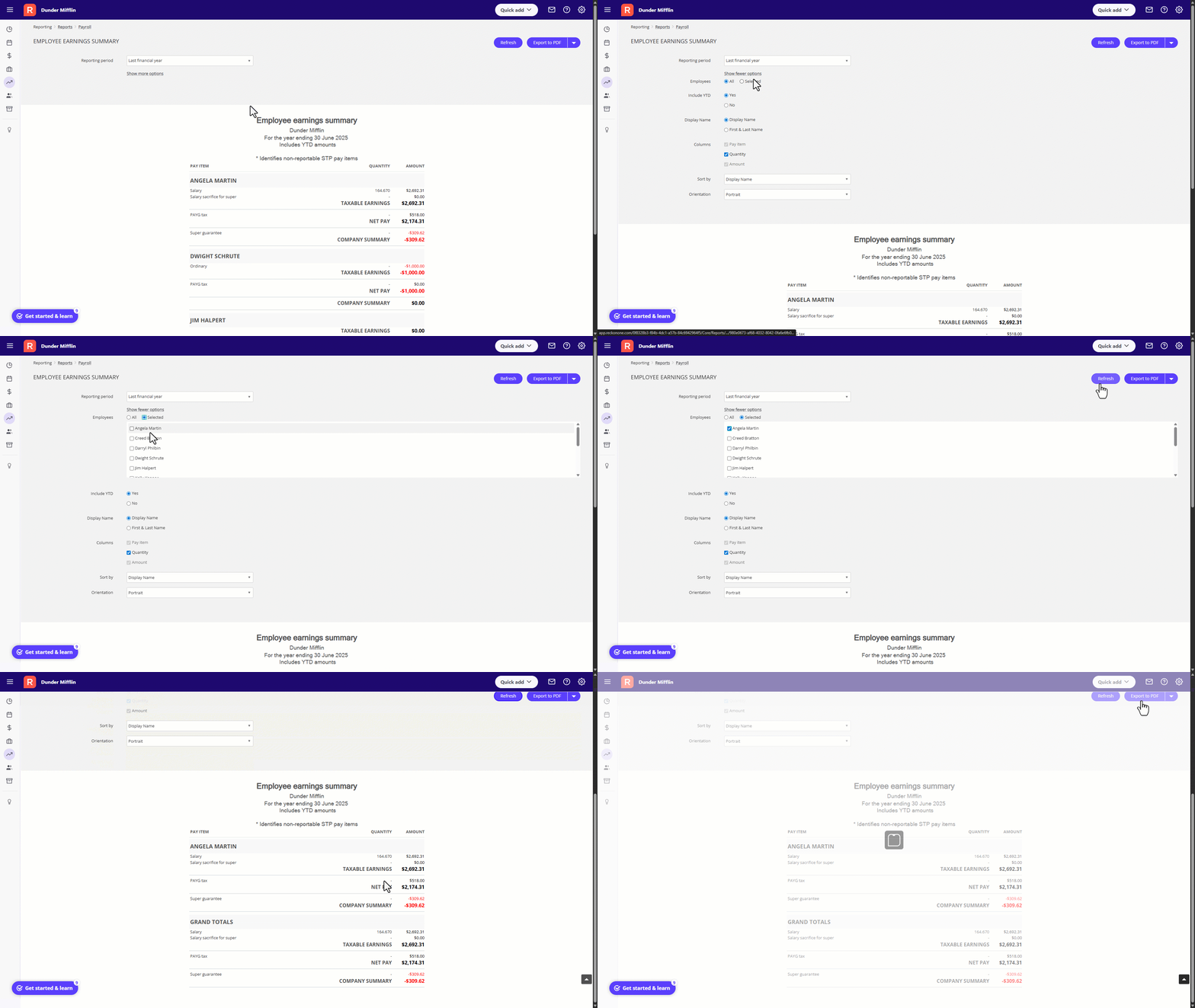
🆕 Brand new report - Employee Earning Summary Report
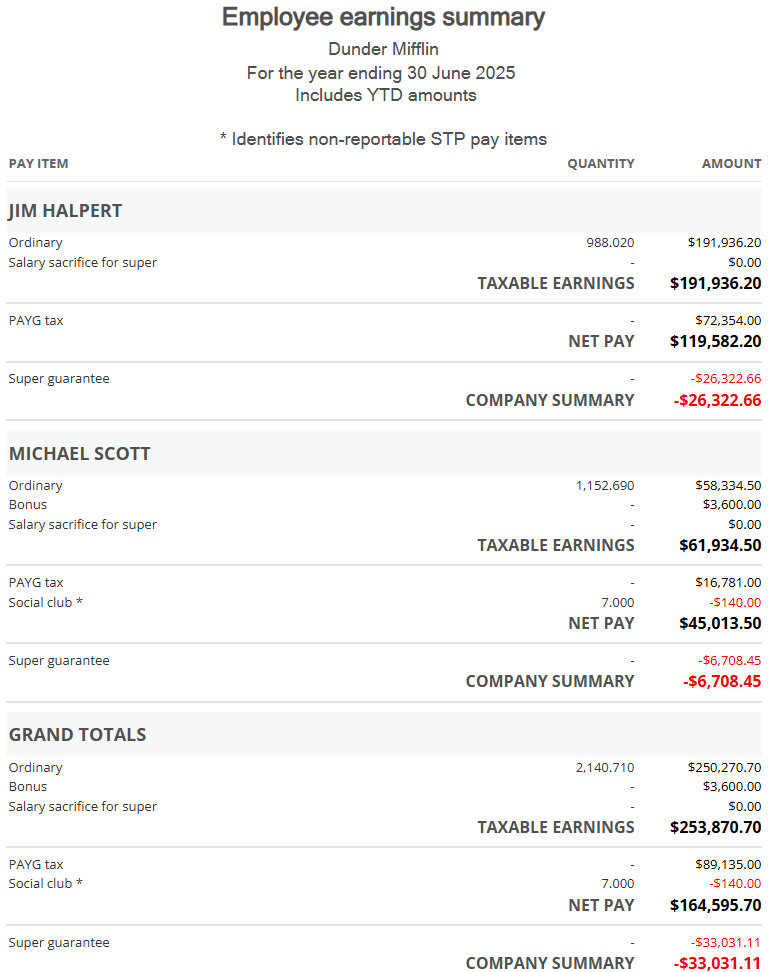
The Employee Earning Summary is a brand new report designed to help give you a consolidated overview of employee earnings over a selected date range based on pay run dates.
This report provides a high-level summary, making it easier to reconcile payroll data with STP submissions and other reporting needs.
Key features:
- Includes all transactions, including those from draft pay runs.
- Option to include initial YTD values - highly requested! 🎉
- Groups data by employee rather than by pay run.
- Layout is similar to the existing Payroll Detail Report, with simplified fields
- Employees are listed alphabetically, with pay items grouped as per the current Payroll Detail Report.
- Clearly highlights which pay items are not reportable via STP to support reconciliation.
⚠️ IMPORTANT - The report includes all transactions, including any balances from pay runs that are in draft status and has the option to include any initial YTD balances added to an employee.
🐛 Bug Fixes
✨ Fixed an issue where the Salary Sacrifice column only displayed balances assigned with the employee’s currently assigned super fund, rather than all relevant salary sacrifice contributions eg. if the employee changed super funds partway through the financial year. This has been fixed and reports will now correctly include all applicable values, regardless of the super fund assigned.
✨ Resolved an issue where superannuation was not being calculated correctly in new pay runs created using the copy pay items from last pay run option if the employee’s super details had changed. This fix ensures super is now accurately calculated regardless of whether the pay run has been copied from previous.
✨ Fixed an issue where the Classification field was not being populated in the employee screen when creating a new pay run, even when the Copy pay items from last pay run option was selected. This fix ensures the classification field will now correctly copy from the previous pay run if the option is selected.
✨ Resolved an issue where superannuation amounts disappeared from a pay run after an attempt to revert the pay run to draft fails. This occurred when a manual employee payment had been created against the pay run prior to the revert.
✨ Addressed an issue where leave payments made during the financial year were correctly reported as Leave via STP, but were incorrectly reclassified as Gross in the EOFY report when the employee was terminated with the reason Deceased. This has now been corrected to ensure leave remains reported under the Leave category.
✨ Resolved an issue where multiple hire dates resulted in duplicated employee records appearing in the EOFY finalisation.
✨ Resolved an issue where the Unpaid Invoices report was displaying incorrect data in certain columns. The report will now accurately reflect the associated invoice details in each column.
✨ Fixed an issue where the Pay Now button wasn't appearing on emailed invoices even though PayPal payment services was active. The Pay Now button will now correctly appear and your customers can use this to make payments directly from the invoice email.